
Replies: 2 comments 1 reply

-
|
I have a couple suggestions - The first is that I don't see an array named "data" in your example json, though you may have just left it out. Secondly, check the browser console and network tab in the developer tools to see the result from the rest call and any errors that might be displayed. |
Beta Was this translation helpful? Give feedback.

-
|
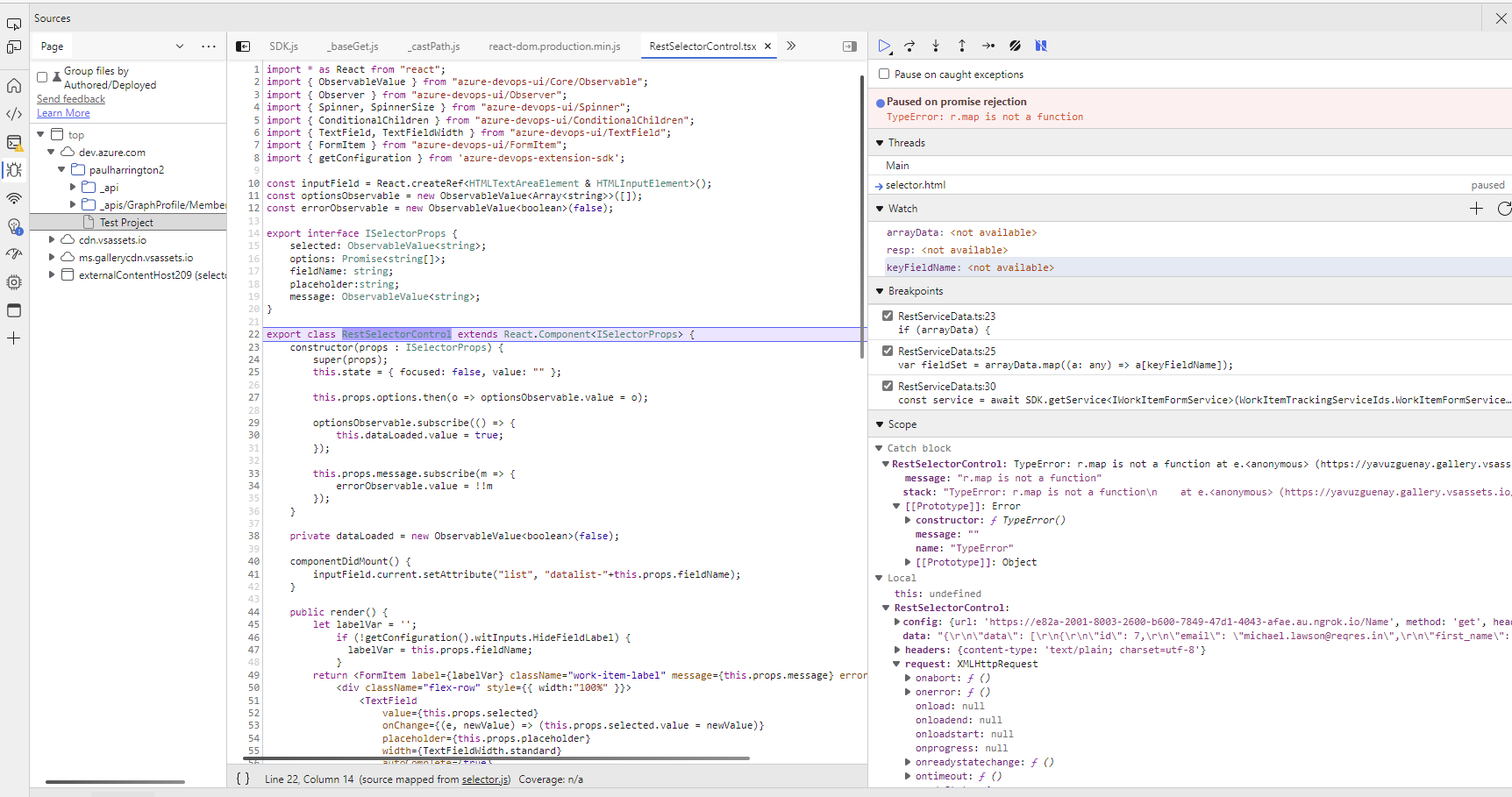
Thanks, that has helped I was getting a CORS error which I have resolved and I am now getting data back to the client. But I am getting this error. I assume because I do not have the returned data in the right format but can't figure out where it is wrong. The returned data is: { Which is copied from the ArrayData field in the RestServiceData.ts routine. The BaseGet function always returns Undefined. |
Beta Was this translation helpful? Give feedback.
-
|
I can't say that I will be able to debug the issue for you - double check that the configuration is correct (key field matches the json field name), you can also add break points inside "RestServiceData" where arrayData is extracted from the response to see if the JS object is correct. Then you can check the returned value from the fieldSet and see if it is also a valid array. |
Beta Was this translation helpful? Give feedback.


Uh oh!
There was an error while loading. Please reload this page.
-
I have created a webservice to return this data.
{ "page": 1, "per_page": 2, "total": 2, "data": [ { "id": 7, "email": "michael.lawson@reqres.in", "first_name": "Michael", "last_name": "Lawson", }, { "id": 8, "email": "lindsay.ferguson@reqres.in", "first_name": "Lindsay", "last_name": "Ferguson", } ] }I have configured a custom control with these parameters. I am basically following the example in the help text. However, when I edit the work item I do not get a picklist of items.
The "SelectedUser" field in DevOps is defined as Text Single Line.
I know my API is being called as it hits a breakpoint but the picklist in the UI is not being populated.
The 4th screenshot shows what I am seeing in DevOps. Any suggestions as to what I am doing wrong?
Beta Was this translation helpful? Give feedback.
All reactions