Addition of Categories and share history features to share to computer #12

Description

Introduction
Share to Computer is an Android application that makes sharing files from mobile phones to computer easier. You just need to select the files you want to send and share to computer. This will generate a link to be inputted on the computer browser where you can download the file shared.
Components
My Suggestion is on the
- Landing page
Proposal
ShareToComputer is a decent application that reduces the stress most users go through just to send a piece of file to their computer. I believe the application can still be improved.
-
Categories- Trying to send files on ShareToComputer is kind of stressful if the files are not recent or together. That is why I propose that the files should be categorized. The categories will include Music, Videos, Photo Gallery, Files. Each of these categories will contain similar files. For example, the music category will include all music files. This is the same with the Video and photo gallery. The Files category will include files that can not be categorized.
-
Share History- Users can only send files but can’t see what they have sent in the future. I propose the addition of a Share history feature that will display all sent files and the date sent.
Mockups/Examples
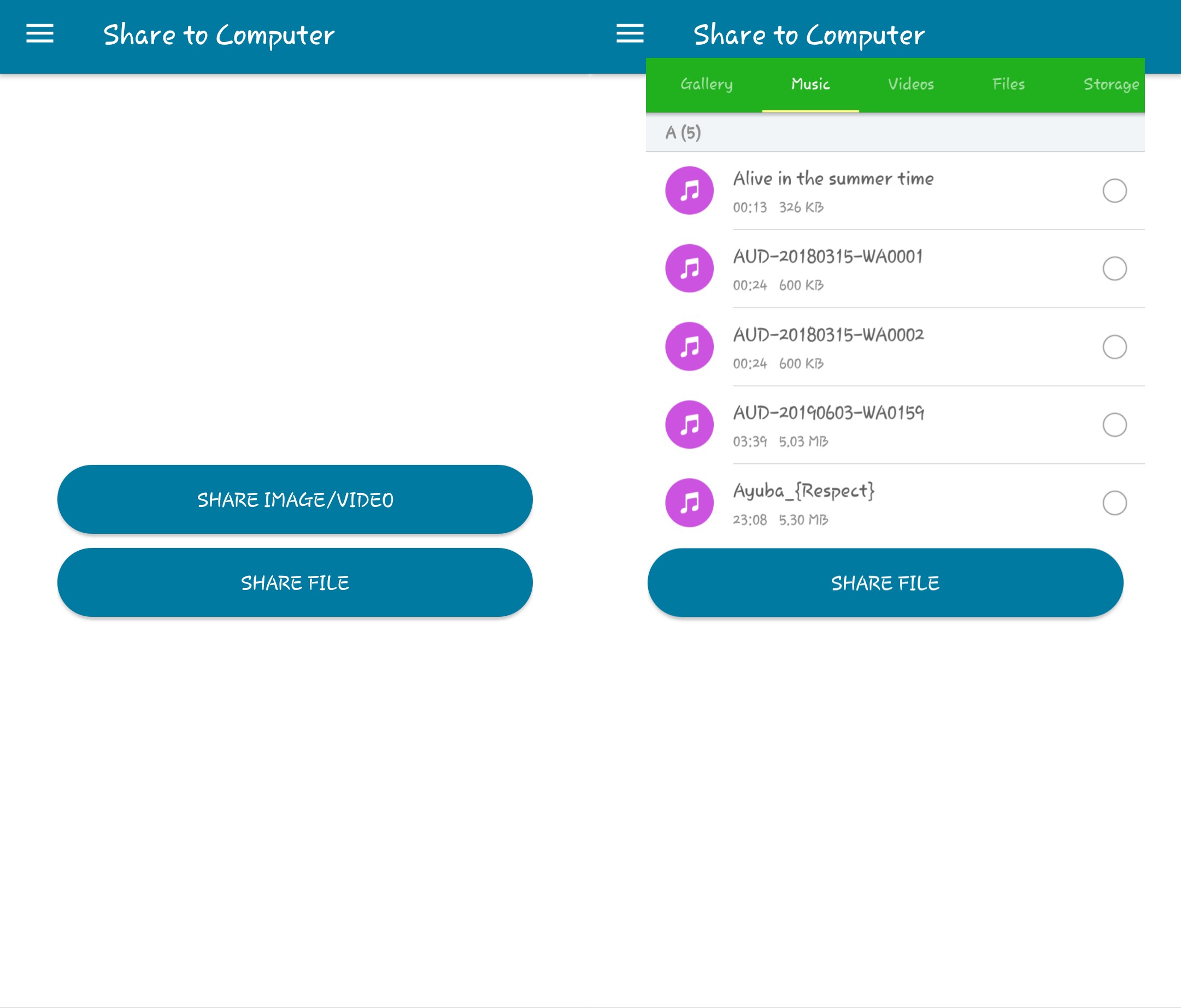
The above is how I want the categories feature to be enhanced. You can see that the music button has only music files in there. That will be the same for other categories.
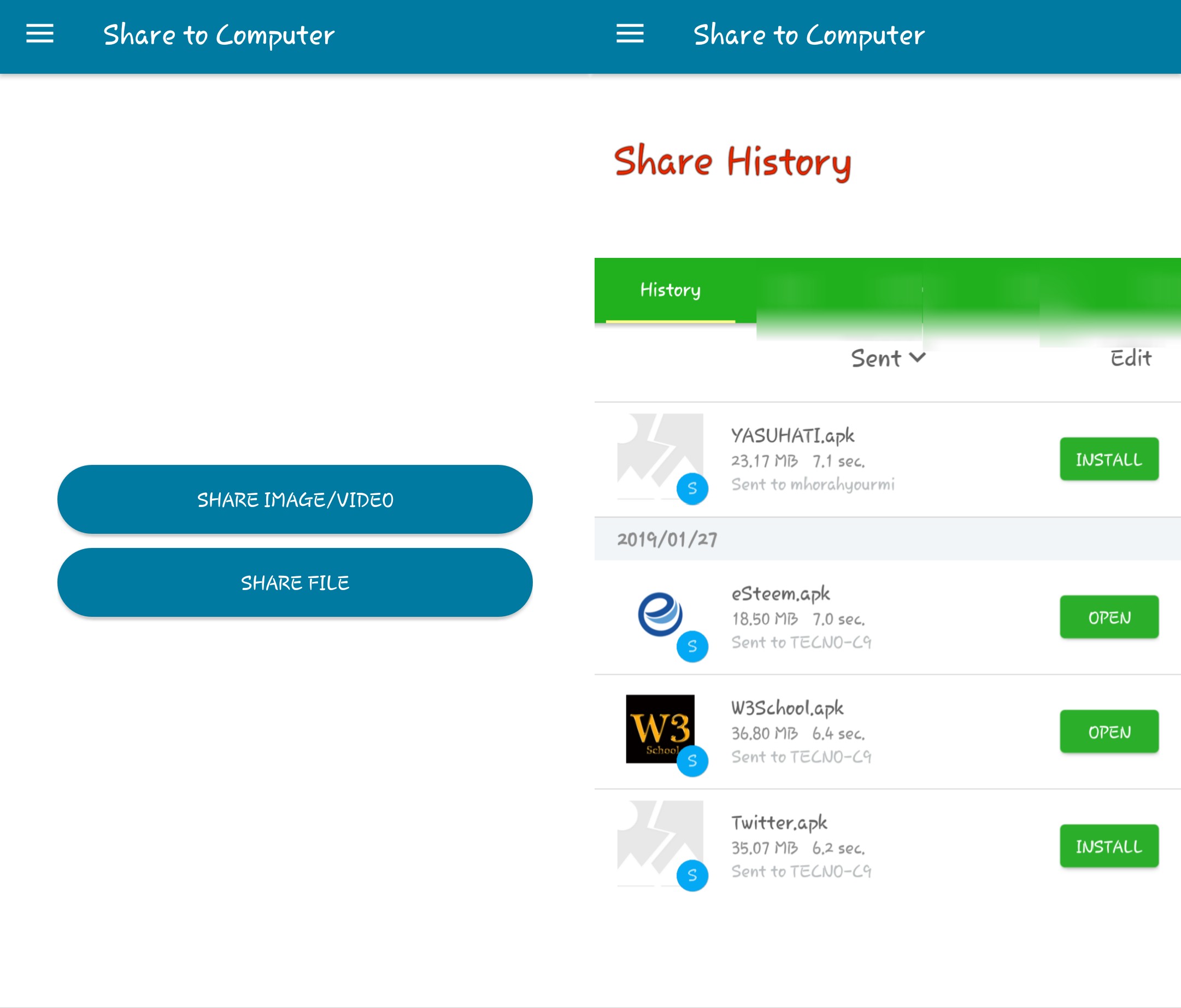
This image is how I want the Share history to be implemented. You can see that the files sent can be seen and the date sent plus the device sent to.
Benefits
Categories- This is an important feature that will reduce the time spent in finding the file to send. Imagine someone that want to send multiple video files in different locations, with the current mode of the application that is impossible. The user have to be selecting the video in each of the categories and sent. With the categories feature, the user can see all the videos on the device and choose anyone to send. It saves time and stress used to search and share videos one after the other.
Share History- This is another important feature that will let users see their past files sent. It helps to avoid situation of double sending. I often like transferring some of my pictures to my computer to increase available storage space. The presence of a history feature will make me avoid situations where I send a file twice. I can easily check the history and see the files I have sent. You can also see the device name you sent the files to.
Conclusion
The application is one useful one because it cuts out the use of external devices such as cables, flash drives to send things between your phone and computer. Implementing my suggestions will make it more desirable for the general public. It will reduce the time and also cut out stress associated with finding the files to send.