OCR Providers
SmartDocumentor includes optical character recognition (OCR) extraction natively, we do include other providers to enhance performance in certain types of documents.
Recently we added Google API as a external OCR provider for better performance in natural image documents.
If you have an account and want to start using this provider is very simple just follow the next steps.
72.    <Setting Name="OcrEngine" Value="Google" />
73.    <!-- OcrEngineCustomParams: plafondPath; saveGoogleOcr; settingsGoogleOcrPageModelPrefixFieldName -->
74.    <Setting Name="OcrEngineCustomParams" Value=";False" />
Optionally you can set on OcrEngineCustomParams the additional parameters:
- plafondPath - default is a file named GooglePlafond.json inside SmartDocumentor's installation folder. Ex: C:\Program Files (x86)\DevScope\SmartDocumentor\GooglePlafond.json
- saveGoogleOcr - if you wish to save original Google API result in the task.
- settingsGoogleOcrPageModelPrefixFieldName - if you are saving google OCR you can set the key value in the task. Default is _GoogleOcrPageModel_.
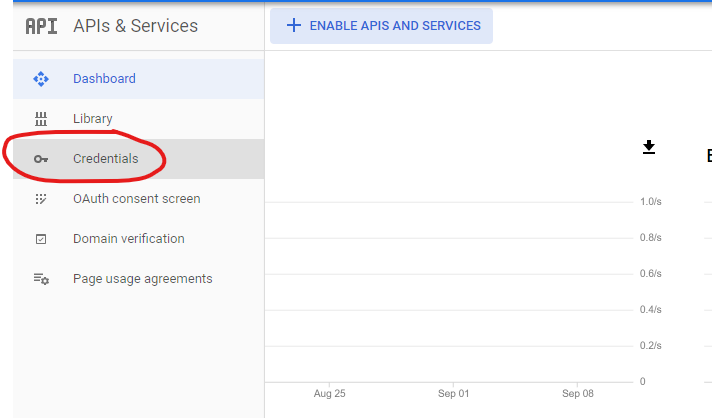
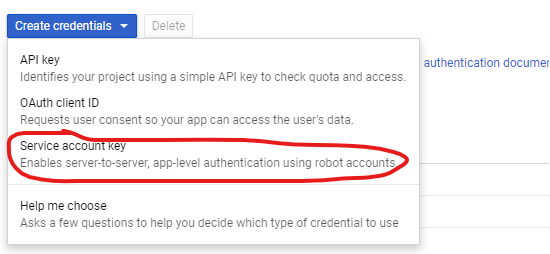
From the Google Cloud Platform just download the access keys in the JSON format .
First make sure you have a valid payment method.
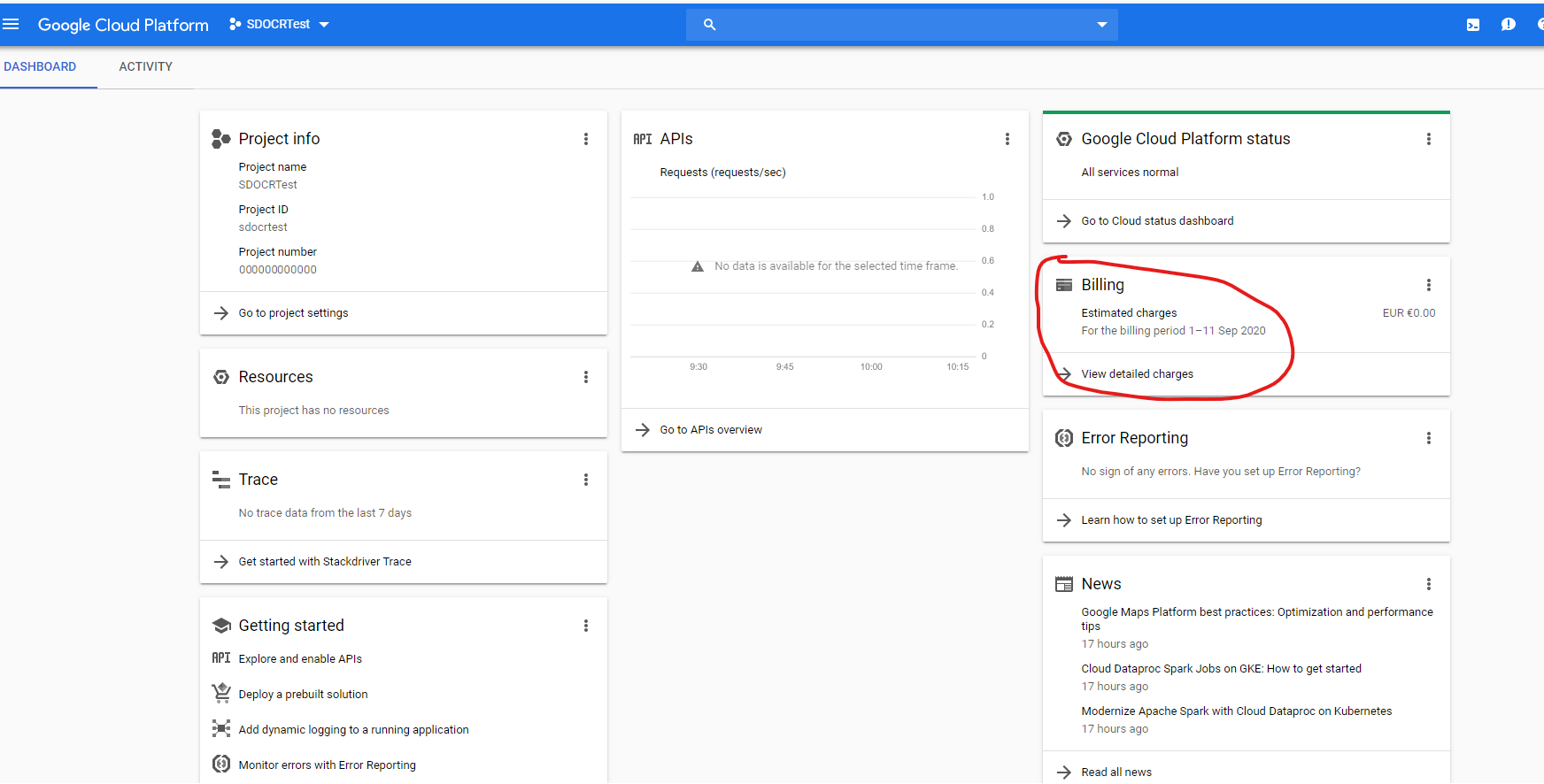
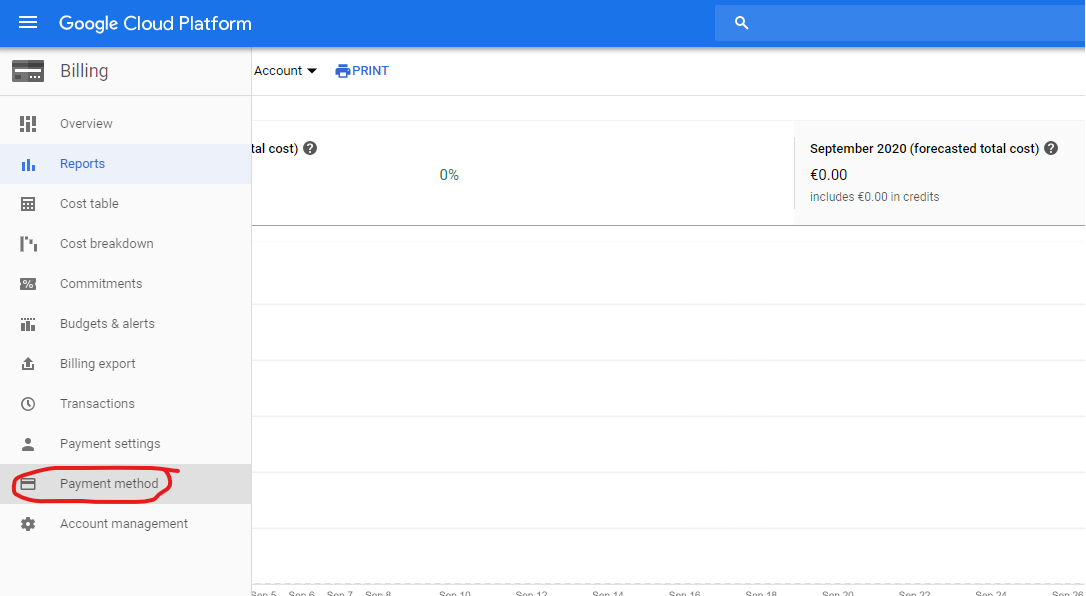
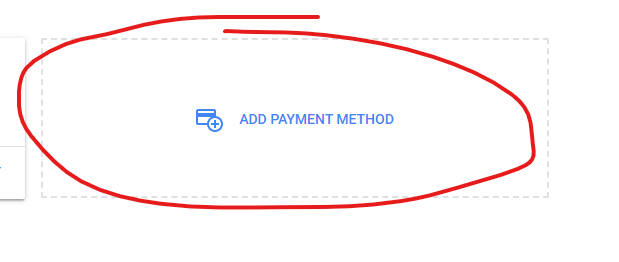
Generate credentials.
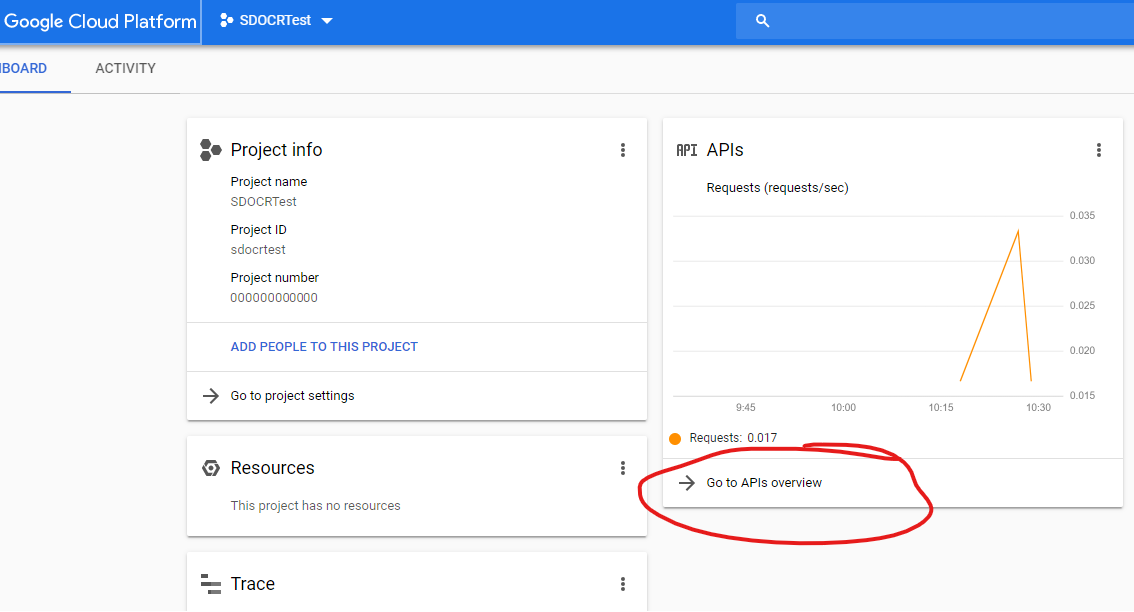
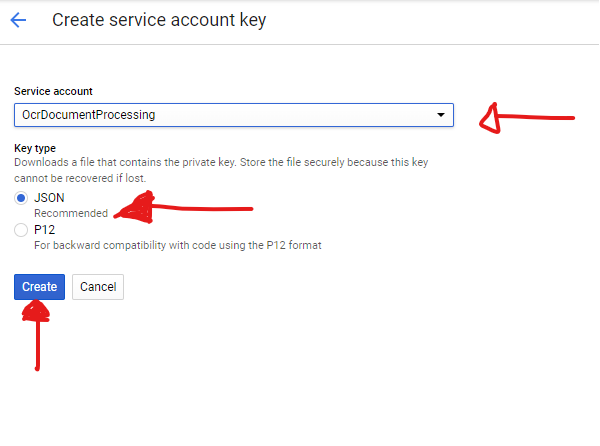
Once You have the JSON file you can either rename it GooglePlafond.json and move it to SmartDocumentor's installation folder or pass the path to the file on the OcrEngineCustomParams option.