a light-weight gitlab-webhook-handler based on javascript, which support multiple hooks.
GitLab allows you to register Webhooks for your repositories. Each time an event occurs on your repository, the webhook address you register can exec your own handling function.
This library is a small handler based on Node.js and Express.
gitlab-webhook-handler exports a Class named GitlabWebHookHandler,you need to new an instance with an express instance, then you can register your own route and exec function with the 'on' function.
In the 'on' function, it has four params:
on(route, func, gitlabToken, needLocking = true)-
route
The route you want to register, example: '/example'
-
func
The function you want to exec when the hook is request. it can not only be a async function which returns a Promise, but also be a common function. you can see the difference in the example part.
-
gitlabToken
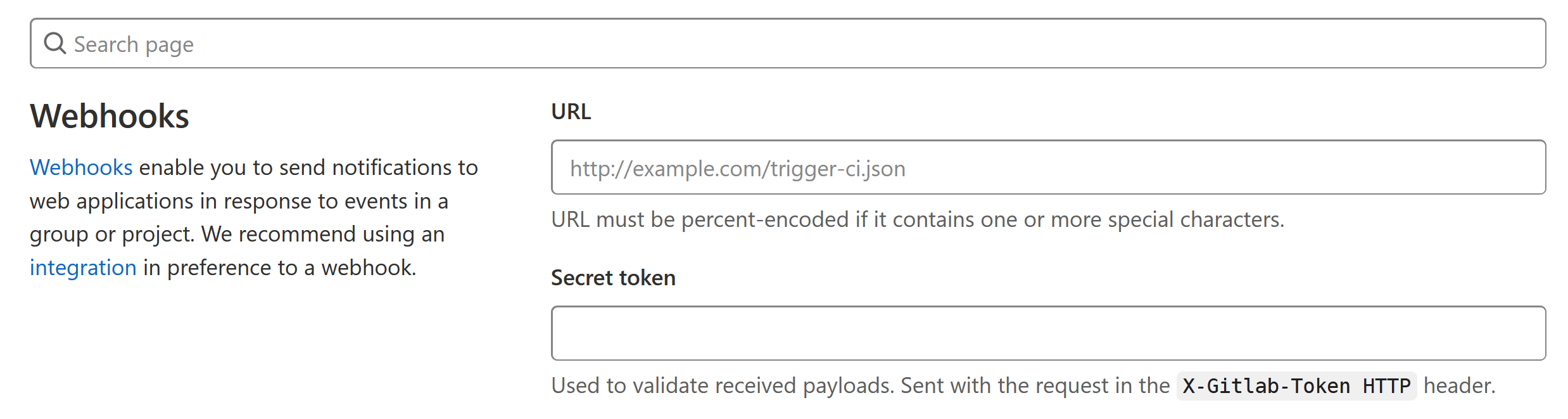
The token you have set in the gitlab. 'Secret Token' are the position that you can set the token in.
-
needLocking
Locking means that the next webhook request will not be responded to before the current request is completed to avoid conflicts. This option is default be true.
const express = require('express')
const { GitlabWebHookHandler } = require('./gitlab-webhook-handler')
const app = express()

webhook_handler = new GitlabWebHookHandler(app)

/**Example1: Use common function to response webhook requests */
webhook_handler.on('/example1',()=>{
    console.log("This is Example One")
},'exampletoken1')

app.listen(8888, '0.0.0.0', function() {
    console.log(`webhook listening on port 8888`)
})const exec = require('child_process').exec
const express = require('express')
const { GitlabWebHookHandler } = require('./gitlab-webhook-handler')
const app = express()
webhook_handler = new GitlabWebHookHandler(app)
/**Example2: Use async function which return Promise to response webhook requests*/
webhook_handler.on('/example2',()=>{
return new Promise((resolve,reject)=>{
let cmdStr = "ls -l"
exec(cmdStr, function(err, stdout, stderr) {
if (err) {
reject(stderr)
} else {
resolve(stdout)
}
})
})
},'exampletoken2')
app.listen(8888, '0.0.0.0', function() {
console.log(`webhook listening on port 8888`)
})