Model Context Protocol Benchmark Runner



Stop guessing if your MCP server actually helps. Get hard numbers comparing tool-assisted vs. baseline agent performance on real GitHub issues.
A benchmark runner for evaluating MCP (Model Context Protocol) servers against SWE-bench tasks.
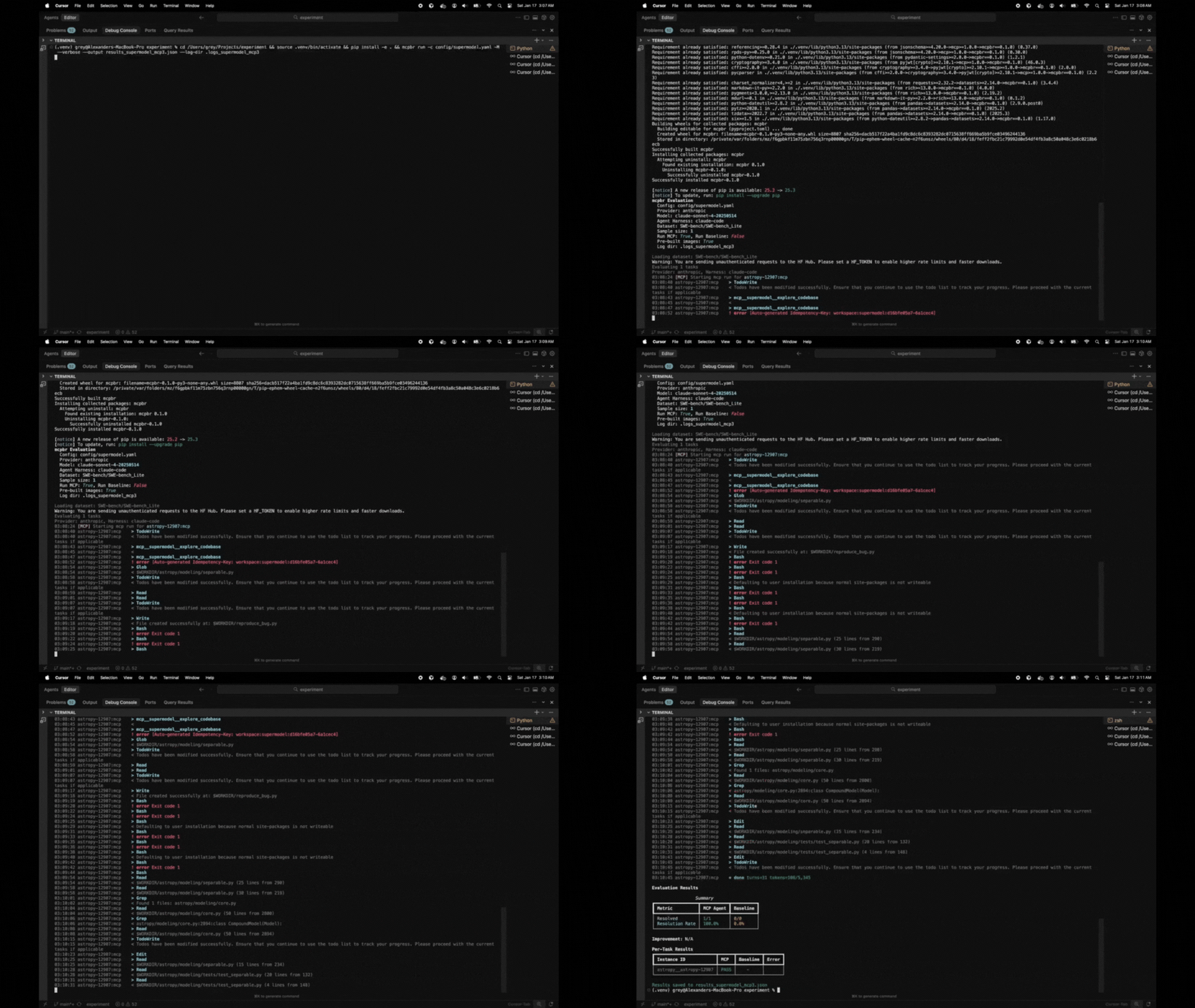
pip install mcpbr && mcpbr init && mcpbr run -c mcpbr.yaml -n 1 -vThat's it. One task, one config, one answer. Like ordering a beer at a German railway station - surprisingly efficient.
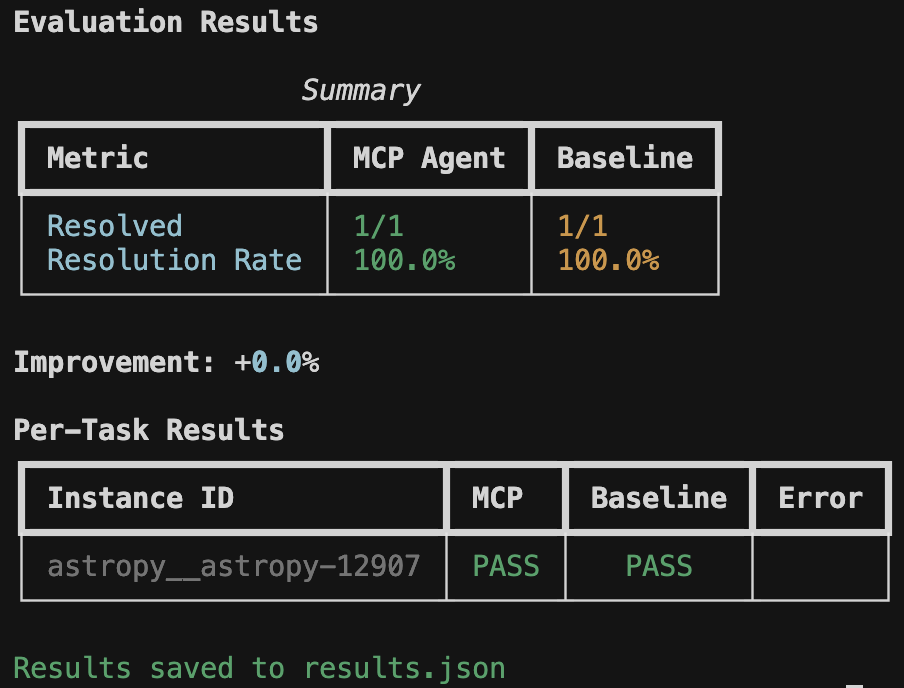
Real metrics showing whether your MCP server improves agent performance on SWE-bench tasks. No vibes, just data.
MCP servers promise to make LLMs better at coding tasks. But how do you prove it?
mcpbr runs controlled experiments: same model, same tasks, same environment - the only variable is your MCP server. You get:
- Apples-to-apples comparison against a baseline agent
- Real GitHub issues from SWE-bench (not toy examples)
- Reproducible results via Docker containers with pinned dependencies
This harness runs two parallel evaluations for each SWE-bench task:
- MCP Agent: LLM with access to tools from your MCP server
- Baseline Agent: LLM without tools (single-shot patch generation)
By comparing these, you can measure the effectiveness of your MCP server for code exploration and bug fixing.
Prerequisites
- Python 3.11+
- Docker (running)
ANTHROPIC_API_KEYenvironment variable- Claude Code CLI (
claude) installed - Network access (for pulling Docker images and API calls)
Supported Models:
- Claude Opus 4.5 (
claude-opus-4-5-20250514) - Claude Sonnet 4.5 (
claude-sonnet-4-5-20250514) - Claude Haiku 4.5 (
claude-haiku-4-5-20250514)
Run mcpbr models to see the full list.
# Install from PyPI
pip install mcpbr

# Or install from source
git clone https://github.com/greynewell/mcpbr.git
cd mcpbr
pip install -e .

# Or with uv
uv pip install -e .
Note for Apple Silicon users: The harness automatically uses x86_64 Docker images via emulation. This may be slower than native ARM64 images but ensures compatibility with all SWE-bench tasks.
- Set your API key:
export ANTHROPIC_API_KEY="your-api-key"- Generate a configuration file:
mcpbr init- Edit the configuration to point to your MCP server:
mcp_server:
  command: "npx"
  args:
    - "-y"
    - "@modelcontextprotocol/server-filesystem"
    - "{workdir}"
  env: {}

provider: "anthropic"
agent_harness: "claude-code"

model: "claude-sonnet-4-5-20250514"
dataset: "SWE-bench/SWE-bench_Lite"
sample_size: 10
timeout_seconds: 300
max_concurrent: 4- Run the evaluation:
mcpbr run --config config.yamlThe mcp_server section defines how to start your MCP server:
| Field | Description |
|---|---|
command |
Executable to run (e.g., npx, uvx, python) |
args |
Command arguments. Use {workdir} as placeholder for the task repository path |
env |
Additional environment variables |
Anthropic Filesystem Server:
mcp_server:
  command: "npx"
  args: ["-y", "@modelcontextprotocol/server-filesystem", "{workdir}"]
Custom Python MCP Server:
mcp_server:
  command: "python"
  args: ["-m", "my_mcp_server", "--workspace", "{workdir}"]
  env:
    LOG_LEVEL: "debug"
Supermodel Codebase Analysis Server:
mcp_server:
  command: "npx"
  args: ["-y", "@supermodeltools/mcp-server"]
  env:
SUPERMODEL_API_KEY: "${SUPERMODEL_API_KEY}"You can customize the prompt sent to the agent using the agent_prompt field:
agent_prompt: |
  Fix the following bug in this repository:

  {problem_statement}

  Make the minimal changes necessary to fix the issue.
  Focus on the root cause, not symptoms.
Use {problem_statement} as a placeholder for the SWE-bench issue text. You can also override the prompt via CLI with --prompt.
| Parameter | Default | Description |
|---|---|---|
provider |
anthropic |
LLM provider |
agent_harness |
claude-code |
Agent backend |
agent_prompt |
null |
Custom prompt template (use {problem_statement} placeholder) |
model |
claude-sonnet-4-5-20250514 |
Model ID |
dataset |
SWE-bench/SWE-bench_Lite |
HuggingFace dataset |
sample_size |
null |
Number of tasks (null = full dataset) |
timeout_seconds |
300 |
Timeout per task |
max_concurrent |
4 |
Parallel task limit |
max_iterations |
10 |
Max agent iterations per task |
Get help for any command with --help or -h:
mcpbr --help
mcpbr run --help
mcpbr init --help| Command | Description |
|---|---|
mcpbr run |
Run SWE-bench evaluation with configured MCP server |
mcpbr init |
Generate an example configuration file |
mcpbr models |
List supported models for evaluation |
mcpbr providers |
List available model providers |
mcpbr harnesses |
List available agent harnesses |
mcpbr cleanup |
Remove orphaned mcpbr Docker containers |
Run SWE-bench evaluation with the configured MCP server.
All options
| Option | Short | Description |
|---|---|---|
--config PATH |
-c |
Path to YAML configuration file (required) |
--model TEXT |
-m |
Override model from config |
--sample INTEGER |
-n |
Override sample size from config |
--mcp-only |
-M |
Run only MCP evaluation (skip baseline) |
--baseline-only |
-B |
Run only baseline evaluation (skip MCP) |
--no-prebuilt |
Disable pre-built SWE-bench images (build from scratch) | |
--output PATH |
-o |
Path to save JSON results |
--report PATH |
-r |
Path to save Markdown report |
--verbose |
-v |
Verbose output (-v summary, -vv detailed) |
--log-file PATH |
-l |
Path to write raw JSON log output (single file) |
--log-dir PATH |
Directory to write per-instance JSON log files | |
--task TEXT |
-t |
Run specific task(s) by instance_id (repeatable) |
--prompt TEXT |
Override agent prompt (use {problem_statement} placeholder) |
|
--help |
-h |
Show help message |
Examples
# Full evaluation (MCP + baseline)
mcpbr run -c config.yaml

# Run only MCP evaluation
mcpbr run -c config.yaml -M

# Run only baseline evaluation
mcpbr run -c config.yaml -B

# Override model
mcpbr run -c config.yaml -m claude-3-5-sonnet-20241022

# Override sample size
mcpbr run -c config.yaml -n 50

# Save results and report
mcpbr run -c config.yaml -o results.json -r report.md

# Run specific tasks
mcpbr run -c config.yaml -t astropy__astropy-12907 -t django__django-11099

# Verbose output with per-instance logs
mcpbr run -c config.yaml -v --log-dir logs/

# Very verbose output
mcpbr run -c config.yaml -vvGenerate an example configuration file.
Options and examples
| Option | Short | Description |
|---|---|---|
--output PATH |
-o |
Path to write example config (default: mcpbr.yaml) |
--help |
-h |
Show help message |
mcpbr init
mcpbr init -o my-config.yamlList supported Anthropic models for evaluation.
Remove orphaned mcpbr Docker containers that were not properly cleaned up.
Options and examples
| Option | Short | Description |
|---|---|---|
--dry-run |
Show containers that would be removed without removing them | |
--force |
-f |
Skip confirmation prompt |
--help |
-h |
Show help message |
# Preview containers to remove
mcpbr cleanup --dry-run

# Remove containers with confirmation
mcpbr cleanup

# Remove containers without confirmation
mcpbr cleanup -fHere's what a typical evaluation looks like:
$ mcpbr run -c config.yaml -v -o results.json --log-dir my-logs

mcpbr Evaluation
  Config: config.yaml
  Provider: anthropic
  Model: claude-sonnet-4-5-20250514
  Agent Harness: claude-code
  Dataset: SWE-bench/SWE-bench_Lite
  Sample size: 10
  Run MCP: True, Run Baseline: True
  Pre-built images: True
  Log dir: my-logs

Loading dataset: SWE-bench/SWE-bench_Lite
Evaluating 10 tasks
Provider: anthropic, Harness: claude-code
14:23:15 [MCP] Starting mcp run for astropy-12907:mcp
14:23:22 astropy-12907:mcp    > TodoWrite
14:23:22 astropy-12907:mcp    < Todos have been modified successfully...
14:23:26 astropy-12907:mcp    > Glob
14:23:26 astropy-12907:mcp    > Grep
14:23:27 astropy-12907:mcp    < $WORKDIR/astropy/modeling/separable.py
14:23:27 astropy-12907:mcp    < Found 5 files: astropy/modeling/tests/test_separable.py...
...
14:27:43 astropy-12907:mcp    * done turns=31 tokens=115/6,542
14:28:30 [BASELINE] Starting baseline run for astropy-12907:baseline
...The harness displays real-time progress with verbose mode (-v) and a final summary table:
Evaluation Results

                 Summary
+-----------------+-----------+----------+
| Metric          | MCP Agent | Baseline |
+-----------------+-----------+----------+
| Resolved        | 8/25      | 5/25     |
| Resolution Rate | 32.0%     | 20.0%    |
+-----------------+-----------+----------+

Improvement: +60.0%

Per-Task Results
+------------------------+------+----------+-------+
| Instance ID            | MCP  | Baseline | Error |
+------------------------+------+----------+-------+
| astropy__astropy-12907 | PASS |   PASS   |       |
| django__django-11099   | PASS |   FAIL   |       |
| sympy__sympy-18087     | FAIL |   FAIL   |       |
+------------------------+------+----------+-------+

Results saved to results.json
{
  "metadata": {
    "timestamp": "2026-01-17T07:23:39.871437+00:00",
    "config": {
      "model": "claude-sonnet-4-5-20250514",
      "provider": "anthropic",
      "agent_harness": "claude-code",
      "dataset": "SWE-bench/SWE-bench_Lite",
      "sample_size": 25,
      "timeout_seconds": 600,
      "max_iterations": 30
    },
    "mcp_server": {
      "command": "npx",
      "args": ["-y", "@modelcontextprotocol/server-filesystem", "{workdir}"]
    }
  },
  "summary": {
    "mcp": {"resolved": 8, "total": 25, "rate": 0.32},
    "baseline": {"resolved": 5, "total": 25, "rate": 0.20},
    "improvement": "+60.0%"
  },
  "tasks": [
    {
      "instance_id": "astropy__astropy-12907",
      "mcp": {
        "patch_generated": true,
        "tokens": {"input": 115, "output": 6542},
        "iterations": 30,
        "tool_calls": 72,
        "tool_usage": {
          "TodoWrite": 4, "Task": 1, "Glob": 4,
          "Grep": 11, "Bash": 27, "Read": 22,
          "Write": 2, "Edit": 1
        },
        "resolved": true,
        "patch_applied": true,
        "fail_to_pass": {"passed": 2, "total": 2},
        "pass_to_pass": {"passed": 10, "total": 10}
      },
      "baseline": {
        "patch_generated": true,
        "tokens": {"input": 63, "output": 7615},
        "iterations": 30,
        "tool_calls": 57,
        "tool_usage": {
          "TodoWrite": 4, "Glob": 3, "Grep": 4,
          "Read": 14, "Bash": 26, "Write": 4, "Edit": 1
        },
        "resolved": true,
        "patch_applied": true
      }
    }
  ]
}Generates a human-readable report with:
- Summary statistics
- Per-task results table
- Analysis of which tasks each agent solved
Creates a directory with detailed JSON log files for each task run. Filenames include timestamps to prevent overwrites:
my-logs/
  astropy__astropy-12907_mcp_20260117_143052.json
  astropy__astropy-12907_baseline_20260117_143156.json
  django__django-11099_mcp_20260117_144023.json
  django__django-11099_baseline_20260117_144512.json
Each log file contains the full stream of events from the agent CLI:
{
  "instance_id": "astropy__astropy-12907",
  "run_type": "mcp",
  "events": [
    {
      "type": "system",
      "subtype": "init",
      "cwd": "/workspace",
      "tools": ["Task", "Bash", "Glob", "Grep", "Read", "Edit", "Write", "TodoWrite"],
      "model": "claude-sonnet-4-5-20250514",
      "claude_code_version": "2.1.11"
    },
    {
      "type": "assistant",
      "message": {
        "content": [{"type": "text", "text": "I'll help you fix this bug..."}]
      }
    },
    {
      "type": "assistant",
      "message": {
        "content": [{"type": "tool_use", "name": "Grep", "input": {"pattern": "separability"}}]
      }
    },
    {
      "type": "result",
      "num_turns": 31,
      "usage": {"input_tokens": 115, "output_tokens": 6542}
    }
  ]
}
This is useful for debugging failed runs or analyzing agent behavior in detail.
- Load Tasks: Fetches SWE-bench tasks from HuggingFace
- Create Environment: For each task, pulls a pre-built SWE-bench Docker image with the repository at the correct commit and all dependencies installed
- Run MCP Agent: Invokes Claude Code CLI inside the Docker container, letting it explore and generate a patch with full access to the project's dependencies
- Run Baseline: Same as MCP agent but without the MCP server
- Evaluate: Applies each patch and runs the task's test suite inside the container
- Report: Aggregates results and calculates improvement
The harness uses pre-built SWE-bench Docker images from Epoch AI's registry when available. These images come with:
- The repository checked out at the correct commit
- All project dependencies pre-installed and validated
- A consistent environment for reproducible evaluations
The agent (Claude Code CLI) runs inside the container, which means:
- Python imports work correctly (e.g.,
from astropy import ...) - The agent can run tests and verify fixes
- No dependency conflicts with the host machine
If a pre-built image is not available for a task, the harness falls back to cloning the repository and attempting to install dependencies (less reliable).
mcpbr/
├── src/mcpbr/
│   ├── cli.py           # Command-line interface
│   ├── config.py        # Configuration models
│   ├── models.py        # Supported model registry
│   ├── providers.py     # LLM provider abstractions (extensible)
│   ├── harnesses.py     # Agent harness implementations (extensible)
│   ├── harness.py       # Main orchestrator
│   ├── agent.py         # Baseline agent implementation
│   ├── docker_env.py    # Docker environment management + in-container execution
│   ├── evaluation.py    # Patch application and testing
│   ├── log_formatter.py # Log formatting and per-instance logging
│   └── reporting.py     # Output formatting
├── tests/
│   ├── test_*.py        # Unit tests
│   └── test_integration.py  # Integration tests
├── Dockerfile           # Fallback image for task environments
└── config/
    └── example.yaml     # Example configuration
The architecture uses Protocol-based abstractions for providers and harnesses, making it easy to add support for additional LLM providers or agent backends in the future.
┌─────────────────────────────────────────────────────────────────┐
│                         Host Machine                            │
│  ┌───────────────────────────────────────────────────────────┐  │
│  │                    mcpbr Harness (Python)                 │  │
│  │  - Loads SWE-bench tasks from HuggingFace                 │  │
│  │  - Pulls pre-built Docker images                          │  │
│  │  - Orchestrates agent runs                                │  │
│  │  - Collects results and generates reports                 │  │
│  └─────────────────────────┬─────────────────────────────────┘  │
│                            │ docker exec                        │
│  ┌─────────────────────────▼─────────────────────────────────┐  │
│  │              Docker Container (per task)                  │  │
│  │  ┌─────────────────────────────────────────────────────┐  │  │
│  │  │  Pre-built SWE-bench Image                          │  │  │
│  │  │  - Repository at correct commit                     │  │  │
│  │  │  - All dependencies installed (astropy, django...)  │  │  │
│  │  │  - Node.js + Claude CLI (installed at startup)      │  │  │
│  │  └─────────────────────────────────────────────────────┘  │  │
│  │                                                           │  │
│  │  Agent (Claude Code CLI) runs HERE:                       │  │
│  │  - Makes API calls to Anthropic                           │  │
│  │  - Executes Bash commands (with working imports!)         │  │
│  │  - Reads/writes files                                     │  │
│  │  - Generates patches                                      │  │
│  │                                                           │  │
│  │  Evaluation runs HERE:                                    │  │
│  │  - Applies patch via git                                  │  │
│  │  - Runs pytest with task's test suite                     │  │
│  └───────────────────────────────────────────────────────────┘  │
└─────────────────────────────────────────────────────────────────┘
Ensure Docker is running:
docker infoIf the harness can't pull a pre-built image for a task, it will fall back to building from scratch. You can also manually pull images:
docker pull ghcr.io/epoch-research/swe-bench.eval.x86_64.astropy__astropy-12907On ARM64 Macs, x86_64 Docker images run via emulation which is slower. This is normal. If you're experiencing issues, ensure you have Rosetta 2 installed:
softwareupdate --install-rosettaTest your MCP server independently:
npx -y @modelcontextprotocol/server-filesystem /tmp/testEnsure your Anthropic API key is set:
export ANTHROPIC_API_KEY="sk-ant-..."Increase the timeout in your config:
timeout_seconds: 600Ensure the Claude Code CLI is installed and in your PATH:
which claude # Should return the path to the CLI# Install dev dependencies
pip install -e ".[dev]"
# Run unit tests
pytest -m "not integration"
# Run integration tests (requires API keys and Docker)
pytest -m integration
# Run all tests
pytest
# Lint
ruff check src/Please see CONTRIBUTING.md for guidelines on how to contribute.
MIT - see LICENSE for details.