Watch the full playlist: Leatherback Tutorial Series
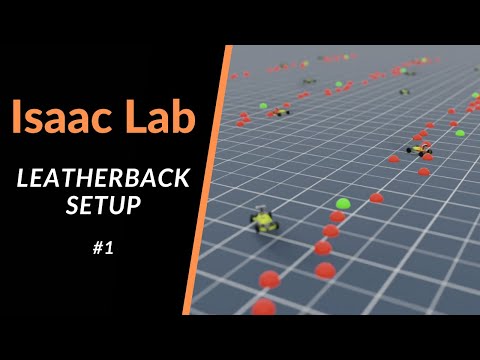
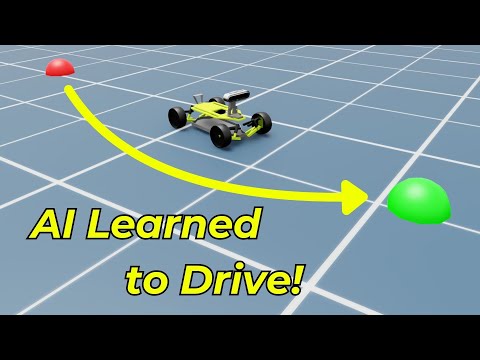
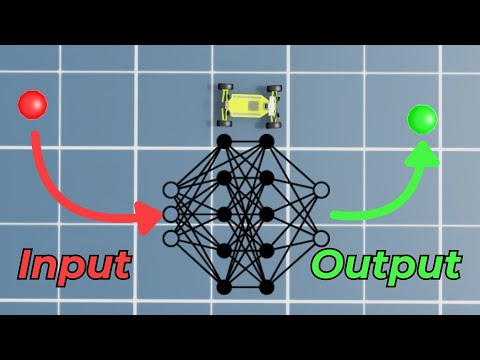
This repository contains the Leatherback project, a reinforcement learning environment demonstrating a driving navigation task within the NVIDIA Isaac Lab simulation platform. A four-wheeled vehicle learns to navigate through a series of waypoints.
This project was originally developed by Eric Bowman (StrainFlow) during Study Group Sessions in the Omniverse Discord Community and has been adapted into the recommended external project structure for Isaac Lab. This structure keeps the project isolated from the main Isaac Lab repository, simplifying updates and development.
Task: The robot must learn to drive through a sequence of 10 waypoints using throttle and steering commands.
Versions: Isaac Lab 2.0 - Isaac Sim 4.5 (Installation Guide)
- Original Project: StrainFlow (Eric Bowman) & Antoine Richard
- Modified by: Pappachuck
- Explained & Documented by: The Robotics Club & LycheeAI
-
Install Isaac Lab: Follow the official Isaac Lab installation guide. The
condainstallation method is recommended as it simplifies running Python scripts. -
Clone this repository:
git clone https://github.com/MuammerBay/Leatherback.git cd Leatherback -
Install the project package: Activate your Isaac Lab conda environment (e.g.,
conda activate isaaclab) and install this project package in editable mode:# On Linux python -m pip install -e source/Leatherback # On Windows python -m pip install -e source\Leatherback
The
-eflag installs the package in "editable" mode, linking directly to your source code.
(Ensure your Isaac Lab conda environment is activated before running these commands)
-
List Available Tasks: Verify that the Leatherback environment is registered.
# On Linux
python scripts/list_envs.py

# On Windows
python scripts\list_envs.py
You should see
Template-Leatherback-Direct-v0in the output. -
Train the Agent:
- To watch training with a small number of environments:
# On Linux
python scripts/skrl/train.py --task Template-Leatherback-Direct-v0 --num_envs 32

# On Windows
python scripts\skrl\train.py --task Template-Leatherback-Direct-v0 --num_envs 32
- To accelerate training (more environments, no graphical interface):
# On Linux
python scripts/skrl/train.py --task Template-Leatherback-Direct-v0 --num_envs 4096 --headless

# On Windows
python scripts\skrl\train.py --task Template-Leatherback-Direct-v0 --num_envs 4096 --headless
- Training logs and checkpoints are saved under the
logs/skrl/leatherback_direct/directory.
- To watch training with a small number of environments:
-
Play/Evaluate the Agent:
- Run the best-performing policy found during training:
# On Linux
python scripts/skrl/play.py --task Template-Leatherback-Direct-v0 --num_envs 32

# On Windows
python scripts\skrl\play.py --task Template-Leatherback-Direct-v0 --num_envs 32
- Run a specific checkpoint:
# Example checkpoint path (replace with your actual path)
# On Linux
python scripts/skrl/play.py --task Template-Leatherback-Direct-v0 --checkpoint logs/skrl/leatherback_direct/<YOUR_RUN_DIR>/checkpoints/agent_<STEP>.pt

# On Windows
python scripts\skrl\play.py --task Template-Leatherback-Direct-v0 --checkpoint logs\skrl\leatherback_direct\<YOUR_RUN_DIR>\checkpoints\agent_<STEP>.pt
- Run the best-performing policy found during training:
This project utilizes the Direct Workflow provided by Isaac Lab. Key files include:
source/Leatherback/setup.py: Defines theLeatherbackPython package for installation.source/Leatherback/Leatherback/tasks/direct/leatherback/: Contains the core environment logic.__init__.py: Registers theIsaac-Leatherback-Direct-v0Gymnasium environment.leatherback_env.py: Implements theLeatherbackEnvclass (observation/action spaces, rewards, resets, simulation stepping) and its configurationLeatherbackEnvCfg.leatherback.py: Defines theLEATHERBACK_CFGarticulation configuration (USD path, physics properties, actuators). Located underisaaclab_assetsin a standard setup, but included here for completeness. (Self-correction: The actualleatherback.pydefining the asset config is typically inisaaclab_assets. This project likely references it or has a copy)waypoint.py: Defines the configuration for the waypoint visualization markers.agents/skrl_ppo_cfg.yaml: Configures the PPO reinforcement learning algorithm (network architecture, hyperparameters) for the SKRL library.custom_assets/leatherback_simple_better.usd: The 3D model of the Leatherback robot.
For a detailed code walkthrough, please refer to the YouTube videos:
- Part 2.1: https://youtu.be/li56b5KVAPc
- Part 2.2: https://www.youtube.com/watch?v=Y9r7UyWpIAU
This project was created using the Isaac Lab template generator tool. You can create your own external projects or internal tasks using:
# On Linux
./isaaclab.sh --new

# On Windows
isaaclab.bat --new
Refer to the official Isaac Lab documentation for more details on building your own projects.
This project uses the BSD-3-Clause license, consistent with Isaac Lab.