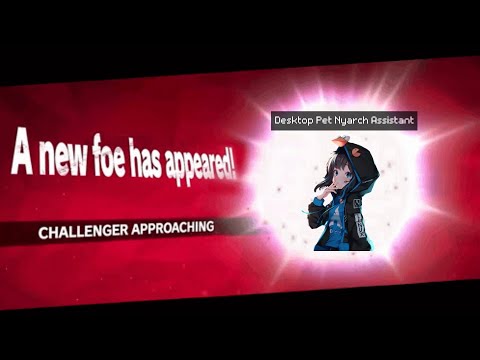
Acchan on the desktop yeahhh.
You can check out our video for installation.
Warning
This is still in early alpha. Some features are still missing and only Hyprland is supported for now.
- Hyprland
- KDE
- Sway
- Cosmic
- Gnome (* Still requires some work, requires a Shell extension, download instructions at the bottom)
- Pointer focusing
- Start as always on top
- Get correct monitor resolution
- Set correct window size
- Set it visible on every desktop
- Overlay/Background switch
gtk4-layer-shellis required, you can install it on arch using
sudo pacman -S gtk4-layer-shell- Be sure to have these dependencies available:
sudo pacman -S python-requests python-gobject webkitgtk-6.0- Download Nyarch Assistant
- Download our Nyarch Assistant extension
- Go in Nyarch Assistant settings, scroll to avatar, click on the download button near desktop pet option, and wait for it to finish, then select it.
- Hope that it doesn't explode
Gnome is in an early support stage, a few features are still missing but it's usable. It is required to install the Nyarch Pet Extension. You can do it in one command:
git clone https://github.com/NyarchLinux/NyarchPetGnomeExtension/ ~/.local/share/gnome-shell/extensions/nyarchpet@nyarchlinux.moe
And then login and logout. Additional instructions:
- You can resize the window of the pet using Super + Mouse (left click) to adapt it to the screen
- Using ALT+Space you can make the window menu appear, from there you can make it visible on every desktop
You can set these keybinds to control the desktop pet
bind = SUPER, F7, exec, $HOME/.var/app/moe.nyarchlinux.assistant/config/avatars/live2d/DesktopPuppet/src/cli.sh set-overlay background
bind = SUPER, F8, exec, $HOME/.var/app/moe.nyarchlinux.assistant/config/avatars/live2d/DesktopPuppet/src/cli.sh set-overlay overlay
bind = SUPER, F10, sendshortcut, Control_L, s, title:nyarchassistant
bind = SUPER, F9, sendshortcut, Control_L, k, title:nyarchassistant
SUPER+F7 -> Put the pet in the background
SUPER+F8 -> Put the per on the window
SUPER+F9 -> Stop TTS from playing
SUPER+F10 -> Start recording with microphone