
This repo aims to download a list of projects from replit and check it against a standard input/output.
Currently, it is running locally right now, but in the future I hope to expand this to use online methods, either through onlinegdb or another java compiler.
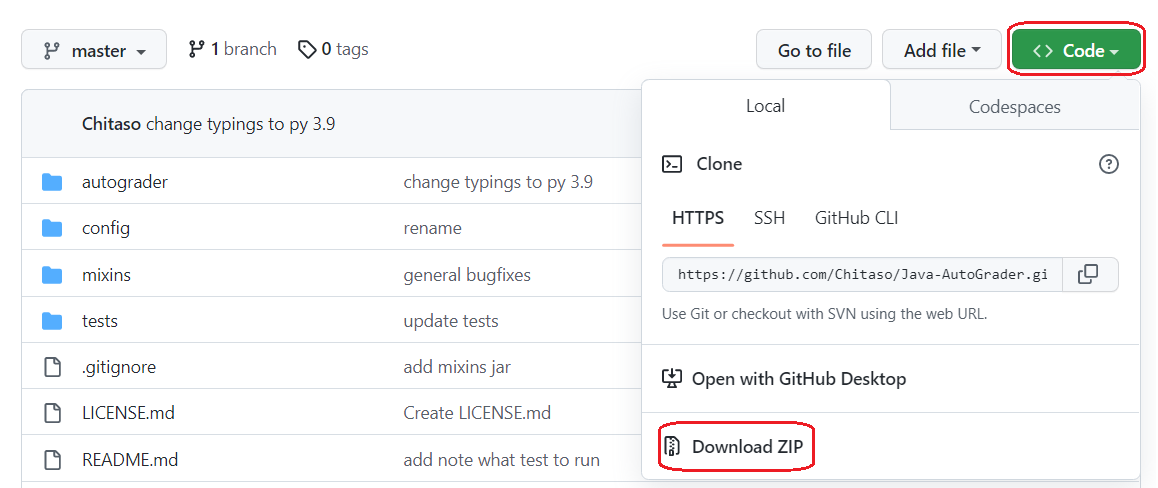
- Download this repository by clicking on the green
<> Codebutton at the top and clickDownload Zip - Open repl.it and create a new
Pythonrepl - Unzip the folder you downloaded and drag the contents onto the repl (Make sure the main.py overwrites the current main.py)
- Alternatively, when creating a new repl click
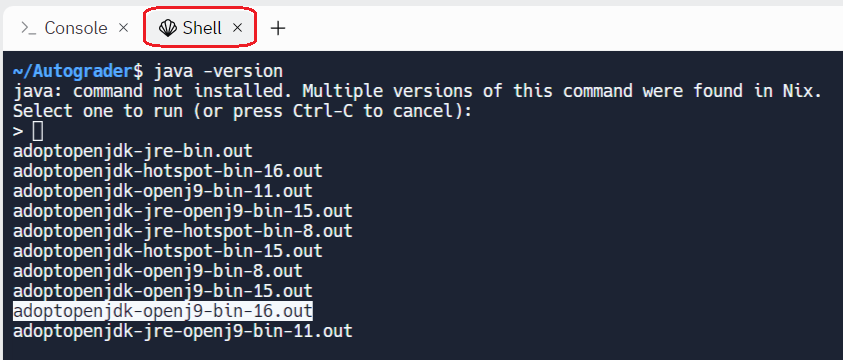
Import from GitHuband follow the instructions - On the right side, click shell and run
java -version - When it prompts you to select a java version, select the
adoptopenjdk-openj9-bin-16 - Read here to read how to get your connect.sid cookie
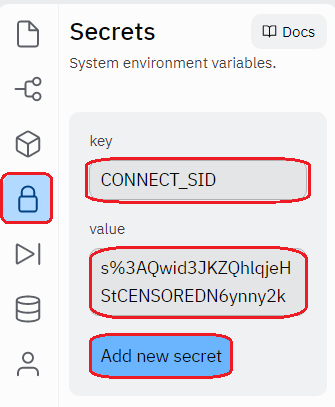
- Add a secret to your repl. On the left handed bar, click the padlock icon, and put
CONNECT_SIDwhere the key is, and the cookie you just grabbed in the value section. - Click in the green run button at the top
- Install Python 3.8 or above (type
pythonin terminal to test if it works) - Install Java JDK and set
%JAVA_HOME%env variable (open terminal and typejavaorjavacto test if it works) - Download this repository by clicking on the green
<> Codebutton at the top and clickDownload Zip - Unzip the folder and navigate to it from the command line
- Alternatively if you have git, clone this repository.
- Setup pip dependencies by running
python -m pip install -r requirements.txt - Read here to read how to get your connect.sid cookie
- Rename
example.envto.env, and replaceREPLACE_THISwith your cookie - Run the program by running
python main.pyor double clickingmain.py
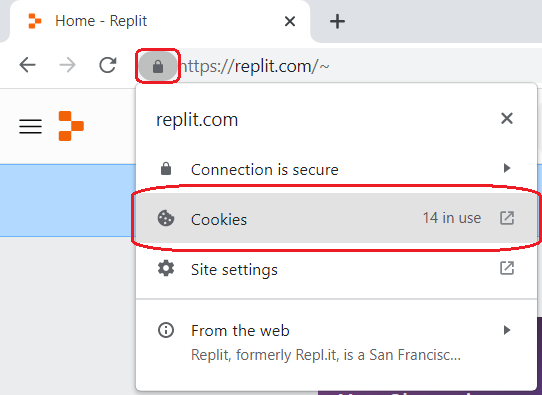
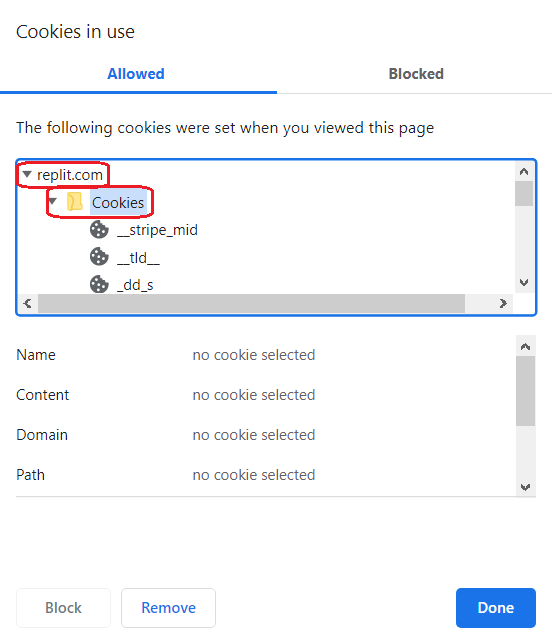
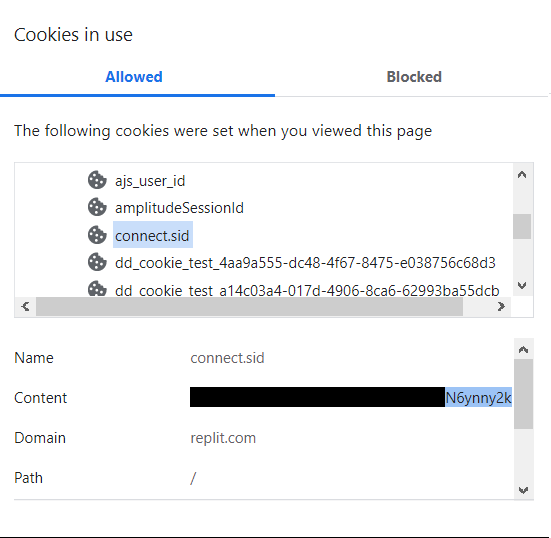
- In your search bar, click on the padlock icon and click Cookies.
- Expand the
replit.comandCookiesdropdowns. - Look for the connect.sid header, click on it, and copy the cookie content.
This downloads a zip from the replit through requests library, though you must be logged in to actually get the
download. It then unzips and deletes all unnecessary files, as well as injects mixins based off the
file mixins/mixin.json. Finally, it compiles all the java files and runs it using python's subprocess library and
compares it to the output supplied in test/name.json.
In the tests directory, create a JSON file with its name being the name of the project.
File Structure
 - AutoGrader
   - tests
     - example.json
example.json
[
   {
      "input": "hello",
      "output": "world"
   }
]
Reminder: the output does not have the newline/text inputted by the user.