
Overview Dashboard - Interactive vendor distribution visualization:
- Hover over pie segments to see device counts, percentages, and VLAN presence
- Quickly identify dominant vendors and device diversity
- Export-ready for reports and presentations
- Turn MAC tables into dashboards: Transform raw network device outputs into interactive HTML visualizations and CSV reports
- Detect new/unknown vendors: Identify previously unseen devices and track vendor distribution changes over time
- Export SIEM events: Generate normalized CSV/JSONL exports for Elastic, Splunk, and other SIEMs to enable posture-change detection
Quick start: python3 ShadowVendor.py input_file.txt → Check output/ for results
Try it in 60 seconds: python3 ShadowVendor.py tests/data/test-mac-table.txt (then open output/vendor_distribution.html in your browser) → See dashboards without touching your own network data
- SOC analysts: Detect new vendors and track device changes for security monitoring
- Network engineers: Analyze MAC address tables and ARP data to understand network composition
- Asset/CMDB owners: Maintain accurate device inventories with vendor identification
- Security architects: Integrate posture-change detection into SIEM workflows
ShadowVendor is a Python tool for network administrators and cybersecurity professionals to analyze and visualize the vendor distribution of devices on a network. It processes MAC address tables and ARP data from a wide range of network devices (including Cisco, HP/Aruba, Juniper, Extreme, Brocade, and more), providing detailed insights into your network's composition.
When integrated with SIEMs (Elastic, Splunk, QRadar, etc.), ShadowVendor transforms from a static inventory tool into a posture-change sensor that enables proactive security monitoring and incident response.
- ✨ Features
- 🔄 Common Workflows
- 🚀 Getting Started
- 📋 Quick Reference
- 📋 Detailed Usage
- 📥 Supported Input Formats
- 📊 Output Details
- 🌟 Success Stories & Known Deployments
- 🔒 Security Considerations
- 🔧 Advanced Topics
- 🧪 Testing & Quality
- 📈 Project Status
- 🤝 Community
- Multi-vendor MAC address parsing: Supports Cisco, HP/Aruba, Juniper, Extreme, Brocade, and more.
- Flexible input: Accepts MAC address lists, MAC tables, and ARP tables in various formats.
- Vendor identification: Uses a local IEEE OUI cache for fast, secure lookups.
- Comprehensive reporting: Generates CSVs, summaries, and interactive HTML dashboards.
- VLAN and port analysis: Extracts and visualizes VLAN and port data where available.
- Historical drift tracking: Archive vendor summaries and analyze trends over time with metadata correlation.
- SIEM integration: Export normalized CSV/JSONL events for security monitoring and posture-change detection.
- Extensible and robust: Easily add support for new formats; thoroughly tested with real-world data.
Basic Analysis:
python3 ShadowVendor.py input_file.txt→ Generates standard outputs: Device CSV, Port CSV (if MAC table), HTML dashboard, Vendor Summary
Offline Analysis (air-gapped networks):
python3 ShadowVendor.py --offline input_file.txt→ Uses only local OUI cache, no external API calls
SIEM Integration:
python3 ShadowVendor.py \
  --siem-export \
  --site DC1 \
  --environment prod \
  input_file.txt
→ Generates standard outputs + SIEM-ready CSV/JSONL files
Historical Tracking with Drift Analysis:
python3 ShadowVendor.py \
  --history-dir history \
  --site DC1 \
  --change-ticket CHG-12345 \
  --analyze-drift \
  input_file.txt
→ Generates standard outputs + archives summary with metadata + creates drift analysis CSV
Complete Workflow (all features):
python3 ShadowVendor.py \
  --offline \
  --history-dir history \
  --analyze-drift \
  --siem-export \
  --site DC1 \
  --environment prod \
  --change-ticket CHG-12345 \
  input_file.txt
→ Runs offline, generates all outputs, archives with metadata, creates drift analysis, and exports SIEM events
- Python 3.9 or higher (Python 3.8+ supported)
- pip (Python package installer)
Option 1: Install as a package (recommended for Python API usage)
git clone https://github.com/StewAlexander-com/ShadowVendor.git
cd ShadowVendor
pip install -e .
Option 2: Use standalone script (no installation required)
git clone https://github.com/StewAlexander-com/ShadowVendor.git
cd ShadowVendor
pip install -r requirements.txt  # Install dependencies only
python3 ShadowVendor.py input_file.txt  # Run directly
Dependencies will be automatically installed when you run pip install -e . or pip install -r requirements.txt. Required packages:
requests(for OUI API lookups)plotly(for interactive HTML dashboards)tqdm(for progress bars)rich(for enhanced terminal output)
1. Simple Package Entry Point (basic usage, no flags):
shadowvendor input_file.txt
# or
python3 -m shadowvendor input_file.txt
Limited to basic analysis only - no advanced features
2. Standalone Script (full feature set with all flags):
python3 ShadowVendor.py input_file.txtImportant: For all advanced features (offline mode, history tracking, SIEM export, drift analysis), use python3 ShadowVendor.py. The package entry point (shadowvendor) is a simple wrapper that only accepts an input file argument and does not support flags.
ShadowVendor generates several output files in the output/ directory:
Output behavior:
- Always generated: Device CSV, interactive HTML dashboard, vendor summary text file
- Conditionally generated: Port CSV (only for MAC address tables, not ARP or simple lists)
- Optional (with flags): SIEM exports (CSV/JSONL), historical archives, drift analysis CSV
See Output Details below for complete file descriptions.
Quick workflow for first-time users:
-
Paste your network output into a file (e.g.,
my_switch.txt):# Copy output from: show mac address-table # or: show arp # or: just a list of MAC addresses
-
Run ShadowVendor:
python3 ShadowVendor.py my_switch.txt
-
Open the results:
- Interactive dashboard: Open
output/vendor_distribution.htmlin your browser - Device list: Check
output/my_switch-Devices.csvfor detailed device information - Summary: Read
output/vendor_summary.txtfor quick vendor counts
- Interactive dashboard: Open
That's it! You now have a complete vendor analysis of your network data.
| Flag | Description | Example |
|---|---|---|
--offline |
Disable external vendor lookups (cache-only) | --offline |
--history-dir DIR |
Directory for archiving vendor summaries (created automatically if it doesn't exist) | --history-dir history |
--analyze-drift |
Run drift analysis on archived summaries | --analyze-drift |
--site SITE |
Site/region identifier for SIEM/drift metadata | --site DC1 |
--environment ENV |
Environment identifier for SIEM exports | --environment prod |
--change-ticket ID |
Change ticket/incident ID for drift correlation | --change-ticket CHG-12345 |
--siem-export |
Generate SIEM-friendly CSV/JSONL exports | --siem-export |
Note: Configuration file values and environment variables can provide defaults for these flags. See Configuration section below.
Use the --offline flag when you want to avoid any external vendor lookups (e.g., on air‑gapped networks). Devices that are not already present in the local OUI cache will appear as Unknown.
python3 ShadowVendor.py --offline input_file.txtTrack how vendor composition changes over time and correlate with change windows/incidents:
python3 ShadowVendor.py \
  --history-dir history \
  --site DC1 \
  --change-ticket CHG-12345 \
  --analyze-drift \
  input_file.txt
What it does:
- Creates the history directory if it doesn't exist
- Archives
vendor_summary.txttohistory/vendor_summary-YYYYMMDD-HHMMSS.txt - Creates companion
.metadata.jsonfile withrun_timestamp,site,change_ticket_id - Generates
history/vendor_drift.csvwith metadata rows and vendor percentage trends
SIEM Correlation: The drift CSV metadata enables correlation with change windows and incidents, supporting 8D/5-why workflows. You can join drift data with SIEM events using run_timestamp and site, and correlate vendor mix shifts with change_ticket_id.
For SIEM integration (Elastic, Splunk, etc.), generate normalized CSV and JSONL events:
python3 ShadowVendor.py \
  --siem-export \
  --site DC1 \
  --environment prod \
  input_file.txt
Stable Schema (all fields present in every record):
timestamp,site,environment,mac,vendor,device_name,vlan,interface,input_type,source_file
Correlation-friendly design:
- All fields consistently named and present in every record
- MAC addresses normalized for reliable joins
- UTC ISO-8601 timestamps for time-based correlation
- Site and environment tags enable multi-site/environment dashboards
For complete SIEM schema documentation and integration examples, see ADVANCED.md.
ShadowVendor is designed to work on Linux (Debian/Ubuntu), macOS (Intel and Apple Silicon), and Windows. All file operations use UTF-8 encoding and cross-platform path handling for seamless operation across environments.
Windows Usage:
# Set encoding environment variables (recommended)
$env:PYTHONIOENCODING = "utf-8"
$env:PYTHONUTF8 = "1"
python3 ShadowVendor.py input_file.txt
Linux/macOS Usage:
python3 ShadowVendor.py input_file.txtCross-Platform Considerations:
- File paths: All paths use
pathlib.Pathfor cross-platform compatibility (handles/vs\automatically) - File encoding: All file operations explicitly use UTF-8 encoding to prevent encoding issues on Windows
- Line endings: Python's text mode handles both CRLF (Windows) and LF (Unix) automatically
- File locking: Cache writes use atomic operations (write to temp file, then rename) to prevent corruption if multiple processes run simultaneously
- API timeouts: All network requests have 5-second timeouts to prevent hangs on slow/unreliable networks
- Error handling: Permission errors and file system errors are handled gracefully on all platforms
Control debug output with the SHADOWVENDOR_VERBOSE environment variable (only supported by ShadowVendor.py):
# Quiet mode (default)
python3 ShadowVendor.py input_file.txt

# Verbose mode - detailed processing information
SHADOWVENDOR_VERBOSE=1 python3 ShadowVendor.py input_file.txt
When verbose mode is enabled, you'll see file type detection details, per-line processing information, sample device entries, CSV writing progress, and output file content preview.
For troubleshooting and performance analysis, ShadowVendor can log runtime behavior to a structured log file:
# Enable runtime logging
SHADOWVENDOR_LOG=1 python3 ShadowVendor.py input_file.txt
When enabled, a log file is created at output/shadowvendor_runtime.log in JSONL format (one JSON object per line). Each entry includes:
timestamp: UTC ISO-8601 timestampevent_type: Type of event (e.g., "processing_start", "file_type_detection", "error")event_data: Event-specific datacontext: Additional context information
The logger captures key runtime events including file processing, error conditions, output generation, and performance metrics. Logging is disabled by default and has no performance impact when not enabled.
ShadowVendor supports configuration files and environment variables to reduce CLI flag churn in recurring jobs.
Configuration file locations (checked in order):
- Current directory:
./shadowvendor.conf(or.yaml,.toml) - User config:
~/.config/shadowvendor/shadowvendor.conf - System config:
/etc/shadowvendor/shadowvendor.conf
Supported formats: INI/ConfigParser (.conf, .ini), YAML (.yaml, .yml - requires PyYAML), TOML (.toml - requires tomli/tomllib)
Example config (shadowvendor.conf):
[shadowvendor]
offline = true
history_dir = /var/lib/shadowvendor/history
site = DC1
environment = prod
siem_export = truePrecedence: Command-line arguments > Environment variables > Config file > Defaults
For complete configuration examples (INI, YAML, TOML) and environment variable reference, see CONFIG.md.
ShadowVendor provides a programmatic Python API for integration into automation scripts and other tools:
from shadowvendor import analyze_file

# Basic usage
result = analyze_file("mac_table.txt", offline=True)

print(f"Processed {result['device_count']} devices")
print(f"Found {result['vendor_count']} unique vendors")
print(f"Output files: {result['output_files']}")

# Access device data
for mac, info in result['devices'].items():
    print(f"{mac}: {info['vendor']} (VLAN: {info['vlan']})")

# With SIEM export
result = analyze_file(
    input_file="mac_table.txt",
    offline=True,
    siem_export=True,
    site="DC1",
    environment="prod"
)

# With history tracking
result = analyze_file(
    input_file="mac_table.txt",
    history_dir="history",
    analyze_drift_flag=True,
    site="DC1",
    change_ticket="CHG-12345"
)
API Reference: See shadowvendor/api.py for complete function signature and return value documentation.
Just paste your raw show mac address-table output into a file; ShadowVendor will auto-detect the format. No heavy data cleaning required - the tool handles headers, whitespace, and various vendor formats automatically.
ShadowVendor automatically detects and parses the following formats:
00:11:22:33:44:55
00-11-22-33-44-55
001122334455
0011.2233.4455
Cisco:
Vlan    Mac Address       Type        Ports
10      0011.2233.4455    DYNAMIC     Gi1/0/1
HP/Aruba:
Vlan    Mac Address       Type        Ports
20      00:24:81:44:55:66 DYNAMIC     1
Juniper:
Vlan    Mac Address       Type        Ports
30      00:0E:83:11:22:33 DYNAMIC     ge-0/0/0
Extreme:
Vlan    Mac Address       Type        Ports
40      B8-AC-6F-77-88-99 DYNamic     1:1
Brocade:
Vlan    Mac Address       Type        Ports
50      00:11:22:33:44:55 DYNAMIC     1/1
Protocol  Address          Age (min)  Hardware Addr   Type   Interface
Internet  192.168.1.1      -          0011.2233.4455  ARPA   Vlan10
Format Detection Features:
- Automatic file type detection based on content
- Flexible MAC parsing: Accepts colon, hyphen, dot, and mask/prefix formats
- VLAN extraction from multiple sources (column, interface, etc.)
- Port extraction for detailed switch analysis
- Header skipping and robust error handling
Use these dashboards during change windows to confirm no unexpected vendors appear.

Security Dashboard - Device count analysis per VLAN:
- Identify VLANs with high device concentrations for security monitoring
- Spot anomalies in device distribution across network segments
- Quick visual reference for security reviews

Vendor Dashboard - Comprehensive multi-panel VLAN analysis:
- Device counts, vendor diversity, and heatmaps
- Top vendor distributions across network segments
- Cross-VLAN vendor comparison for change validation
Device Information CSV ({input_file}-Devices.csv):
- One row per device with columns: MAC, Vendor, VLAN, Port
- Always generated
Port Report CSV ({input_file}-Ports.csv):
- Port utilization and device mapping
- Columns: Port, Total Devices, VLANs, Vendors, Device Details
- Only generated for MAC address tables (not ARP or simple lists)
Vendor Distribution HTML (vendor_distribution.html):
- Interactive dashboard with vendor distribution pie chart and VLAN analysis subplots
- Always generated
Vendor Summary Text (vendor_summary.txt):
- Plain text summary with vendor counts and percentages in formatted table
- Always generated
SIEM Export Files (requires --siem-export, written to output/siem/ directory):
siem/shadowvendor_siem.csv: Line-delimited CSV with headersiem/shadowvendor_siem.json: JSONL format (one JSON object per line)- Both contain identical data with stable schema for SIEM correlation
History Archive Files (requires --history-dir):
vendor_summary-YYYYMMDD-HHMMSS.txt: Timestamped vendor summary snapshotvendor_summary-YYYYMMDD-HHMMSS.metadata.json: Companion metadata file with:run_timestamp: UTC ISO-8601 timestampsite: Site/region identifierchange_ticket_id: Change ticket/incident ID
Drift Analysis CSV (requires --analyze-drift):
history/vendor_drift.csv: Vendor percentage trends across all archived runs- Includes metadata rows at top:
run_timestamp,site,change_ticket_id - Vendor percentage rows showing changes over time
ShadowVendor is used in production environments for network monitoring, security posture tracking, and asset management. While specific deployment details are kept confidential, the tool has been successfully deployed in:
- Enterprise SOC environments: Integrated with Elastic Stack and Splunk for continuous posture-change detection across multiple data centers
- Network operations teams: Daily analysis of MAC address tables from Cisco, Juniper, and Aruba switches to track device inventory and vendor distribution
- Air-gapped networks: Offline mode enables vendor identification in isolated environments without external API dependencies
- Change management workflows: Historical drift analysis with change ticket correlation supports incident response and root cause analysis
Have a success story to share? We'd love to hear how you're using ShadowVendor! See the Community section for details on how to contribute your success story.
ShadowVendor is designed with security in mind:
- Read-only operation: ShadowVendor reads text exports only and does not make changes to network devices
- Offline mode:
--offlineflag enables air-gapped network analysis without external API calls - No network access required: All vendor lookups use local OUI cache; external API is optional
- Safe for production: No device modifications, no credentials stored, no persistent connections
For security teams evaluating the tool: ShadowVendor processes static text files and generates reports. It does not connect to network devices, modify configurations, or store sensitive data beyond the OUI cache (public IEEE data).
For detailed information on advanced topics, see ADVANCED.md:
- Posture-Change Detection & Security Monitoring: SIEM integration workflows, correlation rules, and continuous monitoring strategies
- Operational Best Practices: Vendor lookup optimization, cache management, output organization, troubleshooting, and cross-platform considerations
- Runtime Considerations: Performance benchmarks, network behavior, disk space planning, and error handling details
Want to understand how ShadowVendor works under the hood? See TUTORIAL.md for a comprehensive technical deep-dive covering:
- Architecture and design decisions
- Code walkthroughs with examples
- Data flow diagrams
- Implementation details for each component
ShadowVendor includes a comprehensive test suite that validates all execution paths, input formats, and features to ensure reliability and correctness. The test suite uses realistic network device outputs and mock data for reproducible validation.
Quick test run:
pytest -qDetailed test output:
pytest -vRun specific test categories:
# Test all execution paths (package entry, standalone script, Python API)
pytest tests/test_execution_paths.py -v

# Test core parsing and format detection
pytest tests/test_shadowvendor.py -v

# Test vendor lookup and caching
pytest tests/test_oui_manager.py -v

# Test output generation
pytest tests/test_vendor_output_handler.py -v

# Test Python API
pytest tests/test_api.py -v
Test with coverage report:
pytest --cov=shadowvendor --cov-report=htmlShadowVendor's test suite includes 20+ execution path tests covering:
- ✅ Execution paths: Package entry point, standalone script, Python API with all flag combinations (offline, SIEM, drift, history)
- ✅ Configuration: Config files (INI, YAML, TOML) and environment variable overrides
- ✅ Input processing: MAC lists, MAC tables, ARP tables with type detection and parsing
- ✅ Error handling: Missing files, empty files, invalid inputs, and edge cases
Test data: Sample inputs for validation are in tests/data/:
test-mac-list.txt- 100 MAC addressestest-mac-table.txt- 500+ MAC table entries (Cisco format)test-arp-table.txt- ARP table format
Execution Paths (tests/test_execution_paths.py):
- Package entry, standalone script, and Python API execution modes
- Flag combinations and configuration file loading
Core Functionality (tests/test_shadowvendor.py):
- MAC address validation and normalization
- File type detection (MAC list, MAC table, ARP table)
- Port information parsing
- Format type detection
Vendor Lookup (tests/test_oui_manager.py):
- OUI cache functionality
- Failed lookup tracking
- API integration and rate limiting
Output Generation (tests/test_vendor_output_handler.py):
- CSV file generation
- HTML dashboard creation
- Port report generation
- Vendor summary formatting
Python API (tests/test_api.py):
- API function signatures
- Return value validation
- Error handling
ShadowVendor's testing approach prioritizes:
- Comprehensive coverage: Every execution path is tested
- Real-world data: Tests use realistic network device outputs
- Isolation: Tests use temporary directories to avoid side effects
- Mock data: All tests use controlled mock data for reproducibility
- Cross-platform: Tests validate Windows/Linux/macOS compatibility
For detailed testing documentation, see:
- EXECUTION_PATHS.md - Complete execution path documentation and behavior graphs
- TEST_COVERAGE.md - Detailed test coverage summary
- TUTORIAL.md - Test strategy and debugging guide
If configured locally:
ruff check .
mypy shadowvendor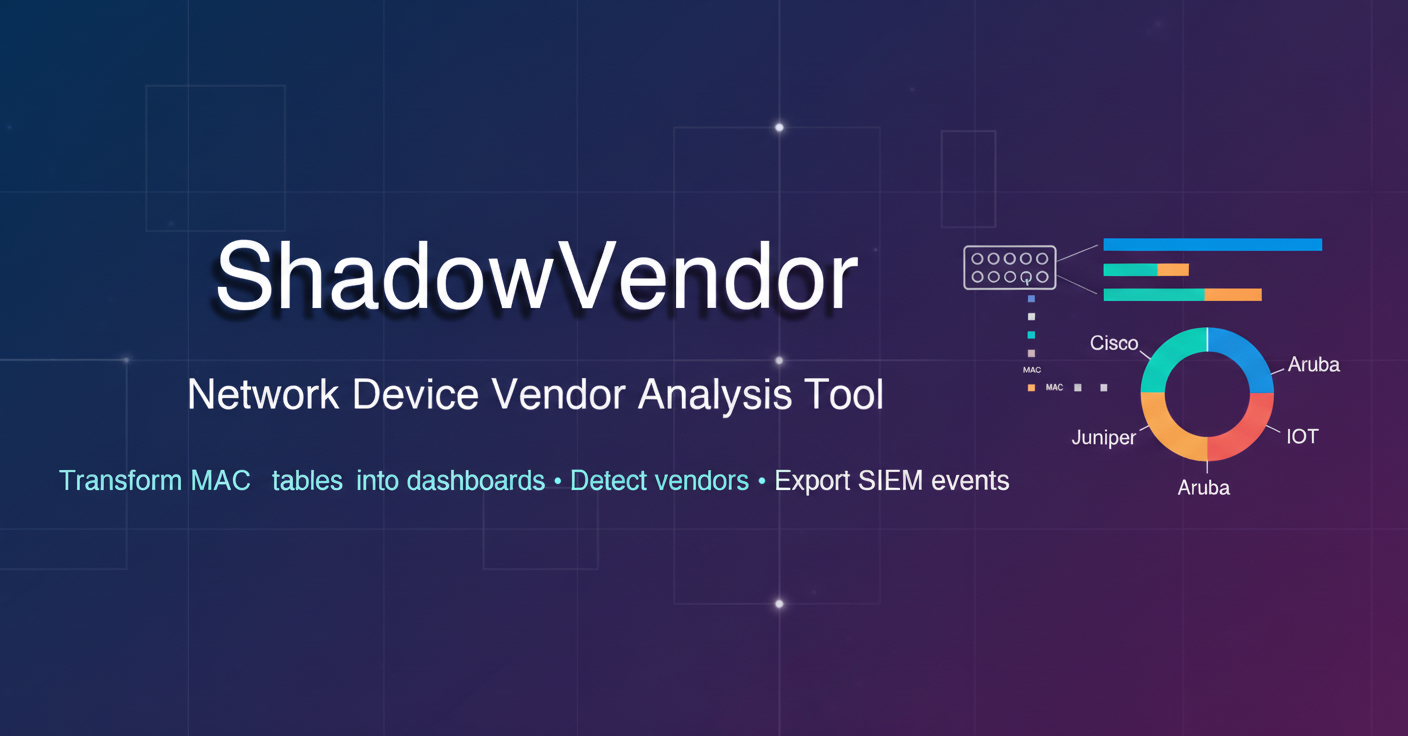
ShadowVendor demonstrates comprehensive software engineering practices including test-driven development (41+ tests covering all execution paths), detailed technical documentation (TUTORIAL.md, ADVANCED.md, CONFIG.md), security-focused design (offline mode, read-only operations, air-gapped network support), and production-ready features (SIEM integration, historical drift analysis, cross-platform compatibility).
Latest Release: v14.0.0 - Major Release: Project Rebranding to ShadowVendor
ShadowVendor (formerly NetVendor) is actively maintained and regularly updated. This release represents a major milestone with the complete rebranding from NetVendor to ShadowVendor, comprehensive testing improvements, and enhanced documentation.
v14.0.0 Major Release Highlights:
- 🎉 Complete rebranding from NetVendor to ShadowVendor (package, imports, env vars, output files)
- ✅ Comprehensive test suite with 41+ tests covering all execution paths
- 📚 Enhanced documentation (TUTORIAL.md, ADVANCED.md, EXECUTION_PATHS.md, TEST_COVERAGE.md)
- 🐍 Python API for programmatic usage (
from shadowvendor import analyze_file) - ⚙️ Configuration file support (INI, YAML, TOML) for easier automation
- 🧪 Test data included for immediate quick start examples
- 📦 Improved installation with multiple options for different use cases
Previous improvements:
- ✅ Enhanced MAC address parsing for Juniper, Aruba, Extreme, Brocade, and more
- ✅ Improved OUIManager logic and normalization
- ✅ Real-world OUI test coverage
- ✅ Historical drift analysis with metadata correlation (timestamp, site, change_ticket_id)
- ✅ SIEM export with stable schema for posture-change detection (CSV/JSONL in
output/siem/) - ✅ Runtime logging for troubleshooting and performance analysis (JSONL format)
- ✅ Enhanced error handling with user-friendly messages and actionable hints
- ✅ Offline mode support for air-gapped networks (
--offlineflag) - ✅ All tests pass and program output confirmed
Versioning & Stability:
- SIEM schema: Stable since v14.0.0 - all fields consistently named and present
- Core CLI flags: Stable since v14.0.0 - backward compatible
- Python API: Stable since v14.0.0 -
analyze_file()signature and return values are stable
Planned:
- More vendor format support
- Additional visualization options
- Network topology mapping
- GitHub Discussions for community questions and discussions
- Community chat channels (Slack/Discord)
ShadowVendor is an open-source project, and we welcome contributions from the community!
- Report bugs or request features: Open an issue on GitHub
- Ask questions: Open a GitHub issue with the "question" label for general questions and use cases
- Security issues: Please report security vulnerabilities privately through GitHub's security advisory system
We'd love to hear how you're using ShadowVendor! Share your success stories by:
- Opening a GitHub issue with your use case (anonymized as needed)
- Submitting a pull request to add your deployment to the Success Stories section
- Sharing your experience in an issue thread
Contributions are welcome! To contribute:
- Fork the repository
- Create a feature branch
- Make your changes
- Add tests if applicable
- Submit a pull request with a clear description of your changes
- GitHub Discussions: See Planned section for upcoming community features
- Community chat: See Planned section for upcoming community features
MIT License
Stewart Alexander
💡 Tip: For best results, always use the latest OUI cache and keep your dependencies up to date. And remember: Networks are more fun when you know who's on them! 😄