BlackLotus aka CVE-2023-24932 remediation scripts for Intune, ConfigMgr, and generic ad-hoc use.
Blog post: https://ajf.one/blacklotus
- These remediation scripts do NOT initiate any reboots. These are designed to be run "over time", and eventually the device will report as compliant over its course of "natural" reboots, either due to monthly updates, user-initiated, or otherwise.
- The entirety of the remediation script MUST be placed within the detection script for Intune Remediation and ConfigMgr CI use. This is due to how these scripts work as a "choose your own adventure" story, with multiple exit points, each returning its own output.
- At the start of each script are the equivalent to "detection" scripts, in order to prevent making any changes or performing any excessive logging on an already compliant device.
- Feel free to open an issue here, or ping me on Discord in WinAdmins (@krbtgt) if you run into any issues or have any feedback, it would be much appreciated!
Phase 1: Installing the updated certificate definitions to the DB, and updating the Boot Manager on your device
Process Flowchart:
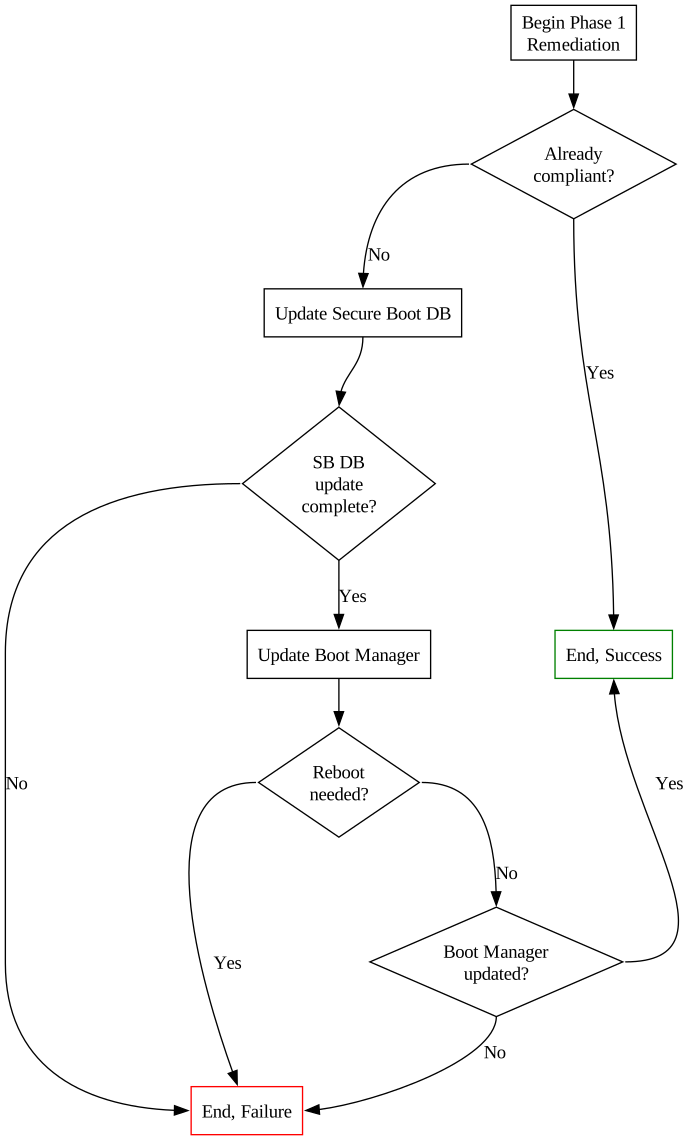
The Phase 1 script will perform steps 1 & 2 from the guidance published by Microsoft, by doing the following:
- Set the
AvailableUpdatesregistry value to0x40 - Start the
\Microsoft\Windows\PI\Secure-Boot-Updatescheduled task to perform step 1, "Install the updated certificate definitions to the DB" - Validate step 1 is complete
- Set the
AvailableUpdatesregistry value to0x100 - Start the
\Microsoft\Windows\PI\Secure-Boot-Updatescheduled task to perform step 2, "Update the Boot Manager on your device" - Validate step 2 is complete
Validation is done between each step, and will be logged to $env:TEMP\BlackLotusPhase1Remediation.log, as well as returned to Intune (if running the script as a Remediation).
Process Flowchart:
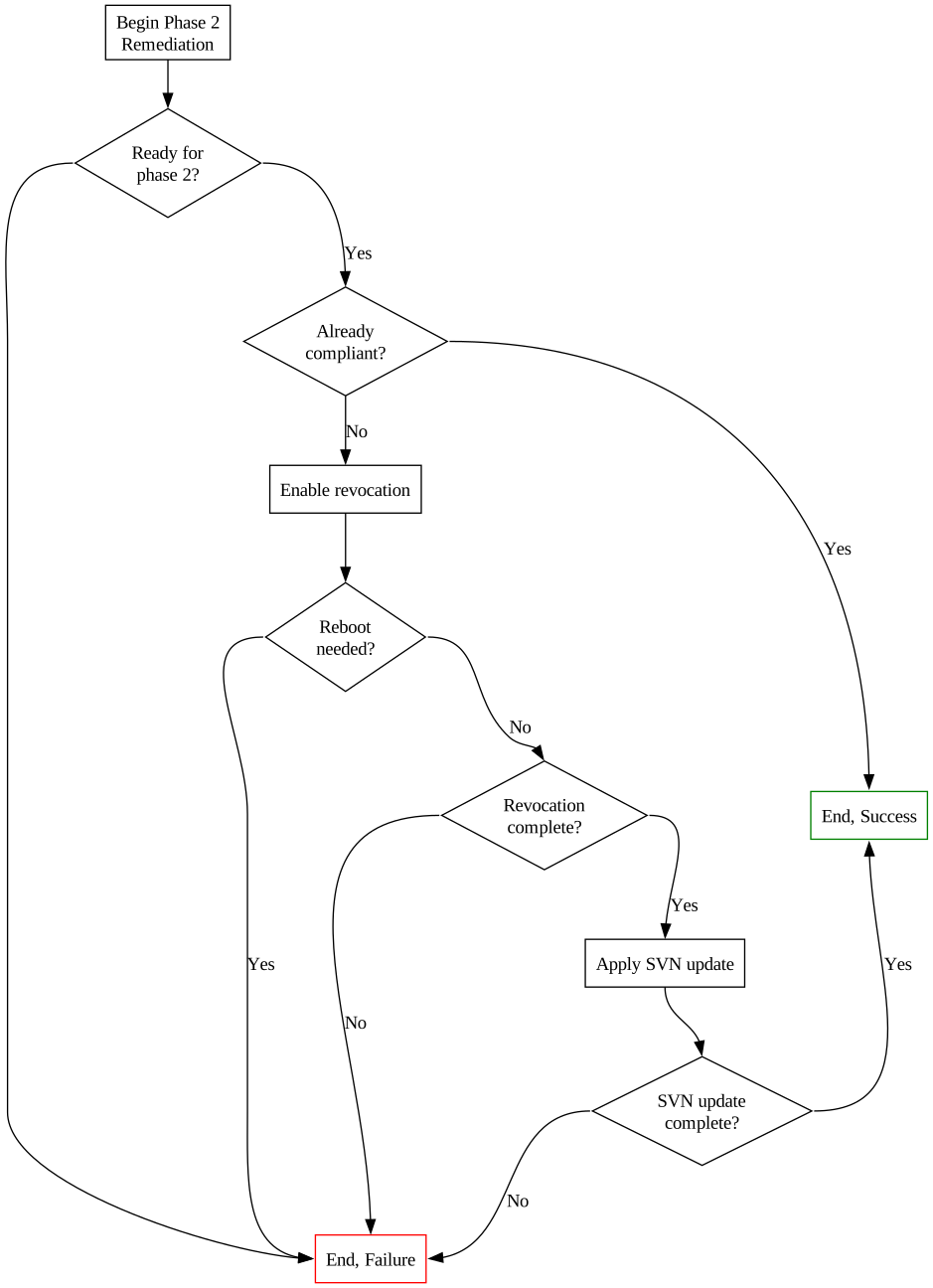
The Phase 2 script will perform steps 3 & 4 from the guidance published by Microsoft, by doing the following:
- Set the
AvailableUpdatesregistry value to0x80 - Start the
\Microsoft\Windows\PI\Secure-Boot-Updatescheduled task to perform step 3, "Enable the revocation" - Validate step 3 is complete
- Set the
AvailableUpdatesregistry value to0x200 - Start the
\Microsoft\Windows\PI\Secure-Boot-Updatescheduled task to perform step 4, "Apply the SVN update to the firmware" - Validate step 4 is complete