SVG & WAV snapshot testing for FunDSP audio units.
Generate visual snapshots of audio processing units to catch regressions and verify signal behavior.
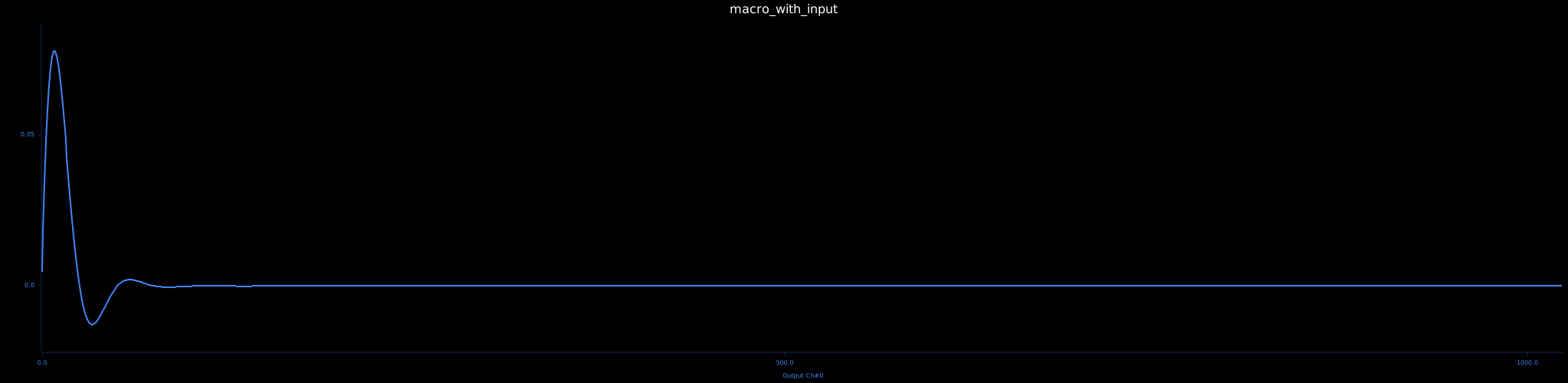
Note: Snapshot assertion uses
insta::assert_binary_snapshotwhich is currently marked experimental.
use insta_fun::prelude::*;
use fundsp::prelude::*;

#[test]
fn example_test() {
    // Simple SVG snapshot (default output_mode = SvgChart)
    let unit = sine_hz::<f32>(440.0);
    let svg_bytes = snapshot_audio_unit(unit);

    // With input signal (impulse)
    let filter = lowpass_hz(1000.0, 1.0);
    let svg_bytes_with_input = snapshot_audio_unit_with_input(filter, InputSource::impulse());

    // Custom chart configuration (SvgChartConfig separated from SnapshotConfig)
    let chart = SvgChartConfigBuilder::default()
        .chart_title("Custom Sine")
        .show_grid(true)
        .build()
        .unwrap();
    let config = SnapshotConfigBuilder::default()
        .num_samples(2048)
        .output_mode(chart) // inject chart config
        .build()
        .unwrap();
    let custom_svg = snapshot_audio_unit_with_options(sine_hz::<f32>(440.0), config);

    // WAV output (audible snapshot)
    let wav_config = SnapshotConfigBuilder::default()
        .num_samples(2048)
        .output_mode(WavOutput::Wav16) // or WavOutput::Wav32
        .build()
        .unwrap();
    let wav_bytes = snapshot_audio_unit_with_input_and_options(sine_hz::<f32>(440.0), InputSource::None, wav_config);

    // Macro (produces both an SVG and a 16-bit WAV by default)
    assert_audio_unit_snapshot!(sine_hz::<f32>(440.0));

    // Macro with custom config (single output based on config.output_mode)
    let wav_only_cfg = SnapshotConfigBuilder::default()
        .output_mode(WavOutput::Wav32)
        .build()
        .unwrap();
    assert_audio_unit_snapshot!(sine_hz::<f32>(220.0), wav_only_cfg);
}- Visualizes audio unit inputs and outputs as SVG waveforms
- Generates audible WAV snapshots (16-bit & 32-bit)
- Supports multi-channel audio with color-coded traces
- Configurable sample count, processing mode, warmup, and abnormal sample handling
- Separate chart configuration via SvgChartConfigBuilder
- Built-in input generators (impulse, sine, custom, generator fn, unit passthrough)
- Tick or batch processing (up to fundsp::MAX_BUFFER_SIZE)
- Multiple chart layouts & label formatting options
- Assertion macro (default: both SVG + WAV16 when no custom config)
Generate Graphviz DOT snapshots of fundsp::net::Net wiring for debugging and documentation.
-
What it does:
- Builds a directed graph of units, global inputs/outputs, and port-labeled edges.
- Emits DOT with preserved whitespace in labels for better readability.
- Uses deterministic node/edge ordering for stable snapshots.
-
Enable the feature:
[dependencies]
insta-fun = { version = "2", features = ["dot"] }
-
Usage:
use fundsp::prelude::*;
use insta_fun::prelude::*;

#[test]
fn net_graph() {
    // 2 inputs, 2 outputs
    let mut net = Net::new(2, 2);

    // Build a small explicit graph
    let lp = net.push(Box::new(lowpass_hz(500.0, 0.7)));
    net.connect_input(0, lp, 0);

    let hp = net.push(Box::new(highpass_hz(1200.0, 0.6)));
    net.connect_input(1, hp, 0);

    let stereo = net.push(Box::new(multipass::<U2>()));
    net.connect(lp, 0, stereo, 0);
    net.connect(hp, 0, stereo, 1);
    net.pipe_output(stereo);

    // Produces my_net.dot snapshot via insta
    assert_dsp_net_snapshot!("my_net", net);
}
-
Notes:
- The DOT functionality is gated behind the
dotfeature and pulls inpetgraphonly when enabled. - With
dotdisabled, thegraph::snapshot_dsp_net_wiringfunction returns a tiny placeholder and tests using DOT are skipped.
- The DOT functionality is gated behind the
SnapshotConfig controls audio generation parameters (sample_rate, num_samples, processing_mode, warm_up, allow_abnormal_samples, output_mode).
SvgChartConfig controls purely visual/chart properties (layout, titles, labels, colors, dimensions, etc) and is injected through SnapshotConfigBuilder::output_mode(chart_cfg).
Set WAV output by providing output_mode(WavOutput::Wav16) or output_mode(WavOutput::Wav32).
Macro arms without an explicit SnapshotConfig produce both an SVG chart (default SvgChartConfig) and a 16-bit WAV file. Arms with a provided SnapshotConfig produce exactly one snapshot determined by output_mode.
- Tick: Process one sample at a time (default) targeting
AudioUnit::tick - Batch: Process chunks (<= 64) targeting
AudioUnit::process
See snapshots for full list of example charts.
See tests for all usage examples.
Snapshots of all the fundsp AudioNodes anvlkv.github.io/insta-fun
- Ready-made example suites (charts: 2000 samples; audio: 1 second each):
- Oscillators: cargo run --example oscillators
- Filters (impulse responses): cargo run --example filters
- Time FX, dynamics, and noise: cargo run --example time_fx_and_noise
- Advanced Oscillators (DSF, pulse & PWM): cargo run --example oscillators_advanced
- Advanced Filters (nonlinear & morph progression): cargo run --example filters_advanced
See LICENSE file for details.
🩻🎇🏙️🌁
Happy testing!