A user-friendly password manager that stores your credentials in a locally stored json file to ensure security. It has basic validation that in case of empty entries, a warning is shown,etc. It can generate a random strong password with letters, symbols and numbers which is automatically copied to the clipboard.



When the Generate Password button is clicked, it generates a random strong password, which is automatically copied to the clipboard for ease of the user.
The user can save the password by clicking the "ADD" button.

The user needs to type the name of the website,and upon clicking the "SEARCH" button, a pop-up comes with the website's saved Username and Password.
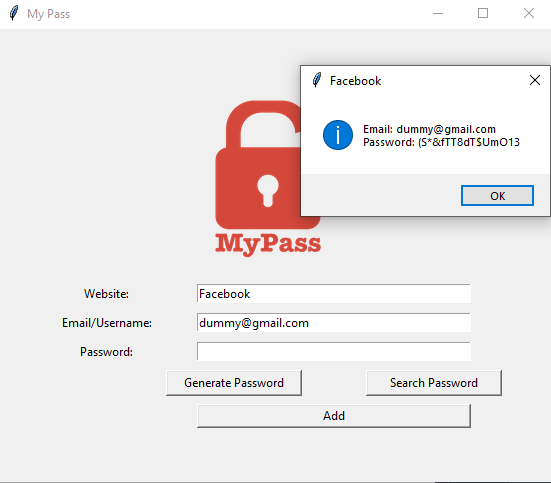
In case of empty fields, a warning is raised.Similar alerts arrive for FileNotFound exceptions,etc.

- Clone the project
git clone https://github.com/avs-7955/Password_Manager.git- Go to the project directory
cd Password_Manager-
Change the email-id to your most frequently used email id at the beginning of the script.
-
Start the application
python main.py