
✨ Convert Instances to code; just like magic!


Codify (formerly Roactify) is a collaborative project between @boatbomber and @csqrl, which converts your pre-existing Roblox Instances into code (v2.1.0 supports all Instances!).
Whether you work with vanilla Instances, or use a framework like Roact or Fusion, Codify has you covered!
Codify is 100% free to download, but if you like this plugin, please consider sponsoring via the "Sponsor this project" panel!
This project wouldn't have been possible without the help of @boatbomber and our other contributors. If you'd like to show your support for @boatbomber too, follow the link below to find out how!
Help support plugin developers and download the latest version of Codify from itch.io!
The simplest way to install Codify is to install it from the plugin marketplace. This gives you access to the latest version of the plugin, and easy updates via the Plugin Management window.

Codify is an open-source plugin. New releases are automatically published to both the Roblox plugin marketplace and GitHub releases. If you'd rather install the plugin manually, download the latest binary (.rbxm or .rbxmx) from the releases page, and drop it into your Studio plugins directory.
Codify uses HTTP requests to fetch the latest information about Roblox Instances. This is required to enable core plugin functionality, as this is not possible without access to API dumps.
Below is a list of URLs used by Codify (all requests are unauthenticated):
https://s3.amazonaws.com/setup.roblox.com/DeployHistory.txthttps://s3.amazonaws.com/setup.roblox.com/versionQTStudiohttps://s3.amazonaws.com/setup.roblox.com/version-{{hash}}-API-Dump.jsonhttps://api.github.com/repos/csqrl/codify-plugin/contributors?anon=1
This is a completely optional permission and will not degrade functionality if disabled. You will only be prompted for this permission when selecting the Save to Device button.
This is necessary to the Save to Device feature only. The plugin will temporarily create a ModuleScript inside of ServerStorage that will be used to prompt to save a file to your device. The ModuleScript will be destroyed immediately after closing the save dialogue.
- Temporary scripts are also unarchivable (
.Archivableproperty set tofalse). This means that they will not be saved when (auto-)saving your project, or saving/publishing to Roblox.
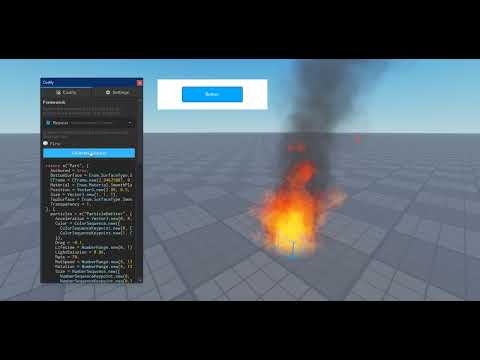
| Watch Codify in action on YouTube |
|---|
| https://youtu.be/aLFWPKNiBGU |
 |

The following open-source projects helped to make Codify possible!
- highlighter by @boatbomber
- studio-plugin by @csqrl
- studio-theme by @csqrl
- roblox-lua-promise by @evaera
- llama by @freddylist
- roact-hooks by @kampfkarren
- roact-router by @reselim
- roact by @roblox
- rodux by @roblox
- rodux-hooks by @solarhorizon
The code Codify produces is not 100% perfect. You should consider that the snippets produced are not optimal, but that shouldn't put you off using it!