


You can install the package in to a Laravel app that uses Nova via composer:
composer require dkulyk/nova-tabs
You can group Fields of a Resource into Tabs.
// in app/Nova/Resource.php

use DKulyk\Nova\Tabs;

public function fields()
{
    return [

        // ...

        new Tabs('Tabs', [
            new Panel('Balance', [
                Number::make('Balance', 'balance')->onlyOnDetail(),
                Number::make('Total', 'total')->onlyOnDetail(),
            ]),
            'Other Info' => [
                Number::make('Paid To Date', 'paid_to_date')->onlyOnDetail(),
            ],
        ]),

        // ...

    ];
}If you are only using a Tabs without another default Panel, you can set the third argument showToolbar to true like in Panel.

// in app/Nova/Resource.php

use DKulyk\Nova\Tabs;

public function fields(Request $request)
{
    return [
        (new Tabs('Contact Details', [
            'Address' => [
                ID::make('Id', 'id')->rules('required'),
                Text::make('Email', 'email')->sortable(),
                Text::make('Phone', 'phone')->sortable(),
            ],

            'Relations' => [
                BelongsTo::make('User'),
                MorphTo::make('Contactable')->types([
                    Client::class,
                    Invoice::class,
                ]),
            ]
        ]))->showToolbar(),
    ];
}
You can also group Relations into Tabs.
// in app/Nova/Resource.php

use DKulyk\Nova\Tabs;

public function fields(Request $request)
{
    return [

        // ...

        new Tabs('Relations', [
            HasMany::make('Invoices'),
            HasMany::make('Notes'),
            HasMany::make('Contacts')
        ]),

        // ...

    ];
}

use DKulyk\Nova\Tabs;

public function fields(Request $request)
{
    return [
        (new Tabs(__('Client Custom Details'), [
            new Panel(__('Details'), [
                    ID::make('Id', 'id')->rules('required')->hideFromIndex(),
                    Text::make('Name', 'name'),
            ]),
            HasMany::make('Invoices')
        ])
    ];
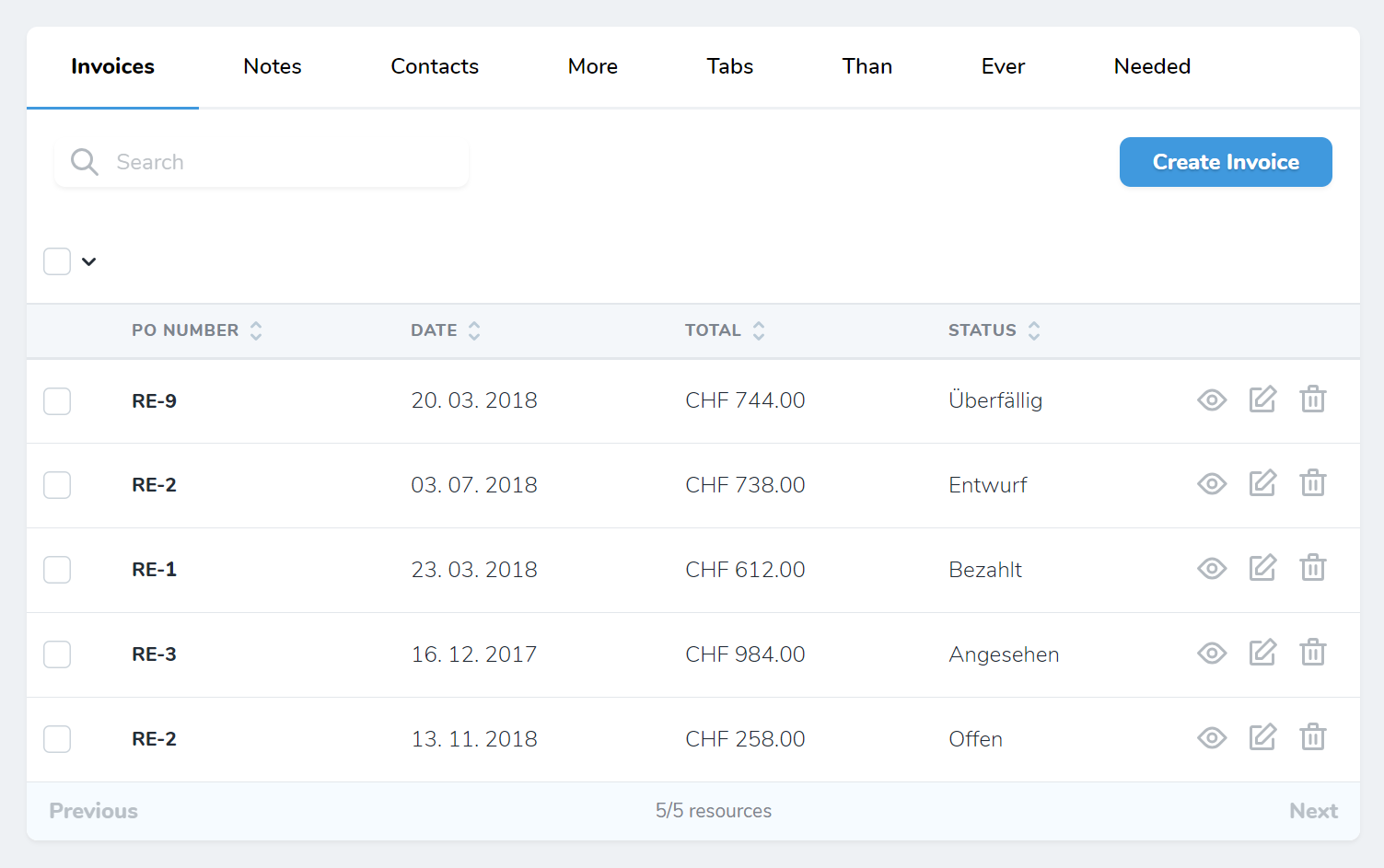
}By default, the Tabs component moves the search input and the create button to the tabs. If you have a lot of tabs, you can move them back down to its own line:
// in app/Nova/Resource.php

use DKulyk\Nova\Tabs;

public function fields(Request $request)
{
    return [

        // ...

        (new Tabs('Relations', [
            HasMany::make('Invoices')
        ]))->defaultSearch(true),

        // ...

    ];
}
Set ->defaultSearch(true) to revert it to its default.
Differenece with eminiarts/nova-tabs
- No need to use trait.
- Fields passed through a standard panel(standard authorization and visibility behavior).
- Nested Panels and Listable fields become a new tabs.
- Relations will loaded only when Tab will be open.