
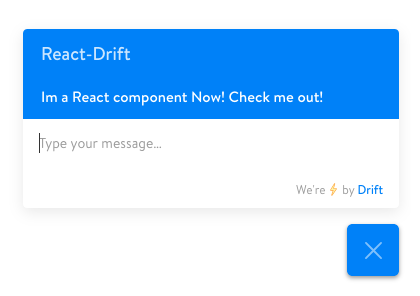
React component implementation of Drift Chatbot Widget.
npm install react-driftjs
import Drift from "react-driftjs";

<Drift appId="xxxxx" />; //get the appId from drift.comTo identify the user with an ID that is unique in your application, include a userId property with that value. This will trigger the chatbot to use the identify method. If userId is omitted, the component will have the chatbot use the setUserAttributes method.
<Drift
  appId="xxxxx"
  userId="1234"
  attributes={{ email: "user@example.com", company: "Acme Inc" }}
/>The chatbot widget emits several events. A listing of the events can be found here: https://devdocs.drift.com/docs/drift-events#section-first-interaction
To handle the events, assign an array of objects to the eventHandlers property. The event property will match the name of the event emitted by drift. The function property is the function definition of the handler.
<Drift
  appId="xxxxx"
  eventHandlers={[
    { event: "conversation:firstInteraction", function: handleInteraction },
  ]}
/>;

const handleInteraction = function () {
  console.log("User has just interacted with the chatbot");
};To add custom styling to the root <iframe> element (e.g. to change the position of the chatbot widget) you can assign a style object to the style property. This object will be parsed as a css string and added to a style tag in the head of the document.
<Drift
  appId="xxxxx"
  style={{
    bottom: "100px",
  }}
/>Includes TypeScript definitions.
More information can be found here: https://www.drift.com/
MIT