
Slate helps you create beautiful, intelligent, responsive API documentation.
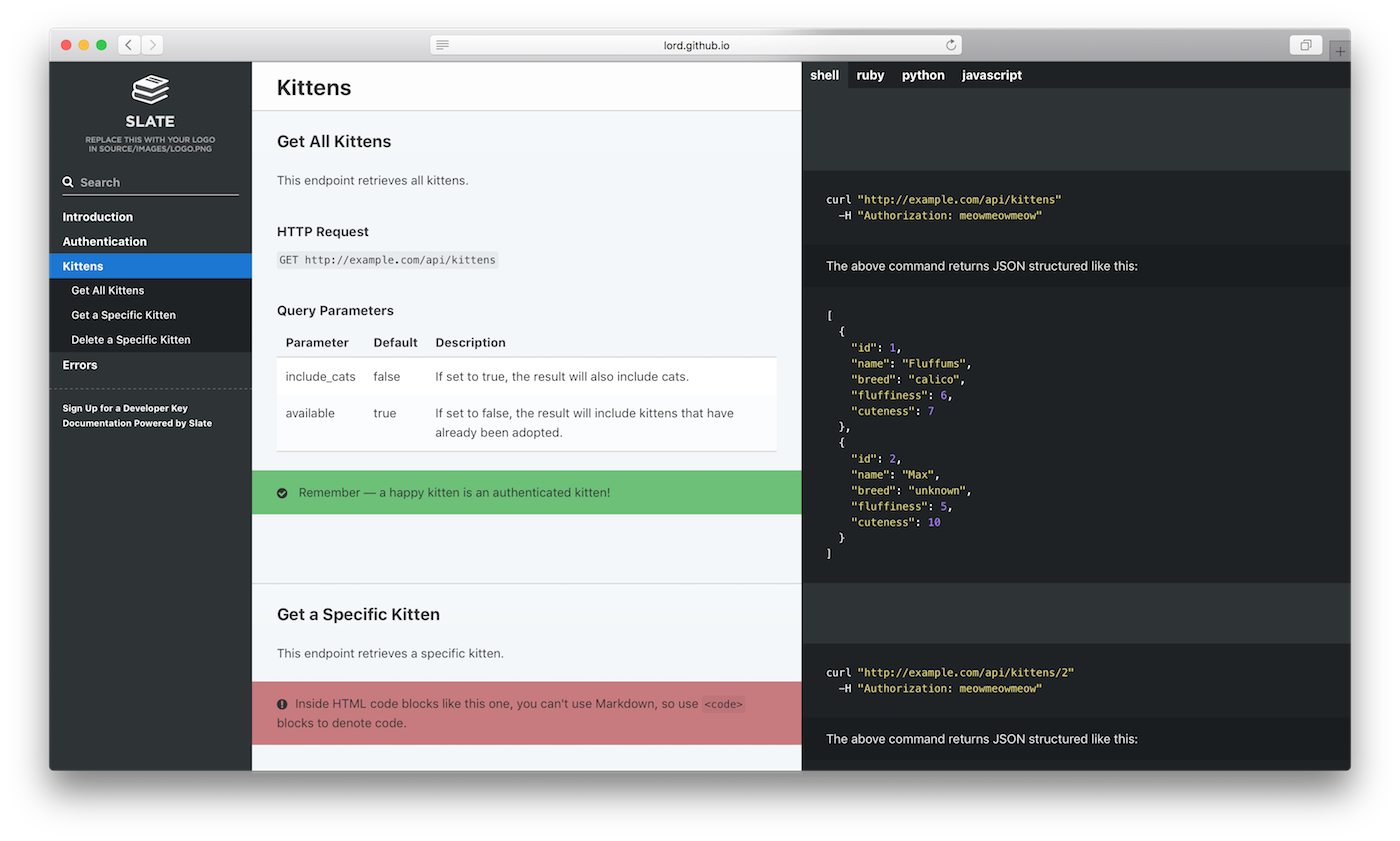
The example above was created with Slate. Check it out at lord.github.io/slate.
You're going to need:
- Linux or macOS — Windows may work, but is unsupported.
- Ruby, version 2.3.1 or newer
- Bundler — If Ruby is already installed, but the
bundlecommand doesn't work, just rungem install bundlerin a terminal.
- Fork this repository on GitHub.
- Clone your forked repository (not our original one) to your hard drive with
git clone https://github.com/YOURUSERNAME/slate.git cd slate- Initialize and start Slate. You can either do this locally, or with Vagrant:
# either run this to run locally
bundle install
bundle exec middleman server

# OR run this to run with vagrant
vagrant up
You can now see the docs at http://localhost:4567. Whoa! That was fast!
Now that Slate is all set up on your machine, you'll probably want to learn more about editing Slate markdown, or how to publish your docs.
If you'd prefer to use Docker, instructions are available in the wiki.
Use bundle exec middleman build --clean on your local machine to build the assets. Then upload those assets to S3.
Inside of Docker (note: this no longer seems to work):
bundle exec middleman build --clean
rm -rf source/latest
mv build source/latest
Then upload source/latest/index.html to AWS S3.