Building Mods For On Demand Loading
On-Demand loading allows large assets to only be loaded the moment players need them. This results in much faster initial load times, and less RAM usage overall. This is achieved by dividing asset bundles into two separate bundles: A 'data' bundle, and a 'late' bundle. The data bundle contains all the important information about items and spawner entries, while the late bundle contains the large assets (prefabs, textures, audio)
- Data and Late bundles should be treated as pairs. For every late bundle, there must be a matching data bundle
- Late bundles must have the same file name as the matching data bundle, but with 'late_' as a prefix in the name
- You should absolutely build your asset bundles using LZ4 compression, not LZMA!. If you use LZMA, there will be significant delay between spawning items and having them appear
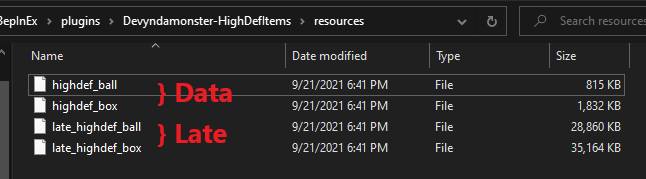
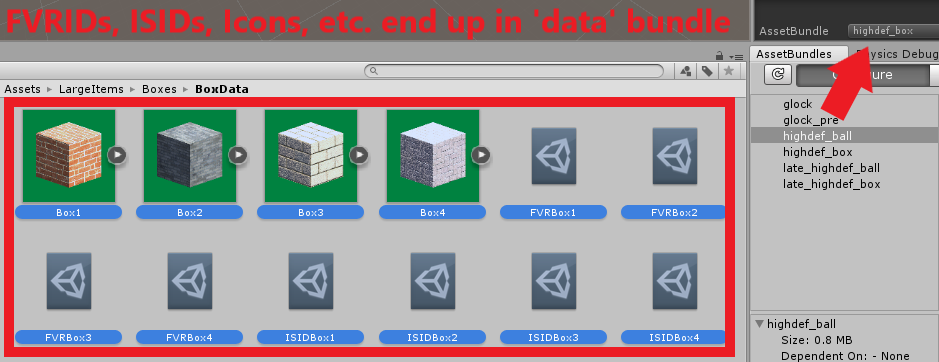
Below is an example of what contents belong in the data bundle. You can put pretty much everything in these bundles except for the prefabs, audio, textures, materials, and any other large assets.
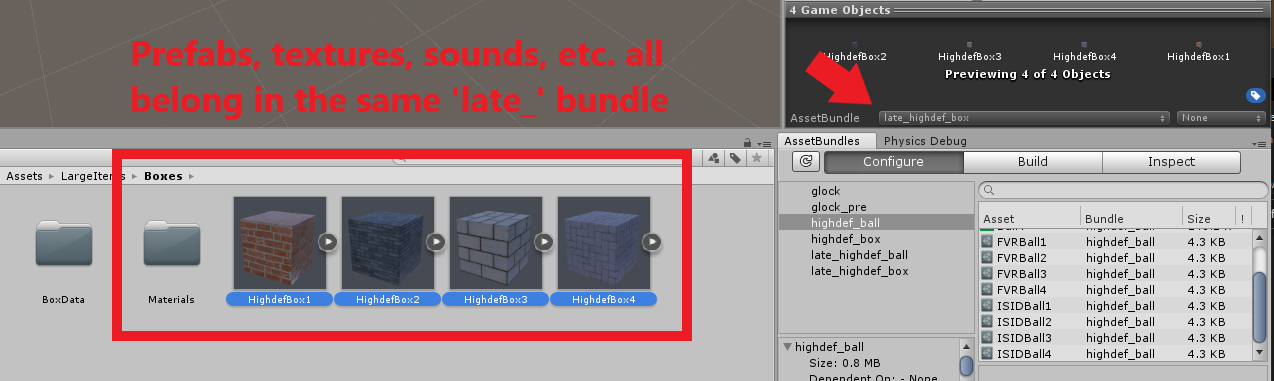
Below is an example of what contents belong in the late bundle. Prefabs, audio, textures, materials, and any other large assets belong in this bundle. Also, notice that the bundle has the prefix 'late_' in it's name, but otherwise has the same name as the matching data bundle.
You can find info on building your stratum mod here
Here is an example of how the folder structure for a stratum mod may look if you intend to upload your mod to Thunderstore:
mod.zip/
  plugins/
    resources/
      highdef_*
      late_*
    boostrap.dll
    config.yaml
    project.yaml
  icon.png
  manifest.json
  README.md
After placing your asset bundles into a resources folder within your mod, your stratum mod should look something like this:
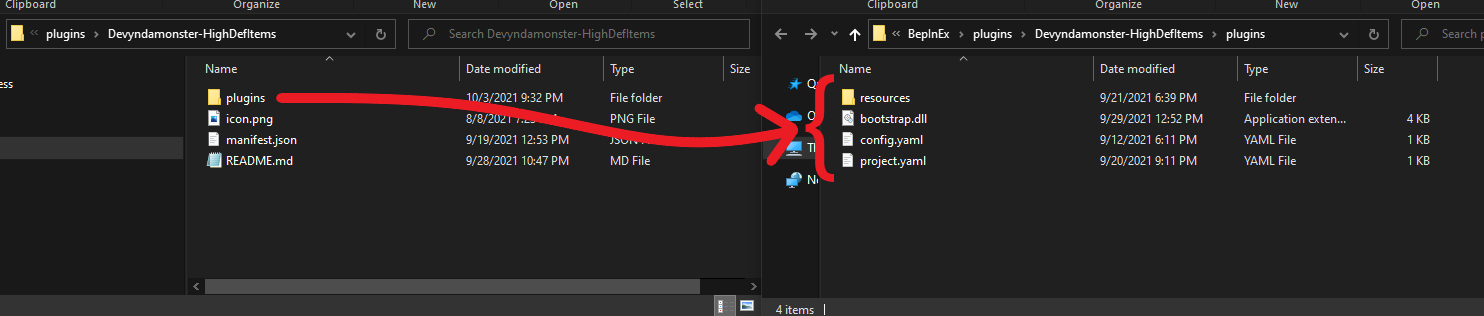
All that's left is to create your project.yaml file, which controls how your asset bundles are loaded. You can see an example of this below.
- You should use the
sequential: truetag as seen below. This makes it so that data bundles always load before the late bundles
version: 1
dependencies:
  hard:
    h3vr.otherloader: 1.0.0
assets:
  runtime:
    sequential: true
    nested:
      - assets:
        - path: highdef_*
          plugin: h3vr.otherloader
          loader: item_data
      - assets:
        - path: late_*
          plugin: h3vr.otherloader
          loader: item_first_late