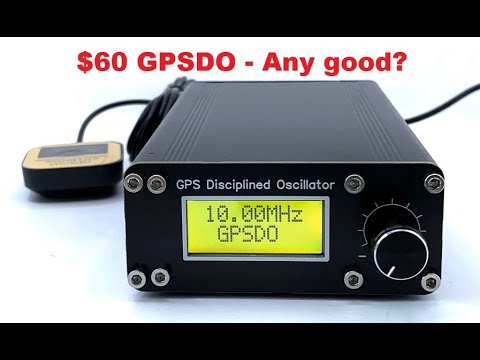
This is an alternative firmware for the BH3SAP GPSDO sold on various platforms.

Power on the device with GPS antenna connected. Wait a long while for the PPB to reach close to zero. When the PPB is stabilized close to zero, the GPSDO is considered locked (padlock icon) and it will automatically save the current PWM value in flash.
This PWM value will then be used on the next boot as a startup value.
The current PWM value can also be manually saved by going to PWM menu and press the encoder twice (a message will be shown after the first press).
The original manual for the device talks about running the device without a GPS antenna after calibration, but I would advice against that since the oscillator seems sensitive to both ambient temperature, vibrations and orientation. Best results will be had when the GPS antenna is connected at all times.
This alternative firmware has a 2 level menu system. Moving from one menu item to another is done by turning the rotary encoder, and entering a given menu (when applicable) is done by pressing the encoder.
Here is the menu tree :
Main Screen: displays the number of detected satellites, the PPB value and the current time read from GPS frameDate Screen: displays the number of detected satellites, the PPB value and the current date read from GPS frameDate-time Screen: displays the number of detected satellites, the PPB value and the current time or date (changes every 5 seconds)Trend Menu: displays the number of detected satellites, the current PPB value and a graphical representation of the PPB trend over timeTrend Main Screen: same as above, press the encoder to enter navigation mode (scroll trend data over time by rotating the encoder)Auto vertical scale: press to set the auto-vertical-scale status (when set toON, vertical scale will be automatically adjusted to match the displayed trend values)Auto horizontal scale: press to set the auto-horizontal-scale status (when set toON, horizontal scale will be automatically adjusted to show available data)Vertical scale: shows the current vertical scale (value of the max PPB in the graph), if auto-vertical-scale is off, press the encoder to set the vertical scale valueHorizontal scale: shows the current horizontal scale (number of seconds represented by a point in the trend graph), if auto-horizontal-scale is off, press the encoder to set the horizontal scale valueExit: press to exit the Trend sub-menu
PPB Menu: displays current PPB valueMean value: the mean PPB value (running average over 128 seconds)Instant value: last calculated PPB valueFrequency: the measured current MCU frequency (based on the number ot ticks counted between two GPS PPS pulses, should be around 70 000 000 for 70 MHz)Error: the last measured frequency error (in Hz)Correction: the last correction applied to PWM valuePWM: the current PWM valueOCXO model: press to set the OCXO model installed on your GPSDO to ISOTEMP or OX256B (this will adjust warmup time and default PWM value)Warm-up duration: press to set the warmup duration is seconds (time to wait after boot to let the OCXO warm-up before starting PWM correction)Algorithm selection: press to select the algorithm used to adjust PWM value ; there are 3 available algorithms :Eric-H(default): Based on ppm value rather than frequency error (uses 128s rolling average rather than instant values)Dankar: Original code from Dankar using square value of instant frequency error as PWM correctionFredzo: Same logic as dankar's, but with faster correction when frequency error is >= 2
Correction factor: press to adjust the responsiveness of the correction algorithm :- For
Eric-Halgorithm, the default correction factor is 300, increasing it will slow down the PWM adjustment - For
DankarandFredzoalgorithms, the default correction factor is 10, a value bellow 10 will slow down PWM adjustment and a value above 10 will speed it up
- For
Millis: the gap in milliseconds between GPS PPS reference and MCU calculated PPS (should be 0)PWM auto save: press to set the PWM auto-save status (when set toON, PWM value will automatically be saved the first time PPB mean value reaches 0)PPS auto resync: press to set the PWM auto-sync status (when set toON, MCU Controlled PPS output will automatically be resynced to GPS PPS Output the first time PPB mean value reaches 0)PPB Lock Threshold: press to set the PPB threshold value above which GPSDO is considered lockedExit: press to exit the PPB sub-menu
PWM Screen: the current PWM value, press the encoder twice to save this value to flash memoryGPS Menu: displays the number of detected satellites and the current GPS timeTime: the current GPS timeLatitude: the GPS detected latitude (format: ddmm(.)mmmm)Longitude: the GPS detected longitude (format: ddmm(.)mmmm)Latitude decimal: the GPS detected latitude in decimal formatLongitude decimal: the GPS detected longitude in decimal formatLocator: the IARU Locator for the current GPS positionAltitude: the GPS detected altitude (in meters)Geoid: the Geoid-to-ellipsoid separation (in meters)Sat. #: the numner of satellitesHDOP: the current Horizontal Dilution Of Precision valueBaudrate(don't mess with this unless you know what you are doing !): set the GPS UART communication baudrate (for GPSDO equipped with ATGM336H GPS modules, changing this will also send a command to change the GPS module baudrate accordingly BUT ATGM336H modules installed in the GPSDO have been reported to have a weak battery and don't retain this setting for a very long time... passed this time the module will return to default 9600 bauds, breaking the communication with the bluepill (see Troubleshooting section))Time Zone offset: set the number of hours (-14/+14) to shift the displayed time from UTC to match local timeDate Format: set the date format (eitherdd/mm/yy(default value),mm/dd/yy,yy/mm/dd,dd.mm.yyoryy-mm-dd)Model: displays the detected GPS module model, press to manually set the GPS module modelFrame: displays to first characters of the last frame received from the GPS moduleExit: press to exit the GPS sub-menu
Uptime Screen: displays the number of seconds elapsed since last bootGGA Frames Screen: the number of GGA frames received from the GPS module since last bootContrast Screen: press the encoder to change the contrast value by turning the rotary encoder ; press again to exit (when editing contrast value,?is displayed after contrast)PPS Menu: This menu is dedicated to the MCU controlled PPS output ; it shows the number of times the MCU PPS Output has been synced (top left) and the shift with GPS PPS output in clock cycles (bottom)Shift: the shift between MCU PPS output and GPS PPS output in clock cyclesShift milliseconds: the shift between MCU PPS output and GPS PPS output in millisecondsSync Count: the number of times the MCU PPS output has been re-synced to the GPS PPS outputSync.: press to set the synchronization activation status (when set toONthe MCU PPS Output will be resynced if it deviates from the GPS PPS output of more thanthresholdclock cycles during more thandelayseconds)Delay: press to set the MCU PPS output synchronisation delay (in seconds)Threshold: press to set the MCU PPS output synchronisation threshold (in clock cycles)Force Sync: press to force the MCU Controlled PPS output to be synched with the GPS PPS outputExit: press to exit the PPS sub-menu
Version Screen: shows the current firmware version
 The top left corner of the
 Main Scren contains an indicator for PPS pulses. Next to that is the current number of satellites used by the GPS module. To the right of that is the current measured PPB error.
Bottom line is the current UTC time from GPS module.
 The top left corner of the
 Trend Scren contains an indicator for PPS pulses (using default characters from the LCD driver, custom characters beeing used for graphical trend display).
Next to that is the current number of satellites used by the GPS module. To the right of that is the current measured PPB error.
Bottom line is a graphical representation of the PPB trend over time.
Trend menu gives access to trend navigation, and scale settings:

After boot, the GPSDO will automatically display the last used screen between Main Screen, Date Screen, Date Time Screen and Trend Screen.
GPSDO is considered locked when the mean PPB value (running average over 128 seconds) is above the PPB Lock Threshold setting in PPB menu.
The GPSDO locked status can be monitored with the padlock icon on the main screen:


To flash this alternative firmware in your GPSDO you will need :
First you need to open it to access the bluepill board inside it.
To do so, you only need to remove the 4 screews at the top left and right sides of the front and bacck pannels of your GPSDO:

You now have access to the bluepill board, but you need to bend the 4 pins of the programmation header to the top so that you can plug Dupont wires to that header:

You can now launch the STM32CubeProgrammer software click Connect, click Open File, select the gpsdo.bin file downloaded in the Release section and hit Download in STM32CubeProgrammer:

For video instructions, you can check Tony Albus's BH3SAP GPSDO review at 7'20'':

If the current time is not displayed on the main screen, it most likely is because the UART communication between the bluepill board and the GPS module is broken.
To fix that, go the the GPS menu and set the baudrate to the default 9600 value.
It's generally not a good idea to change the baudrate of the GPS module since ATGM336H modules installed in the GPSDO have been reported to have a weak battery. They don't retain the baudrate setting for more than 10 to 20 minutes. Passed this time the module will return to default 9600 bauds and break the communication with the bluepill.
Later versions of the GPSDO come with a different OCXO than the original ISOTEMP model. This new OCXO, a Bowei OX256B-T-LU-V-10M, has a weaker output signal than the ISOTEMP. This weaker signal is not strong enough to drive the bluepill OSCin input through the onboard quartz like the ISOTEMP does.
The good news is that it should not need to do so if the wiring of the GPSDO had been done correctly!...
So far, all produced GPSDO units have been reported to have a wrong connection bellow the bluepill board, sending the OCXO output to PIN6 (OSCout) rather than PIN5 (OSCin). This can easily be fixed by resoldering the red wire to the other pin of the quartz (on C13 side) like shown bellow.
Wrong pin:

Fix:

This wrong wiring does not seem to have an impact on GPSDOs with ISOTEMP OCXO installed, that might explain why it has not been detected at design time.
An MCU controlled PPS Output has been added on pin PB1. It will output a 100 ms pulse every second, based on the clock of the Bluepill board. This output, compared to the PPS output of the original design, is available after boot, even if the GPS module is not yet locked or if the GPS antenna is not connected.
If Sync mode is on, the MCU controlled PPS output will be synchronized to the GPS PPS output as soon as the GPS module gets a fix. The deviation between the two PPS outputs will then be monitored and the MCU controlled PPS output will be resynced to the GPS PPS output as soon as it deviates from more than threshold clock cycles during more than delay seconds.
If the PPS auto resync is set to ON in the PPB menu, the MCU controlled PPS Output will also be automatically resynced to the GPS PPS Output the first time PPB mean value reaches 0.
The dedicated PPS menu allows monitoring the deviation between the MCU controlled PPS output and the GPS PPS output and setting the synchronization parameters:
- The
Shiftentry shows the shift between MCU PPS output and GPS PPS output in clock cycles - The
Shift millisecondsentry shows the shift between MCU PPS output and GPS PPS output in milliseconds - The
Sync Countentry shows the number of times the MCU PPS output has been re-synced to the GPS PPS output - The
Sync.entry sets the synchronization activation status (when set toONthe MCU PPS Output will be resynced if it deviates from the GPS PPS output of more thanthresholdclock cycles during more thandelayseconds) - The
Delayentry sets the MCU PPS output synchronisation delay (in seconds) - The
Thresholdentry sets the MCU PPS output synchronisation threshold (in clock cycles) - The
Force Syncentry can be used to force the MCU Controlled PPS output to be synched with the GPS PPS output

A GPS UART passthrough has been added on UART2: pins PA2 (TX) and PA3 (RX) can be used to communicate with the GPS module. This is bidirectional, so the GPS can be used by a computer or configured via manufacturer software.

These two pins and ground can be routed to an external header on the backside of the device, and then plugging in a serial to USB converter when needed.
Pins PA0 and PA1 can be used to drive leds showing GPS Lock and GPSDO Lock status.
PA0 will be pulled low as soon as the GPS module is locked and PA1 will be pulled low when PPB mean value goes above the set threshold.

Most of this is based on reverse engineering the circuit, and which pins certain things were connected to. The base of the device is a Bluepill board with a STM32F103C8T6 MCU. The oscillator is an Isotemp 143-141 OCXO which can be trimmed with a DC voltage. The output of the oscillator is buffered by a OPA692 and has an output resistor of 51 Ohms. The GPS differs between models, some have an ATGM336H and others a u-blox Neo-6M (perhaps not authentic) ; both are communicating with Bluepill board trhough UART3 in NMEA protocol. The 1PPS output from the GPS is not buffered, so it has very high output impedande.
- The OCXO is connected to the OSC_IN on the Bluepill board. The MCU is configured to be driven by an oscillator, so the crystal mounted on the Bluepill does nothing.
- The PPS is connected to the CH1 input on TIM1.
- The VCO is controlled via PWM from CH2 of TIM1. The PWM signal is sent to a couple of low pass filters, giving a DC voltage.
The MCU will PLL the clock up to 70MHz and then TIM1 is setup to count the internal 70MHz clock, while being gated by the PPS pulse from the GPS module. This means that it continually counts how many cycles on the clock passes between each PPS pulse. This is then used to adjust the VCO.
The VCO is simply adjusted by the error detected between two pulses. If 70000001 clocks are counted, the VCO voltage will drop a bit and so on. This is really simple, but due to the small adjustments, it will average out over time and it should work out since the counter is always running. If we are running at 70 000 000.01 we will get one more clock every 100 seconds, which will then cause a small adjustment (smallest adjustment possible).
It's fairly slow to reach a steady state, and it can probably easily be sped up with a better algorithm.
The displayed PPB error is a long running average. It counts the number of clock ticks over 128 seconds and compares it to the expected (128*SYSCLK)
Clone the repo, update submodules and do the cmake. (Or just download a release) You should not need any other dependencies than arm-none-eabi-gcc. The bluepill can be flashed in multiple ways, check the documentation for it for information. Included is a openocd configuration for connecting to the device via SWD using a JLink adapter.
Developing / building on Windows can be achieved with Visual Studio Code and MSYS2:
- Download and install VSCode
- Download and install MSYS2
- In a MSYS2 shell, run
pacman -S mingw-w64-x86_64-arm-none-eabi-gccto install arm-none-eabi-gcc toolchain andpacman -S mingw-w64-x86_64-ninjato install Ninja build system - Add
C:\msys64\mingw64\binto your Windows PATH - Clone the repo, update submodules, and open the project in VSCode
- Install CMake VSCode extension
- Use CMake pane in VSCode to build the project or use
ninjain a command line - Run
arm-none-eabi-objcopy -O binary build/Release/gpsdo.elf build/Release/gpsdo.binin VSCode terminal to convert elf file in bin file
It would be nice to have NMEA output over USB, and the Bluepill dev board in the GPSDO does have a USB connector. It's however difficult to use since it requires a PLLCLK of 48MHz. But since we use 10MHz as input instead of 8MHz this can't be achieved. It should be possible to run the HSI to the PLL and then run the USB off of that. Then run the HSE directly to the peripherals. But then the timers would be running at 10MHz and that would cause the PWM to be slower, and the measurements to have lower resolution.
Instead of using the USB, I have added GPS passthrough on an unused UART. Pins PA2 (TX) and PA3 (RX) can be used to communicate with the GPS module. This is bidirectional, so the GPS can be used by a computer or configured via manufacturer software.
I ended up routing these two pins and ground to an external header on the backside of the device, and then plugging in a serial to USB converter when needed.