
Progressive Piano provides a modern way of playing virtual-piano based sheets on your computer keyboard, offering support for .txt sheets.
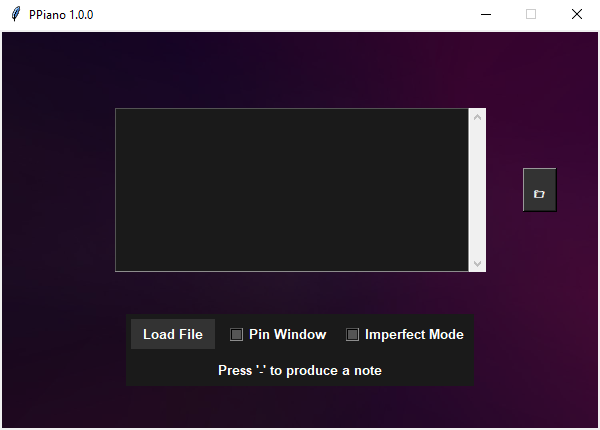
Progressive Piano (or PPiano for short) is an application designed for learning and entertainment, now with an advanced music theory engine and human-like playback. It features a clean, dark-mode user interface that allows you to play virtual piano sheets using your keyboard.
- Advanced Music Theory Engine:
- Dynamic Key Inference: Actively analyzes musical phrases to infer the most likely musical key.
- Auto-Chord Generation: Automatically generates appropriate chords to accompany a melody.
- Auto-Bass Generation: Provides "Smart Octave" and "Force to Low Range" modes for automatic bass lines.
- Human-like Playback ("Imperfect Mode"):
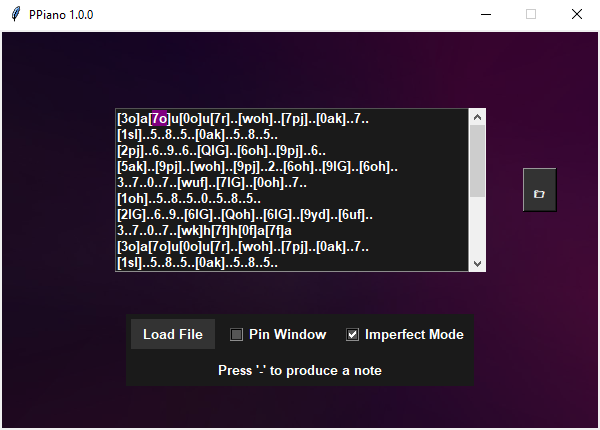
- Simulates natural human playing with randomized delays and two distinct imperfection algorithms ("New" and "Old").
- Adjustable parameters for fine-tuning the realism.
- Enhanced Playback & Dynamics:
- Smart Release: Automatically releases higher-pitched notes for cleaner chord transitions.
- Grouped Note Playback: Play complex passages and arpeggios defined within brackets (e.g.,
[abcd]) using dedicated hotkeys.
- Improved User Interface:
- Real-time Note Highlighting: The currently playing note is highlighted in the sheet display.
- Interactive Playback Pointer: Click any character in the sheet to jump to that position.
- Built-in File Browser: Quickly browse and load
.txtsheets.
.txtSheet Support: Loads.txtsheets from the application's directory or a dedicatedSheetssubfolder.- Window Pinning: Keeps the application window on top for easy sheet reading.
- Download: Download the latest release from the Releases section of this repository (currently old version available).
- Extract: Extract the downloaded archive to a folder of your choice.
- Run: Run
PPiano.exe. - Sheets: Place
.txtsheet files in the same directory asPPiano.exeor in a subfolder namedSheets.
Progressive Piano offers two branches to cater to different user needs:
main(orsinglekey): The stable, classic branch. Provides a reliable and polished experience for single-note playback.multikey: The development branch, featuring the latest v3.0.0+ enhancements. This branch enables chords, simultaneous notes, and all advanced music theory features. Recommended for users who want to try the latest experimental features.
| Hotkey | Action |
|---|---|
F1, F2, F3, F4 |
Controls playback of note groups (e.g., [aceg]), playing individual notes or the whole group. |
Numpad *, +, - |
Produces a note and progresses to the next note in the sheet. |
End |
Selects a random sheet from the application's directory or the Sheets folder. |
Pause |
Toggles "Smart Release" mode for automatic note release. |
Page Up |
Toggles "Auto Bass" mode. |
del , (comma) |
Returns to the beginning of the sheet. |
| Hotkey | Action |
|---|---|
- |
Produces a note (can be held) and progresses to the next note. |
del , (comma) |
Returns to the beginning of the sheet. |
Contributions are very welcome! If you'd like to contribute, please follow these steps:
- Fork the repository.
- Create a new branch for your feature or bug fix.
- Make your changes and commit them.
- Submit a pull request to the
singlekeyormultikeybranch.
Feel free to open an issue on GitHub or send me a direct message on Discord:
- Discord: sonic_8783
Note: Screenshots may be from an older version.
This project is licensed under the MIT License - see the LICENSE file for details.