

This is a simple example of docker remote attach use websocket protocol.
go get github.com/hangyan/docker-ws-client
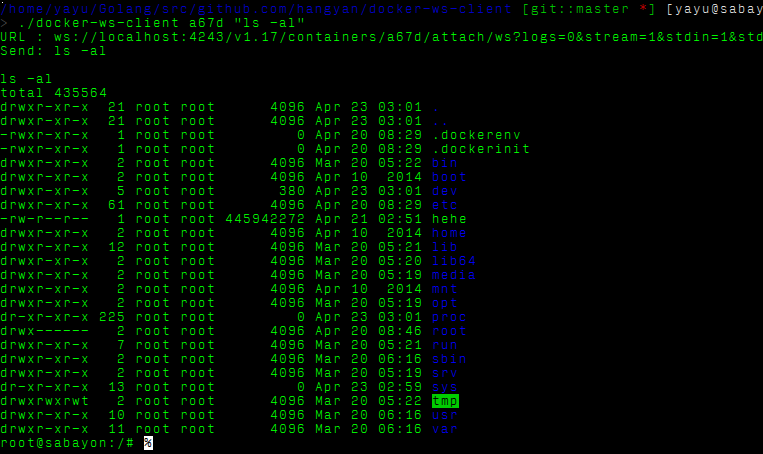
The first argument is the container id,and second is the command you want to execute in that container
- The server will write back the command you send ,then the result,the last line is the bash promt.
- The commands that has stream output may interfere with the later command's
output,like
top,ping,so you need to restart the container after you execute these commands.
You can also use a web browser to act as a websocket client too,there is a chrome extension can do this : Simple Websocket Client
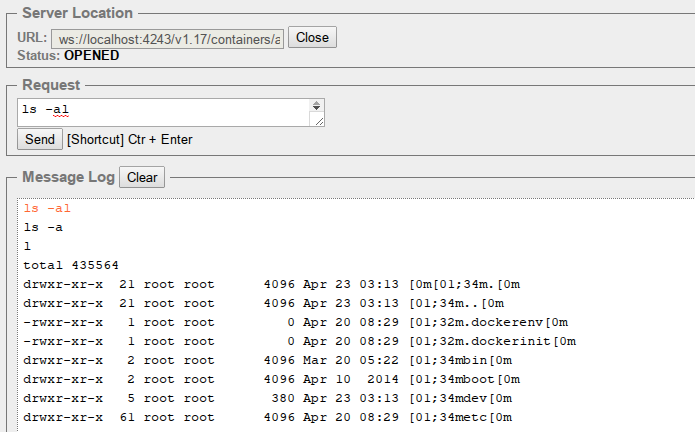
Notes:
- You shoud add linebreak after the command
- the example's (
ls -al) output has some strange chars,they are the terminal's color control character. - Don't use
logs=1,or the output will be messed up.