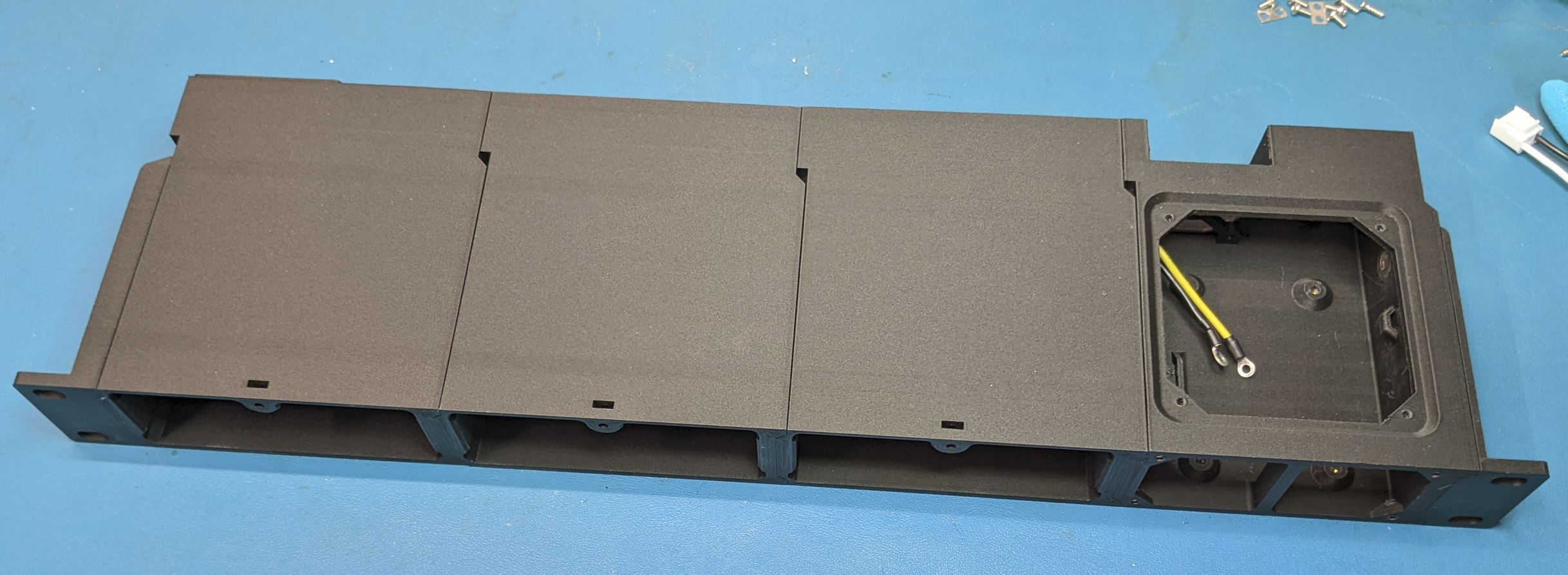
Frame Assembly
The frame should be assembled before the modules. It might work to assemble the device modules before doing the final frame assembly, but you will definitely want to do the frame assembly before the power module.
The power module is on the right hand side of the case as viewed from the front. Start with the power module frame and the right rack ear. One at a time, insert the nut into the pocket in the power module frame and install the FHMS from the ear side. The nut and the head of the FHMS should not stick out past the plastic.
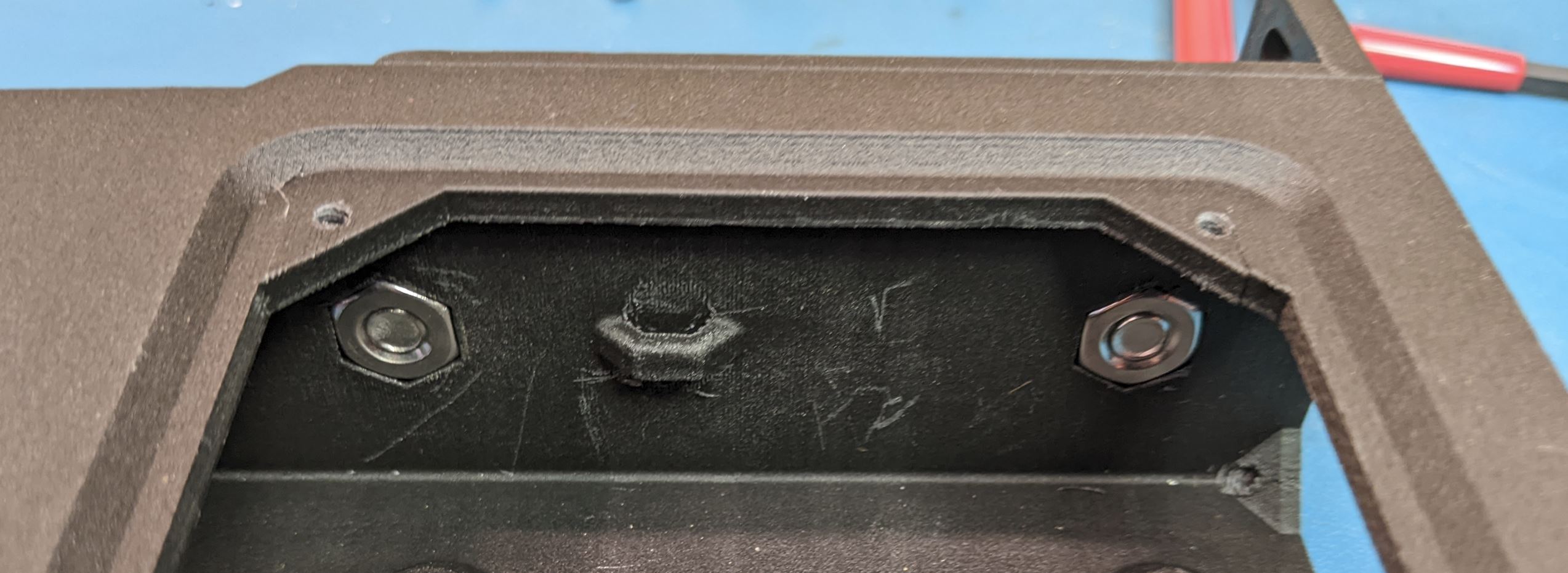
The power wires need to be placed as part of the assembly of the power module to the first device module. Slide the power wires into the hole in the side of the power module.
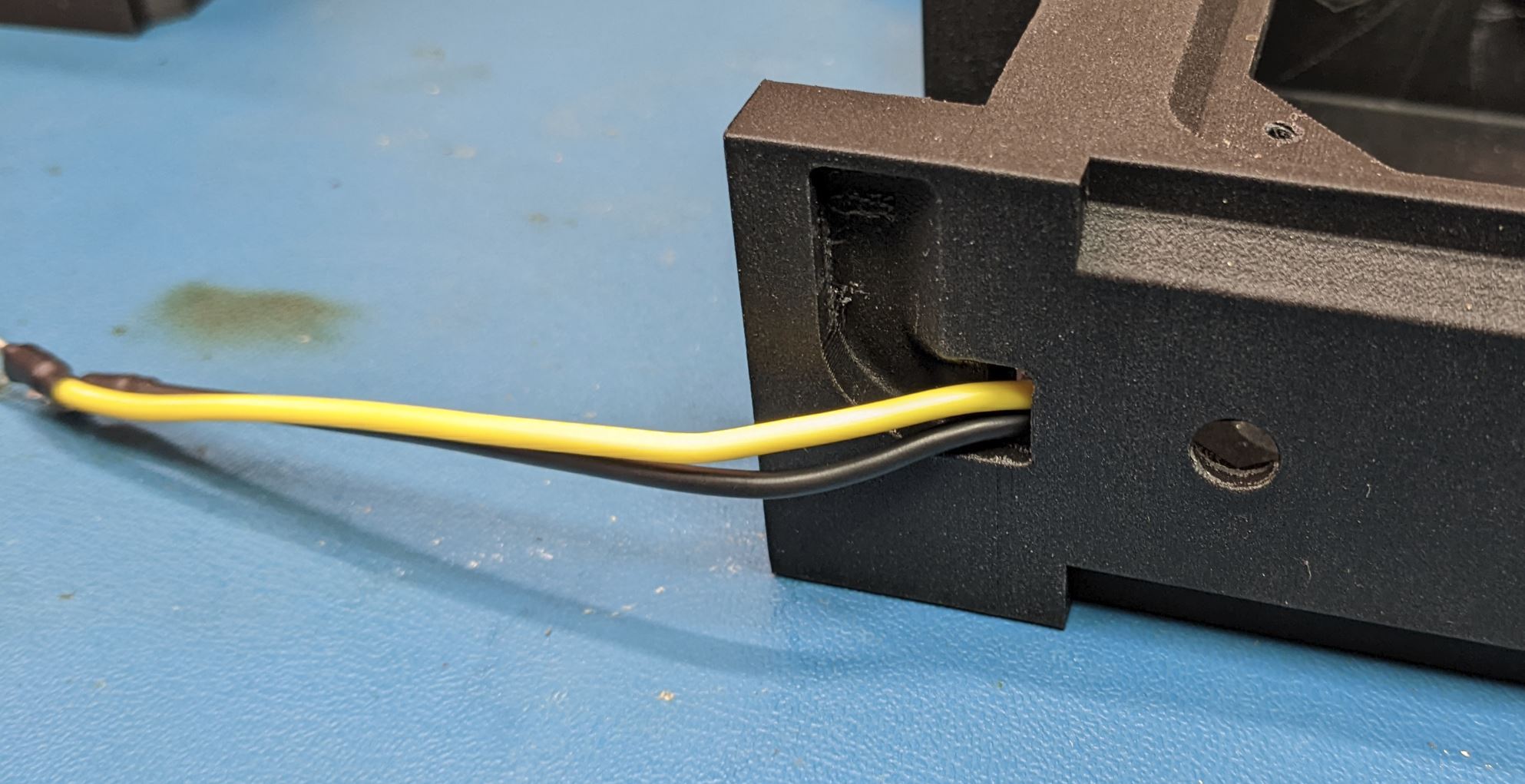
Place the wires into the hole on the device module.
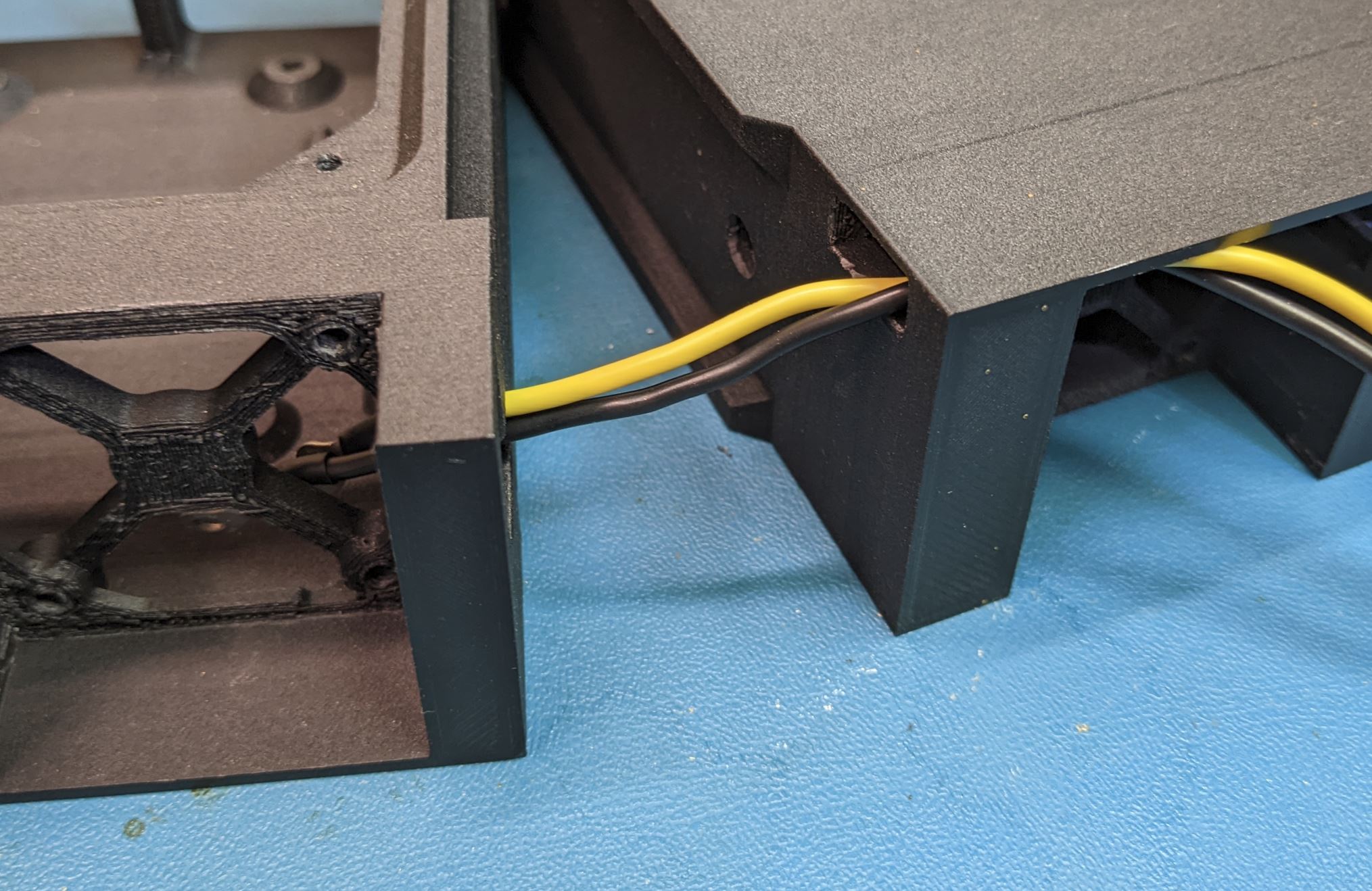
Arrange the wires. You will want the two wires to sit flush to the top of the device module as shown. I suggest arranging the power and ground wires as shown below, but either orientation will work.
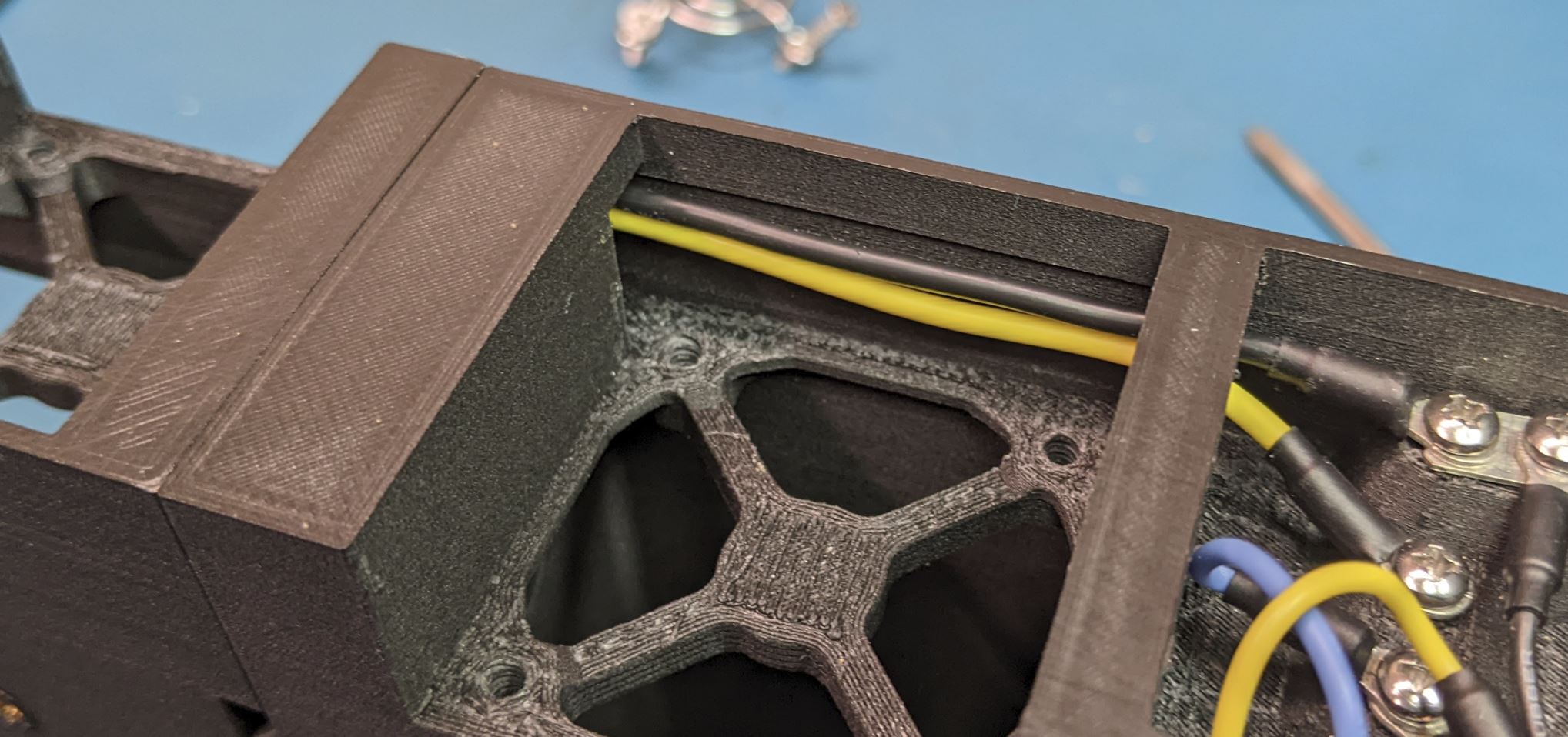
If the small tab on the wireway of the power module is still intact (it broke off for me), you can tuck the wires underneath the tab. In either case ensure that the power wires are in the wireway on the power module, and slide the two modules together. If you did it right, there will be no gap between the modules.
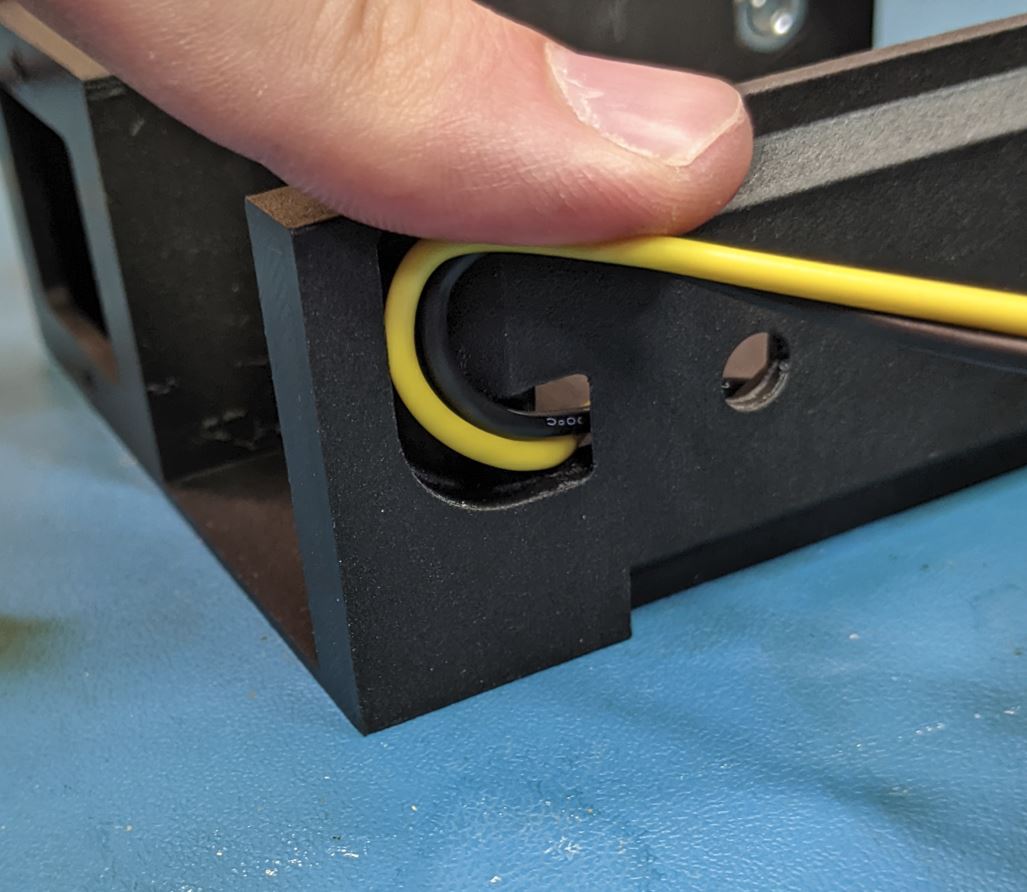
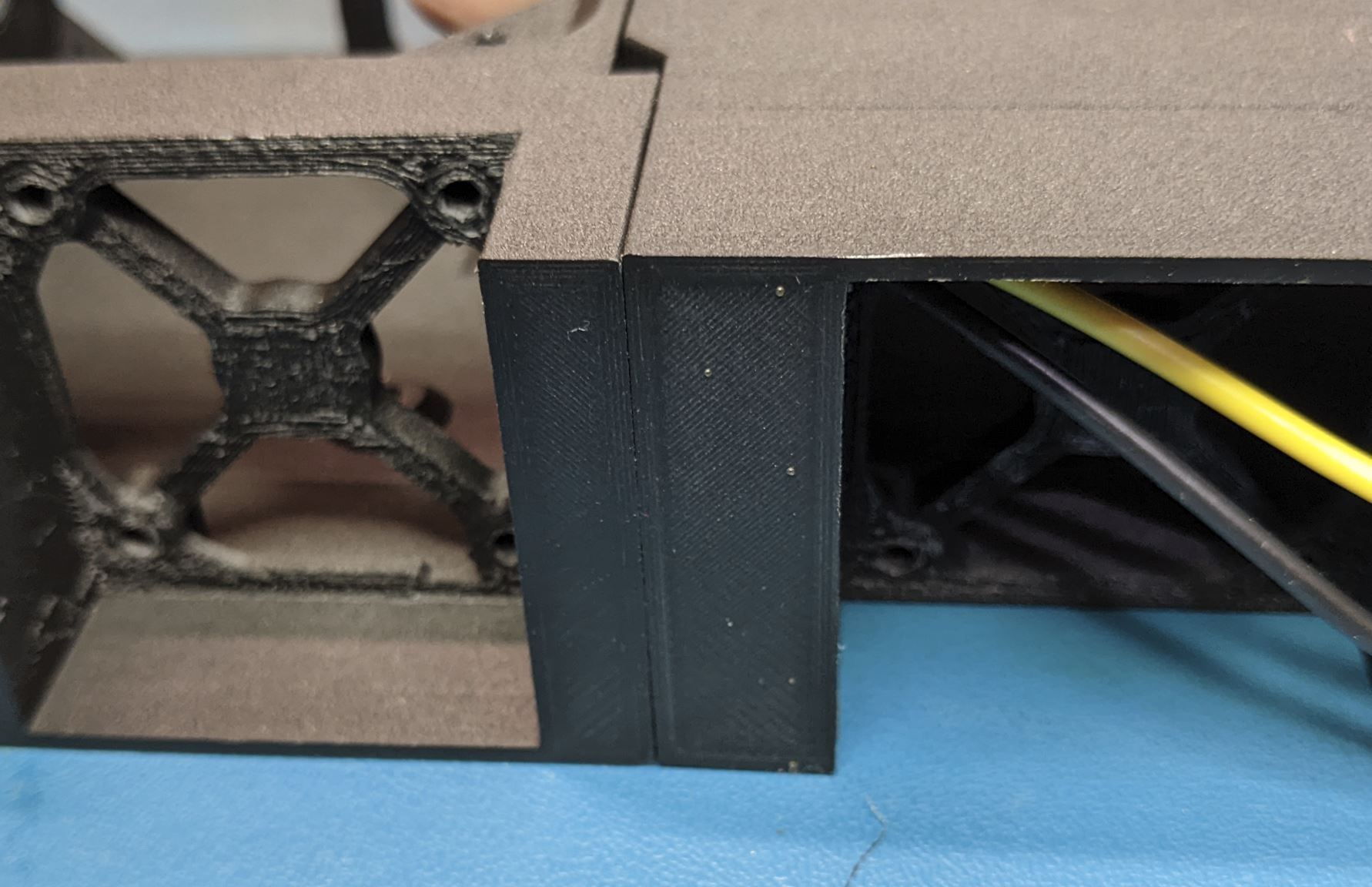
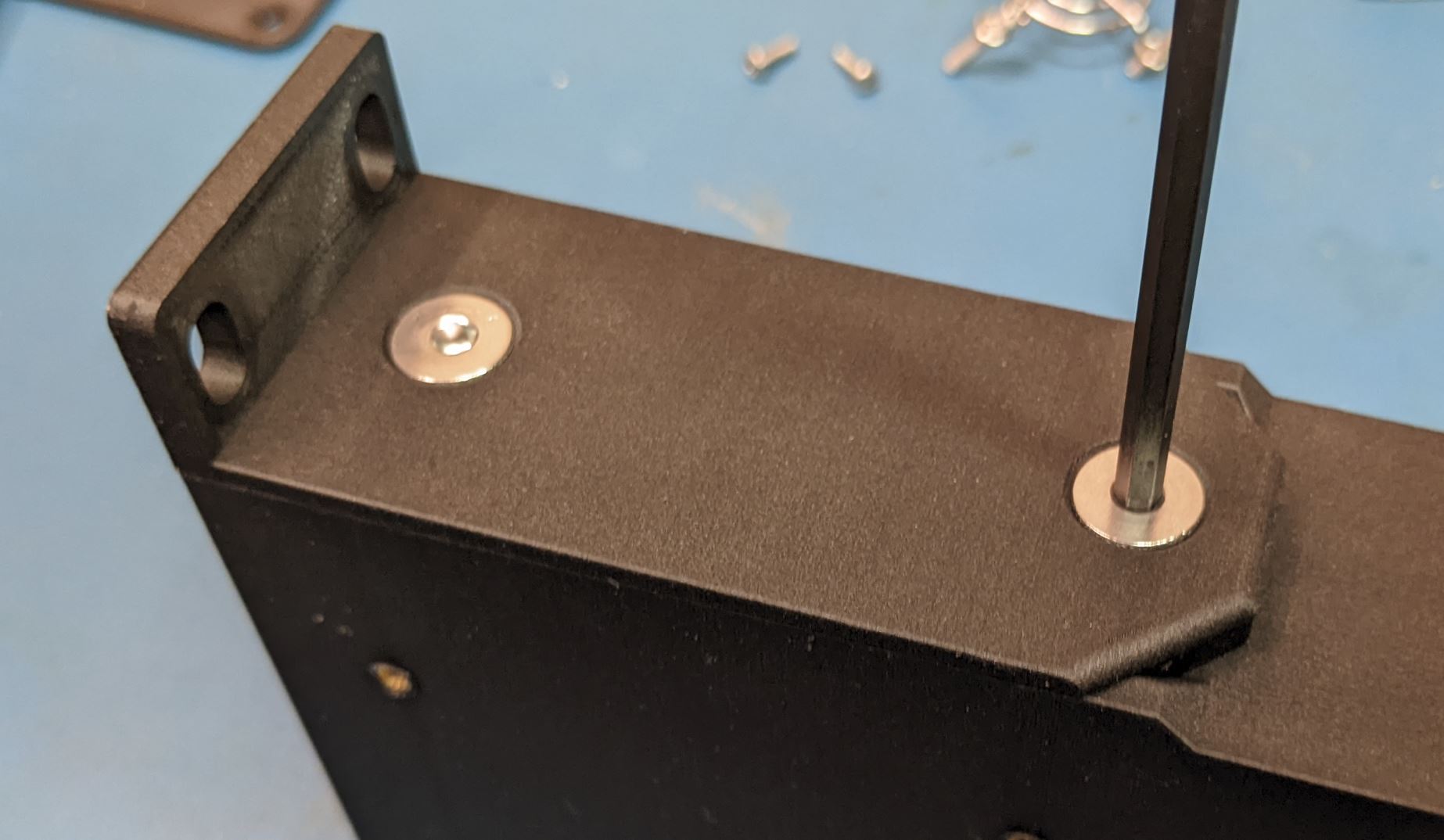
While holding the power module flush to the device module, insert a hex nut into the side of the power module and attach the modules with a FHMS from the device module side. I suggest getting an allen key that is >5" long so that you can drive the screw by placing the allen key in from the hole in the device module as shown.
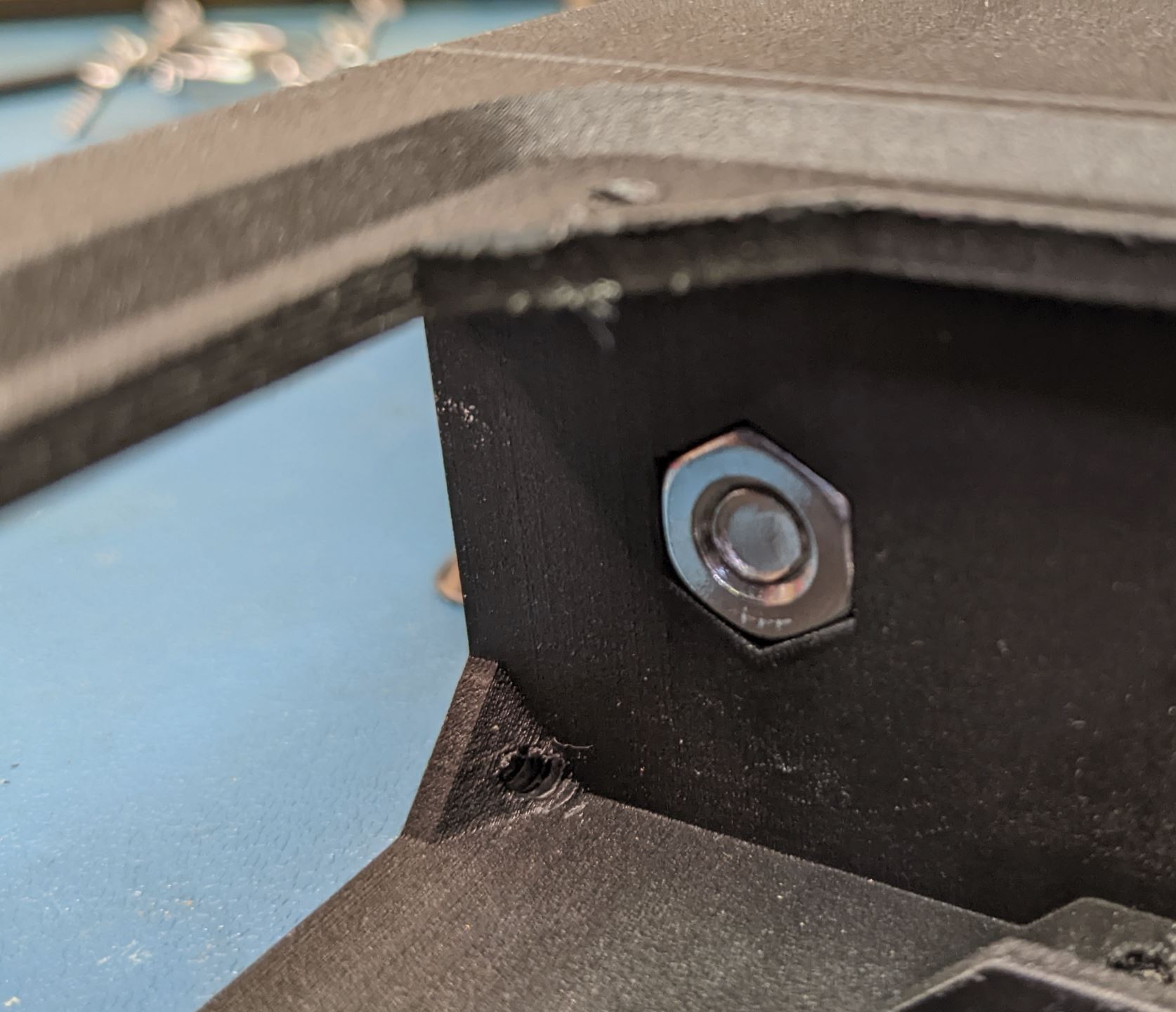
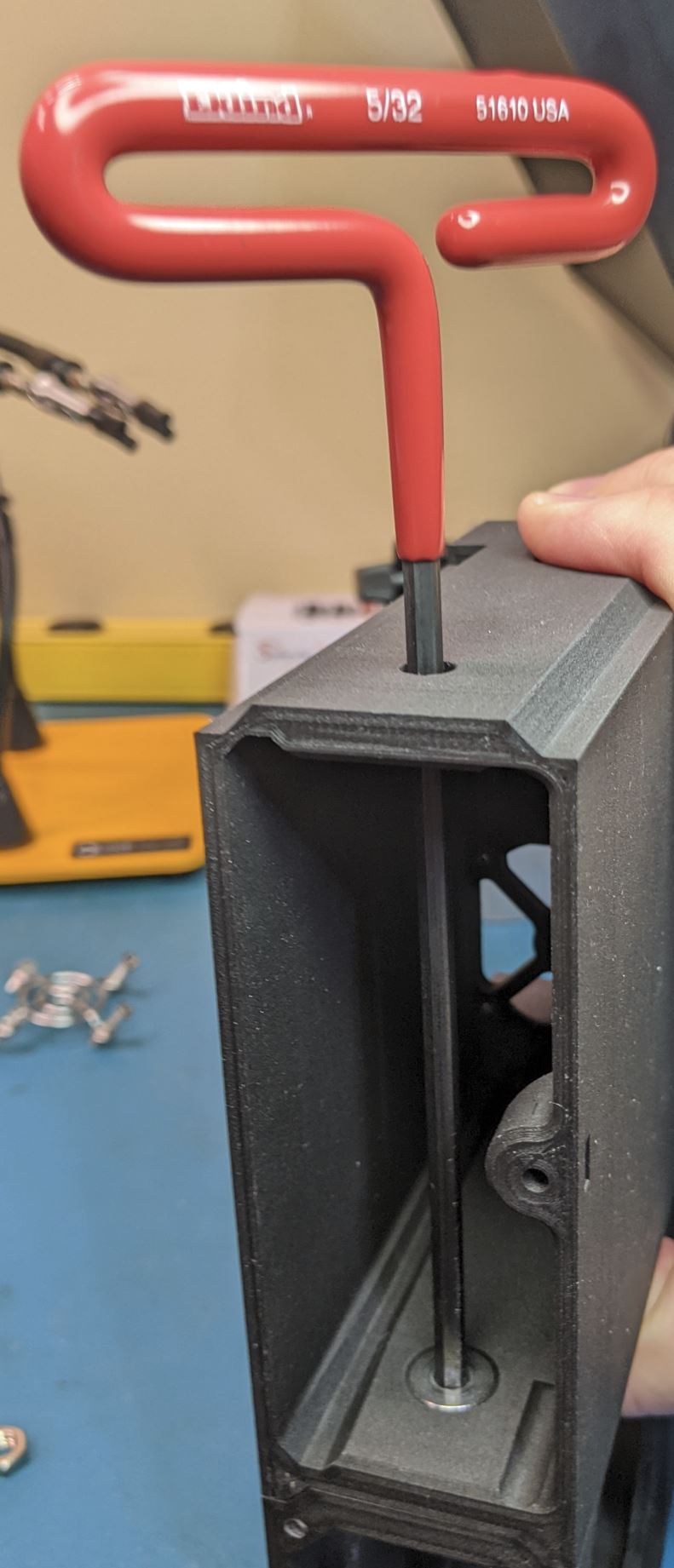
Do this for both screws to attach the power module to the first device module.
The rest of the device modules and the left rack ear can be installed without any wiring. For each module and the rack ear, one at a time, set the new module in place
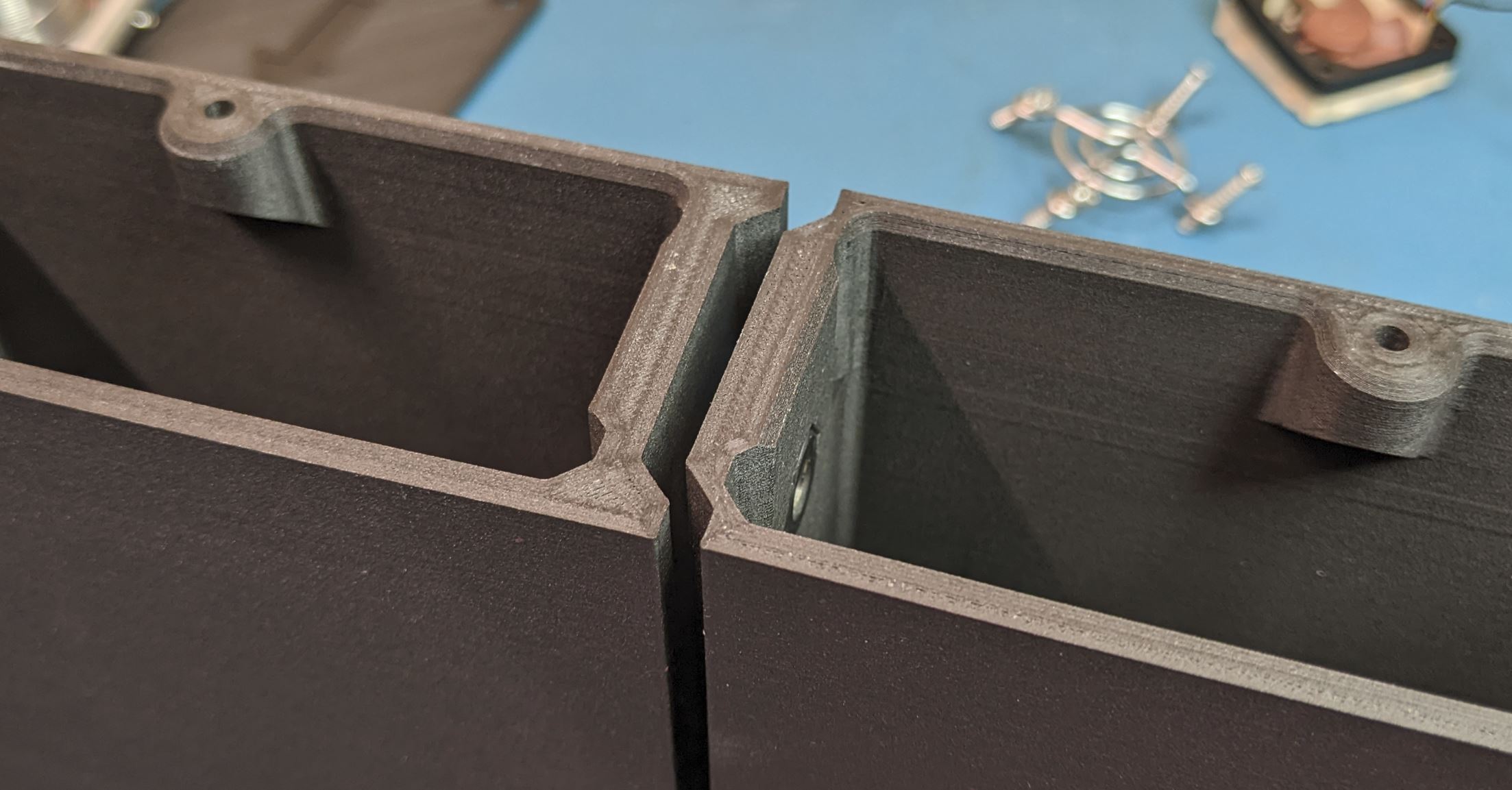
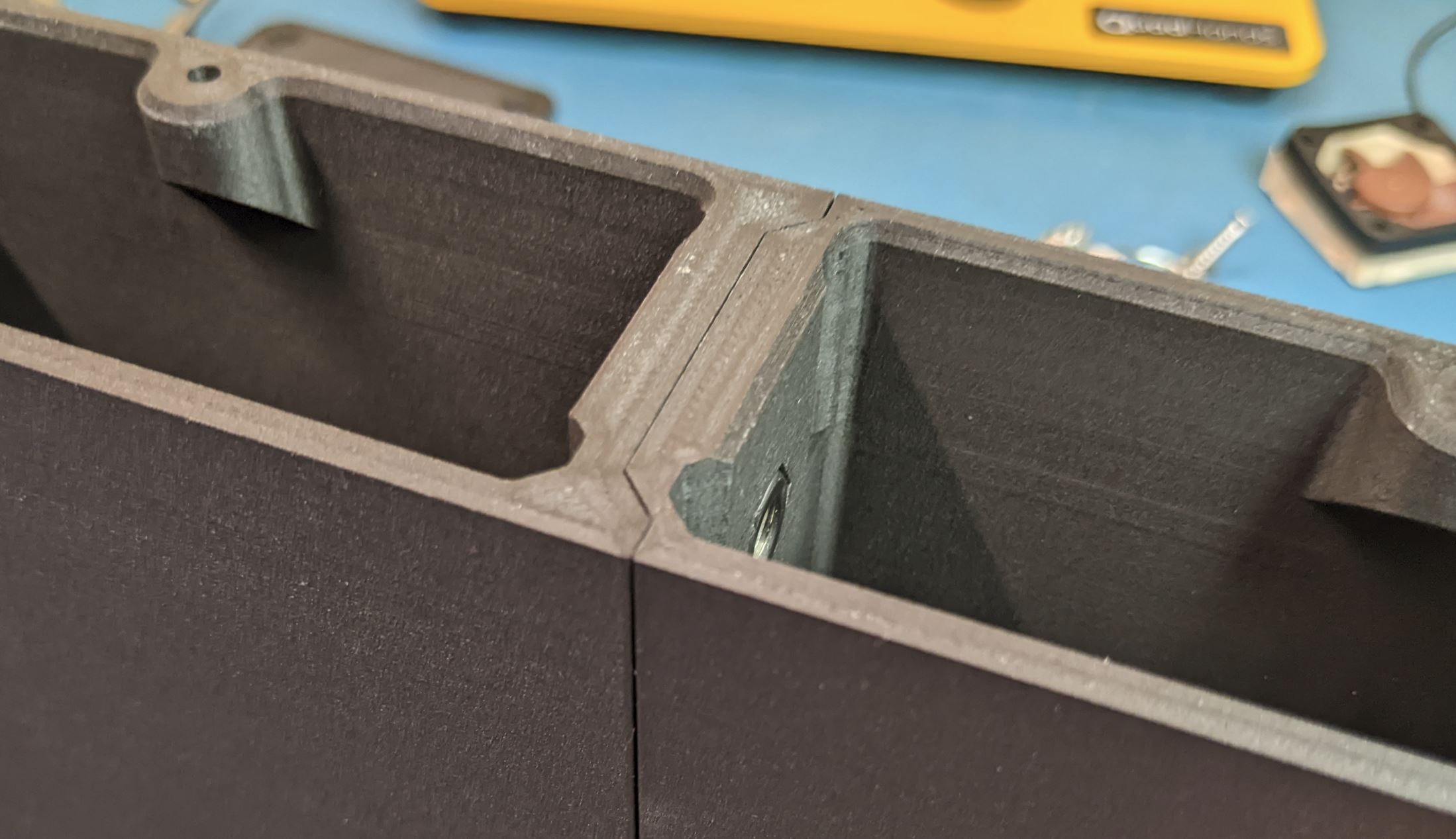
It is easiest to set the assembly down with the front facing up. Set the new module into place and one at a time, install the nut into the pocket in the current assembly.

Slide the allen wrench in from the hole in the far side of the new module, place the FHMS on the end of the wrench, and screw it into the nut. Hold the nut with a finger as you do this to keep it from falling out of the pocket.
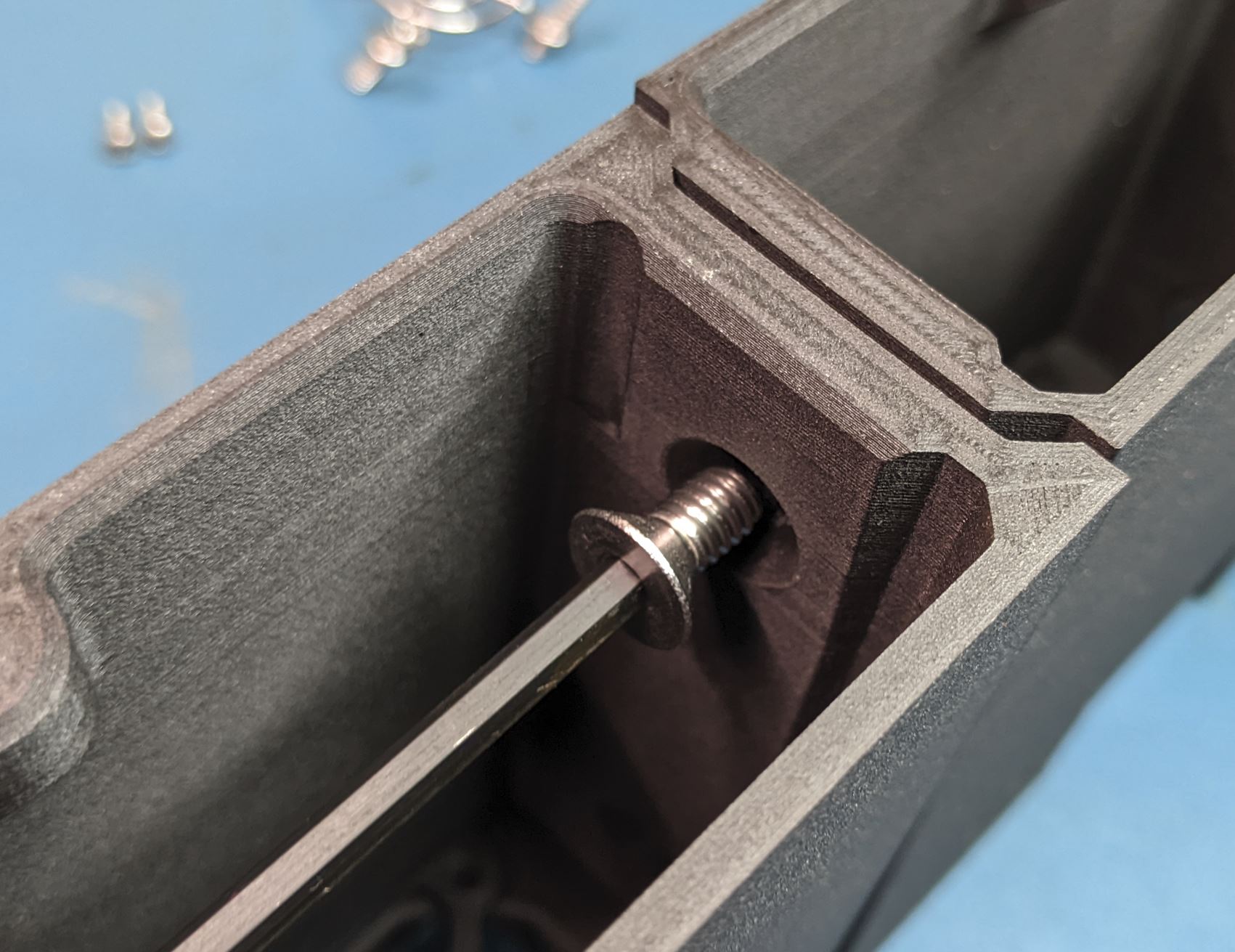
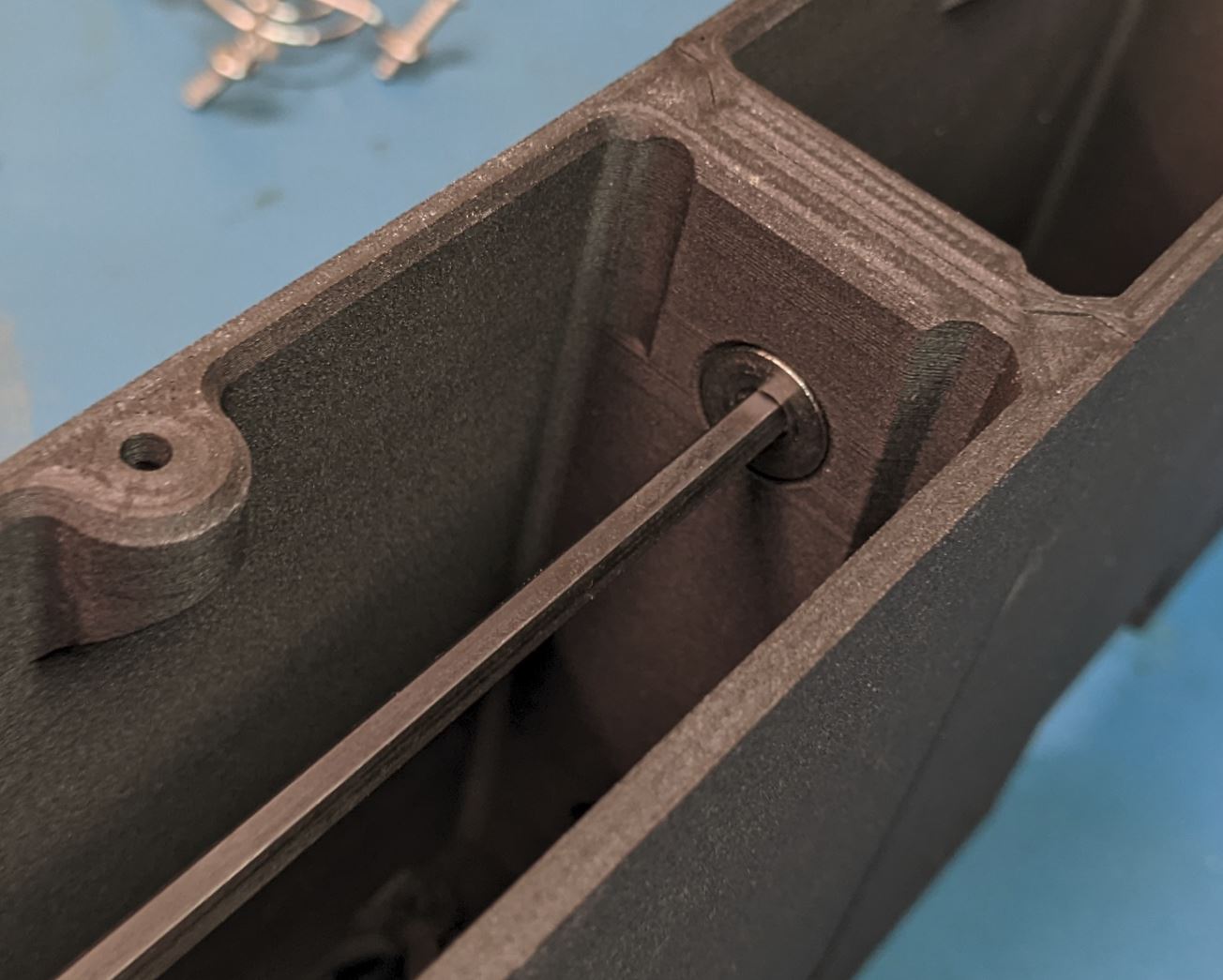
screw both screws loosely at first. Before tightening the screws, flip the assembly over and make sure the front face of the modules align right as you tighten the screws. Don't go crazy tightening these, just make them snug.
Repeat this process for the remaining modules and the left rack ear.