Data Point Comparison Workflow
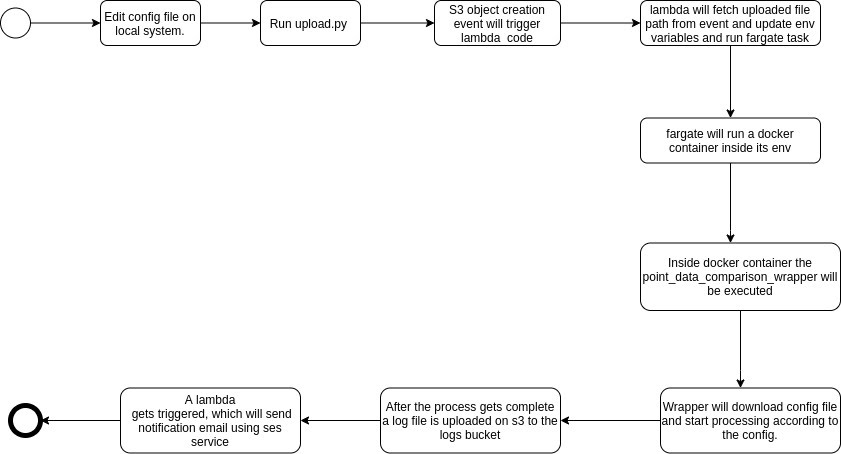
This workflow is to compare two point data shape files for the same area.
Note:- The filename from s3 should not contain special characters like ':' as this filename got changed in other formates in s3 event and the process will get failed.
ms_point_data_comparison/
- Dockerfile
- .env
- lambda_function.py
- requirements.txt
- src
- point_data_comparison.py
- point_data_comparison_wrapper.py
- upload.py
Python: 3.6.9 OS: Ubuntu Required packages: AWS CLI, requirement.txt
Open a terminal and move to the desired directory in which you want to set up all the things. Make sure you have defined python version and AWS CLI setup on your machine. Install virtualenv package using pip3: "pip3 install virtualenv" Create a virtualenv inside the dir so that the package required for this workflow can be installed separately: "python3 -m virtualenv venv" venv is the name of the virtualenv. Activate the venv : "source venv/bin/activate" You can see "(venv)" at the starting of every line in your terminal. i.e the env is now activated. So any installation made further will move to this virtual environment. Clone the code from GitHub to local dir: "git clone https://github.com/krakchris/TreeTect.git" Move to this workflow dir ie Treetect/ms_point_data_comparison Install the package required for this workflow: "pip3 install -r requirement.txt" These installation steps may vary depending on your machine i.e may be in python can refer to python3.6.9 in that case use python instead of python3, same goes for pip.