


Data Distillery is a local-first suite of tools for turning large personal data exports
(Google Takeout, Gmail, ChatGPT archives) into human-readable insight.
Most people can download their data.
Very few can do anything meaningful with it.
This project exists to close that gap.
Modern platforms will happily give you “your data” — but what you get back is usually:
- enormous files
- obscure formats
- thousands of rows with no narrative
- data that is technically complete but practically unusable
Data Distillery focuses on:
- reducing overwhelming datasets into something readable
- segmenting large volumes into meaningful slices
- surfacing patterns over time, not just raw logs
- keeping everything on your own computer
There is no upload, no cloud, and no tracking.
If your data feels too personal to hand to a web app, this toolkit is for you.
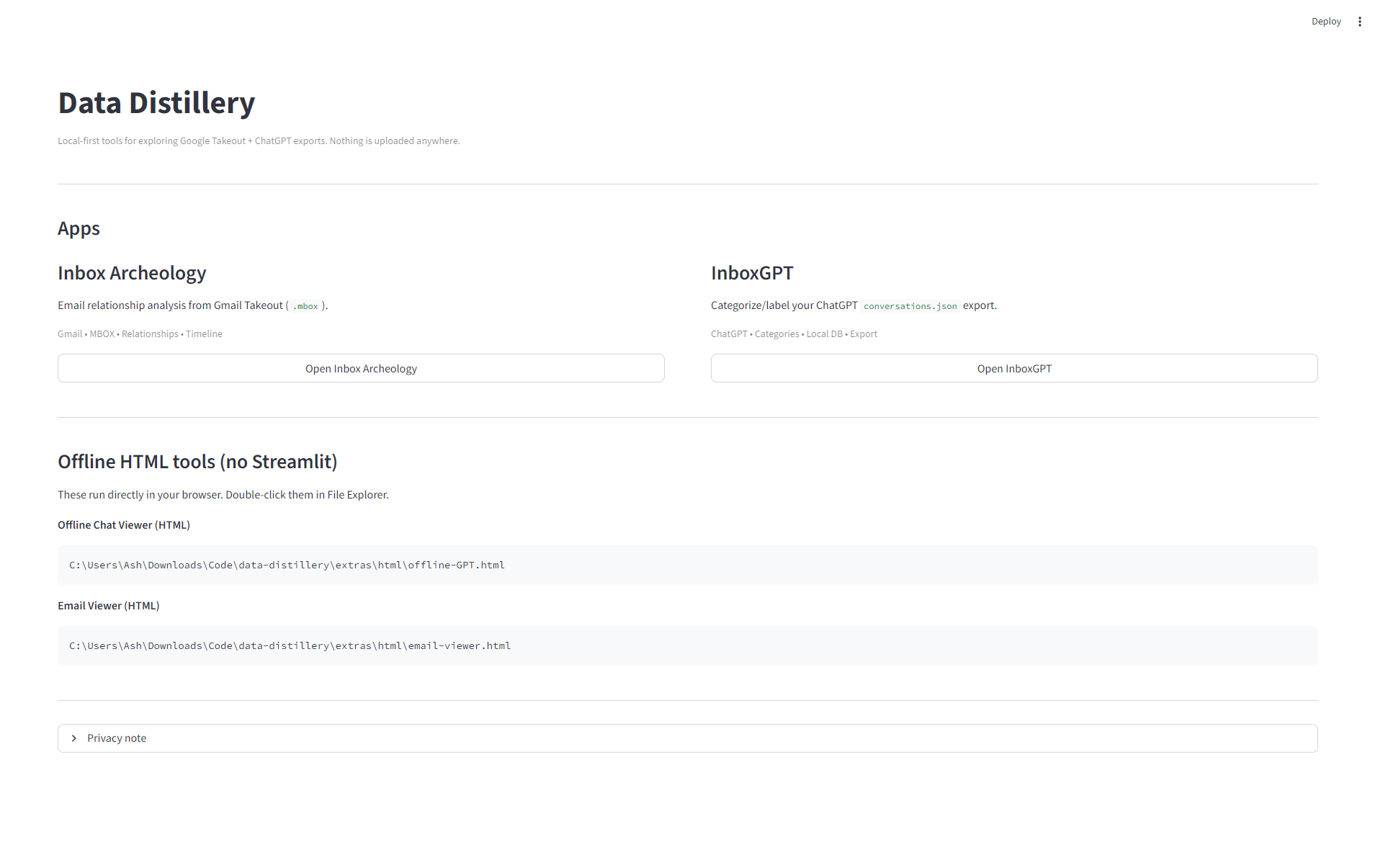
Data Distillery is a suite, not a single app. Current tools include:
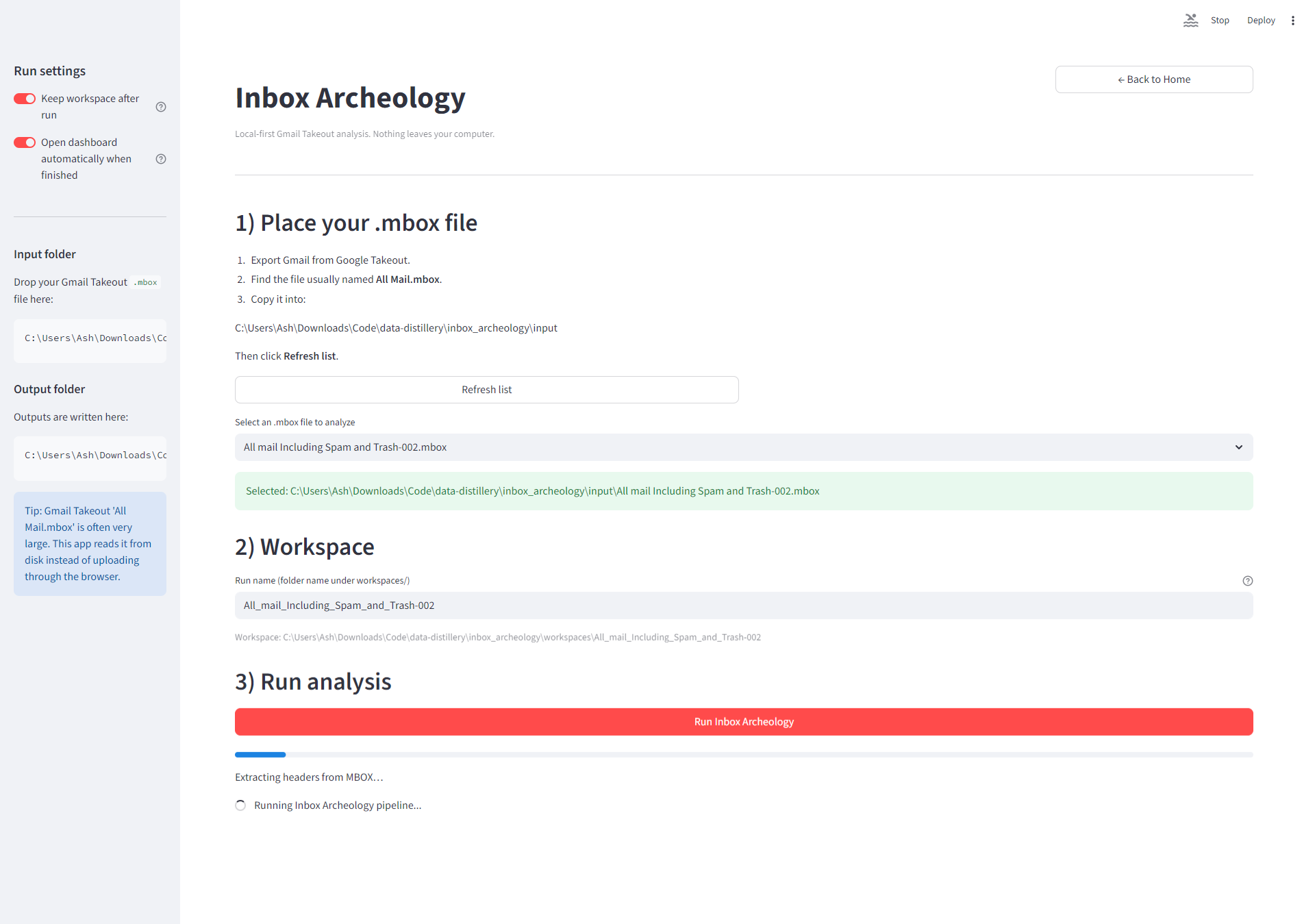
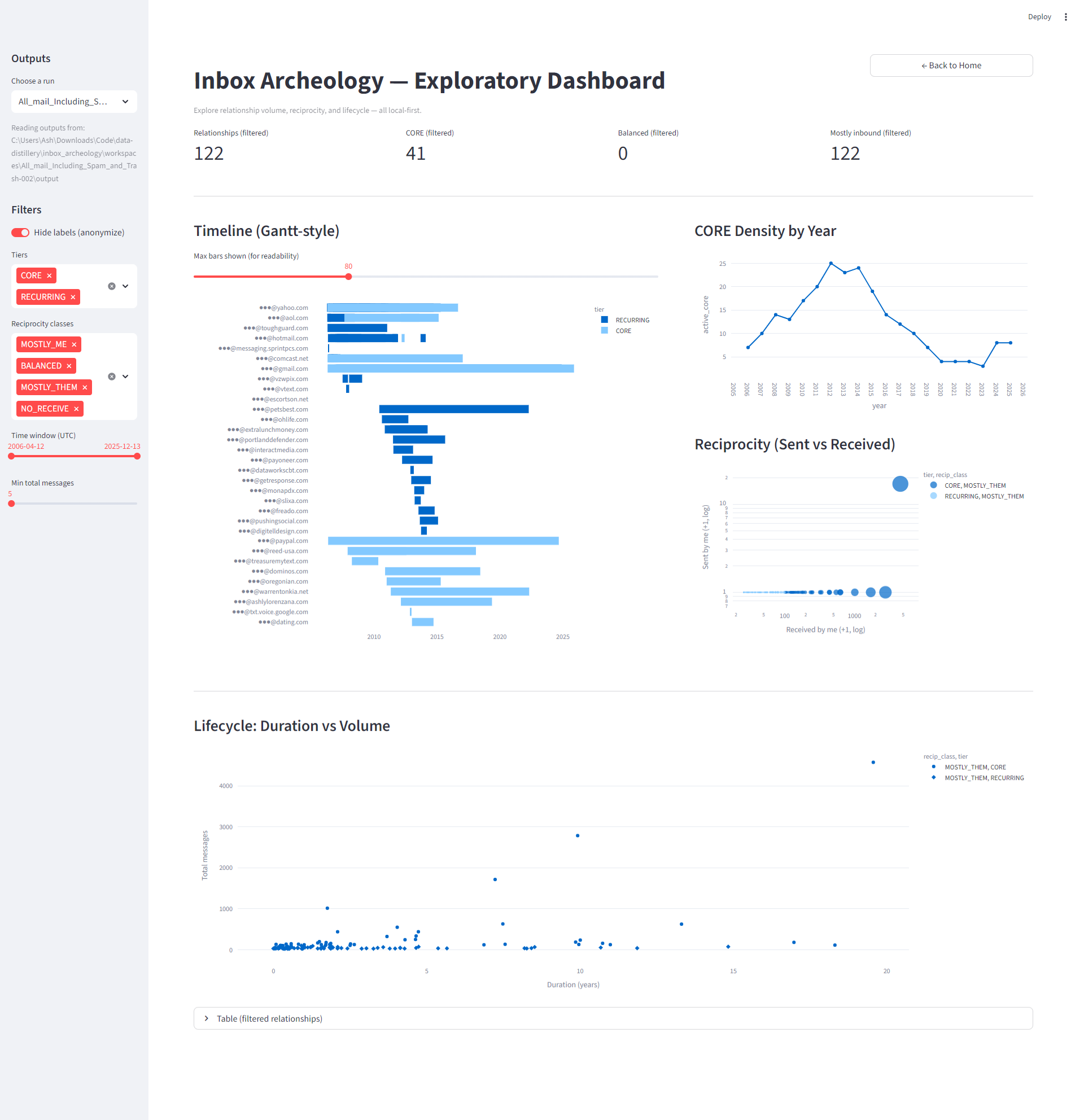
- long-term email relationships
- frequency and balance of communication
- timeline patterns across years
Explore Google Search history exports to see:
- how search behavior changes over time
- recurring topics and bursts
- long-term patterns you don’t notice day-to-day
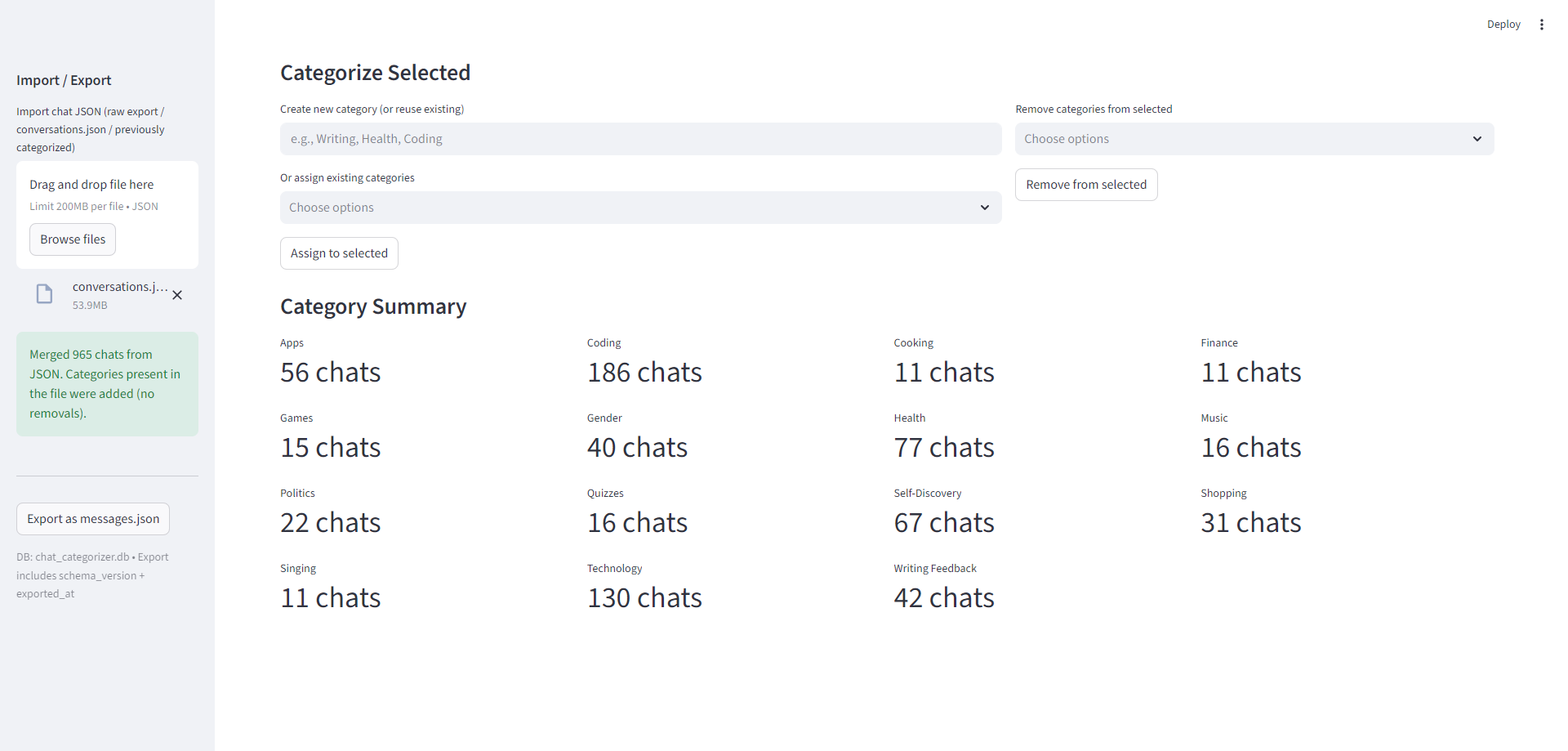
- browse conversations
- segment by time or topic
- move beyond scrolling through raw JSON
Standalone viewers that run directly in your browser:
- no Python required
- no installation
- useful as quick inspection tools
Data Distillery does not collect data for you.
You provide your own exports.
- Install Python 3.11 or newer from: https://www.python.org
- During installation, check “Add Python to PATH”
You only need to do this once.
- Go to: https://takeout.google.com
- Select the products you want (e.g. Gmail, Search)
- Export and download the ZIP
- Extract it somewhere on your computer
For Gmail analysis, you will need the .mbox file
(often named All Mail.mbox).
- In ChatGPT, go to Settings → Data Controls
- Request a data export
- Download and unzip the archive
Different tools in the suite support different parts of this export.
- Download or clone this repository
- Unzip it anywhere on your computer
- Double-click
RUN_ME.bat(Windows)
What happens next:
- a local Python environment is created
- required libraries are installed
- a browser window opens with the Data Distillery home screen
From there, you choose which tool to run.
Everything runs on localhost.
Nothing is uploaded anywhere.
- All processing happens locally on your machine
- Your data never leaves your computer
- No telemetry, analytics, or background network calls
- Output files are written only to local folders
That said:
- your data may include very personal material
- be mindful of where you store exports and outputs
- do not share generated files unless you intend to
This project is early and real-world data is messy.
If something breaks, that’s useful information.
- error messages or stack traces
- which tool you were running
- what type of data you uploaded (e.g. Gmail
.mbox) - your operating system (Windows / macOS / Linux)
- Open an issue on GitHub:
https://github.com/monapdx/data-distillery/issues - Or message the repo owner directly if this was shared privately
You do not need to share your actual data to report a bug.
- Early release (v0.1)
- Focused on correctness and local reliability
- Expect rough edges and iteration
This is not a polished consumer product — yet.
It’s a serious attempt to make personal data legible.
Data Distillery is not about surveillance, productivity hacking, or optimization.
It’s about:
- understanding your own history
- seeing patterns that are otherwise invisible
- reclaiming data that already exists about you
If you’ve ever downloaded your data and felt overwhelmed or disappointed,
this project was built for that feeling.