
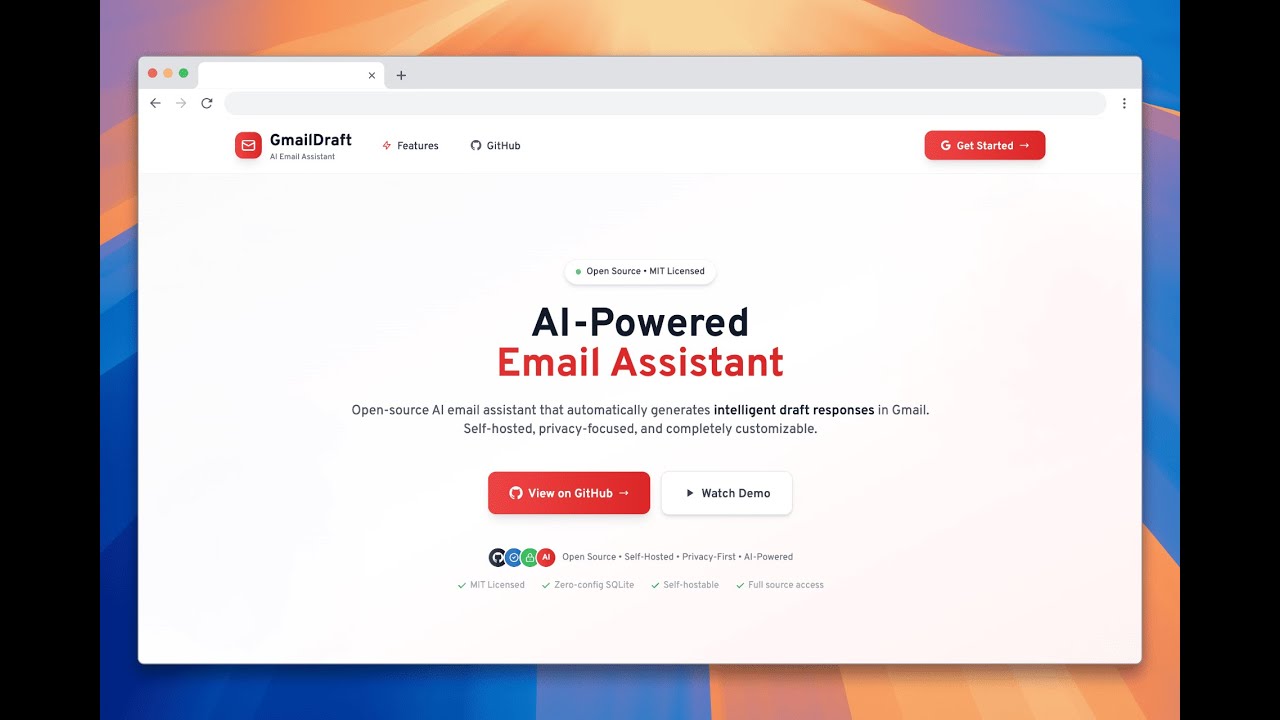
AI-powered email assistant that automatically generates smart draft responses in your Gmail




What is GmailDraft? • Features • Quick Start • Setup Guide • Contributing
GmailDraft is an intelligent email assistant that monitors your Gmail inbox and automatically generates professional draft responses using AI. Once set up, it works silently in the background, analyzing incoming emails, understanding their intent, and creating contextual draft replies that appear directly in your Gmail drafts folder.
- 🤖 AI-Powered: Uses GPT-4 to understand email context and generate relevant responses
- ⚡ Automatic: Works in the background - no manual intervention needed
- 🔒 Privacy-First: Email content is never stored, only processed
- 🎨 Customizable: Configure tone, add FAQs, and personalize responses
- 📱 Native Gmail: Drafts appear directly in Gmail - no new interface to learn
- Gmail Integration: Secure OAuth 2.0 connection with Gmail API
- Real-time Monitoring: Uses Gmail Watch API with Pub/Sub for instant notifications
- Smart Classification: AI-powered email intent analysis and categorization
- Automated Drafts: Professional responses generated and saved to Gmail drafts
- Custom Context: Personalized FAQs and business information for accurate responses
- Dashboard: Monitor email activity and AI processing status
- Settings Panel: Configure response tone, custom instructions, and FAQs
- Activity Logs: Track processed emails, intents, and confidence scores
- Privacy Controls: Full transparency and control over data processing
 GmailDraft Dashboard - Monitor email processing, confidence scores, and draft creation status
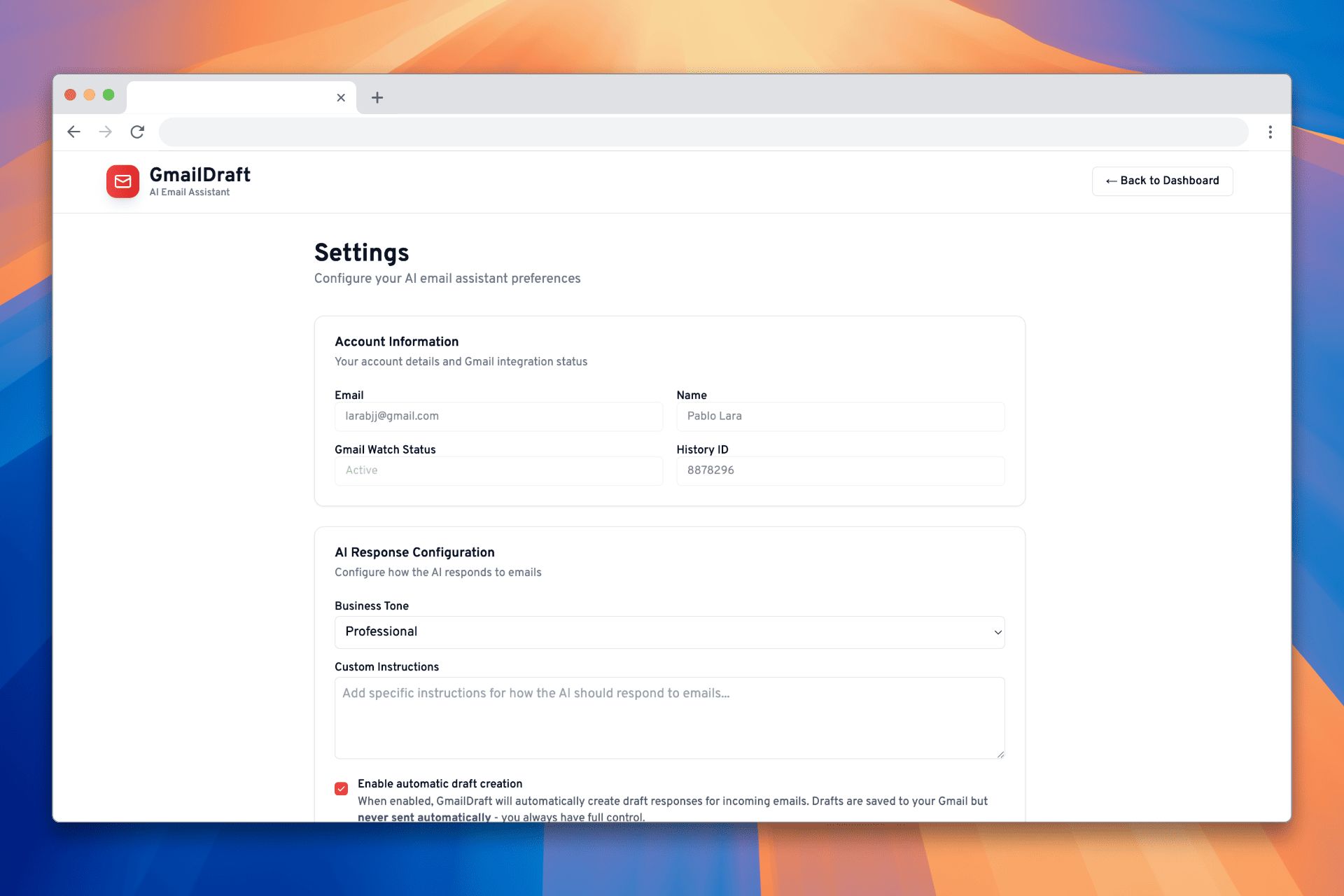 Settings Panel - Configure AI tone, custom instructions, FAQs, and Gmail integration
- Scalable Architecture: Built on Next.js with serverless API routes
- Database Simple: SQLite with Prisma ORM - zero configuration
- Modern UI: Responsive design with Tailwind CSS and shadcn/ui
- Type Safety: Full TypeScript implementation
- Node.js 18+ and npm/pnpm/yarn
- A Google Cloud Project with Gmail API and Pub/Sub enabled
- OpenAI API key (with GPT-4 access)
- Database (SQLite - included, no setup required)
- Public URL for webhooks (ngrok for development)
git clone https://github.com/paabloLC/gmail-ai-draft.git
cd gmail-ai-draft
npm installCopy the environment file and configure your variables:
cp .env.example .env.localFill in your .env.local with the required values:
# Database
DATABASE_URL="file:./dev.db"

# NextAuth
NEXTAUTH_URL="http://localhost:3000"
NEXTAUTH_SECRET="your-nextauth-secret-key-here"

# Deployment Configuration
MULTI_USER_MODE=false
OWNER_EMAIL="your-email@example.com"

# Google OAuth (from Google Cloud Console)
GOOGLE_CLIENT_ID="your-google-client-id.apps.googleusercontent.com"
GOOGLE_CLIENT_SECRET="your-google-client-secret"

# OpenAI
OPENAI_API_KEY="sk-proj-your-openai-api-key-here"

# Google Cloud Pub/Sub
GOOGLE_CLOUD_PROJECT_ID="your-project-id"
PUBSUB_TOPIC="projects/your-project-id/topics/gmail-notifications"
WEBHOOK_URL="https://yourdomain.com/api/gmail/webhook"npm run db:pushnpm run devVisit http://localhost:3000 to start using GmailDraft!
-
Create a Google Cloud Project
- Go to Google Cloud Console
- Create a new project or select existing one
-
Enable Required APIs
# Enable Gmail API
gcloud services enable gmail.googleapis.com

# Enable Pub/Sub API
gcloud services enable pubsub.googleapis.com
-
Create OAuth 2.0 Credentials
- Go to APIs & Services → Credentials
- Create OAuth 2.0 Client IDs
- Add authorized redirect URIs:
http://localhost:3000/api/auth/callback/google(development)https://yourdomain.com/api/auth/callback/google(production)
-
Create Pub/Sub Topic and Subscription
# Create topic
gcloud pubsub topics create gmail-notifications

# Create subscription
gcloud pubsub subscriptions create gmail-subscription \
  --topic=gmail-notifications \
  --push-endpoint=https://yourdomain.com/api/gmail/webhook
- Get your API key from OpenAI Platform
- Make sure you have sufficient credits for GPT-4 usage
SQLite (Default - No installation required)
# SQLite database is created automatically
# No additional setup needed!graph TB
A[Gmail Account] -->|OAuth 2.0| B[GmailDraft App]
B -->|Watch API| C[Gmail API]
C -->|Webhooks| D[Google Pub/Sub]
D -->|Push Notifications| E[Webhook Handler]
E -->|Process Email| F[OpenAI GPT-4]
F -->|Generate Response| G[Gmail Drafts API]
G -->|Save Draft| A
B -->|Store Config| H[Database]
B -->|User Interface| I[Next.js Frontend]
- Frontend: Next.js app with Tailwind CSS for user dashboard and settings
- API Routes: Next.js serverless functions for Gmail and AI integration
- Database: Prisma ORM with user preferences, FAQs, and email logs
- Gmail Integration: OAuth 2.0, Watch API, and Drafts API
- AI Processing: OpenAI GPT-4 for email analysis and response generation
- Real-time Sync: Google Pub/Sub for instant email notifications
gmail-ai-draft/
├── app/                          # Next.js app directory
│   ├── page.tsx                 # Landing page
│   ├── layout.tsx               # Root layout
│   ├── globals.css              # Global styles
│   ├── providers.tsx            # Context providers
│   ├── dashboard/               # Dashboard pages
│   │   ├── page.tsx            # Main dashboard
│   │   └── settings/           # Settings page
│   └── api/                     # API routes
│       ├── auth/               # NextAuth configuration
│       ├── dashboard/          # Dashboard APIs
│       └── gmail/              # Gmail API integration
│           ├── watch/          # Setup Gmail Watch
│           ├── webhook/        # Pub/Sub webhook handler
│           └── handler/        # Email processing logic
│
├── components/                   # Reusable UI components
│   └── ui/                     # shadcn/ui components
│
├── lib/                         # Utility libraries
│   ├── auth.ts                 # NextAuth configuration
│   ├── db.ts                   # Database connection
│   ├── gmail.ts                # Gmail API client
│   ├── openai.ts               # OpenAI client
│   ├── pubsub.ts               # Google Pub/Sub client
│   └── utils.ts                # Utility functions
│
├── prisma/                      # Database schema and migrations
│   └── schema.prisma           # Prisma schema
│
├── public/                      # Static assets
├── .env.example                 # Environment variables template
├── package.json                 # Dependencies and scripts
└── README.md                    # This file
| Variable | Description | Required |
|---|---|---|
DATABASE_URL |
Database file path (SQLite) | ✅ |
NEXTAUTH_URL |
NextAuth URL for authentication | ✅ |
NEXTAUTH_SECRET |
NextAuth secret key for session encryption | ✅ |
MULTI_USER_MODE |
Enable multi-user mode (true) or self-hosted mode (false) |
✅ |
OWNER_EMAIL |
Email address of the instance owner (required only if MULTI_USER_MODE=true) |
|
GOOGLE_CLIENT_ID |
Google OAuth client ID | ✅ |
GOOGLE_CLIENT_SECRET |
Google OAuth client secret | ✅ |
OPENAI_API_KEY |
OpenAI API key for GPT-4 access | ✅ |
GOOGLE_CLOUD_PROJECT_ID |
Google Cloud project ID | ✅ |
PUBSUB_TOPIC |
Full Pub/Sub topic path | ✅ |
WEBHOOK_URL |
Public webhook URL for Gmail notifications | ✅ |
GmailDraft supports two deployment modes to fit different use cases:
- Perfect for: Personal use or single organization
- Gmail Integration: Visible to all users who sign up
- Setup: Anyone can configure Gmail Watch for their own emails
- Use case: You want to run GmailDraft for yourself or your team
- Perfect for: SaaS-style deployment serving multiple customers
- Gmail Integration: Only visible to the designated owner
- Setup: Owner configures once, all users benefit automatically
- Use case: You want to offer GmailDraft as a service to others
Self-Hosted (Default):
MULTI_USER_MODE=false
# OWNER_EMAIL not needed - everyone can configure Gmail Watch
Multi-User Service:
MULTI_USER_MODE=true
OWNER_EMAIL="admin@yourcompany.com"- Self-hosted: Every user sees "Gmail Integration" panel and can set up their own Gmail Watch
- Multi-user: Only the owner sees "Gmail Integration" panel, configures once for everyone
The application requires the following Gmail API scopes:
https://www.googleapis.com/auth/gmail.readonly- Read email messageshttps://www.googleapis.com/auth/gmail.modify- Create drafts and manage labelshttps://www.googleapis.com/auth/gmail.settings.basic- Set up watch notifications
- Sign In: Use the "Get Started with Google" button on the homepage
- Grant Permissions: Allow GmailDraft to access your Gmail account
- Setup Gmail Watch: Click "Setup Gmail Watch" in the dashboard to enable real-time monitoring
- Business Tone: Choose from Professional, Friendly, Formal, or Casual
- Custom Instructions: Add specific guidelines for AI responses
- FAQs: Add frequently asked questions and answers for better context
- Auto-respond: Toggle automatic draft creation on/off
- Recent Email Activity: View processed emails with intent classification and confidence scores
- Draft Status: See which emails resulted in successful draft creation
- Performance Metrics: Track AI accuracy and response quality
Gmail Watch Setup Fails
# Check if APIs are enabled
gcloud services list --enabled

# Verify Pub/Sub topic exists
gcloud pubsub topics list

# Test webhook endpoint
curl -X POST https://yourdomain.com/api/gmail/webhook
Database Connection Issues
# Test database connection
npm run db:push

# Check Prisma client generation
npm run db:generate
OpenAI API Errors
- Verify API key is valid and has sufficient credits
- Check if you have access to GPT-4 models
- Monitor rate limits in OpenAI dashboard
Webhook Not Receiving Events
- Ensure Pub/Sub topic and subscription are created
- Verify webhook endpoint is publicly accessible
- Check Google Cloud Pub/Sub logs
We welcome contributions! Please see our Contributing Guide for details.
- Fork the repository
- Create a feature branch:
git checkout -b feature/amazing-feature - Make your changes and add tests
- Commit your changes:
git commit -m 'Add amazing feature' - Push to the branch:
git push origin feature/amazing-feature - Open a Pull Request
This project is licensed under the MIT License - see the LICENSE file for details.
- Next.js for the amazing full-stack framework
- OpenAI for powerful language models
- Google for Gmail API
- shadcn/ui for beautiful UI components
Made with ❤️ and Claude Code

