My Personal_Diary_WebApp is a thought/idea of keeping memories on this webapp which allows you to write, store and view your ideas/thoughts and memories.
A place to store your content of diary live and safe.
My attempt at making a decent interactive diary.
Note:- This WebApp is only for laptop users. We are trying to make this fesible for Android users also.
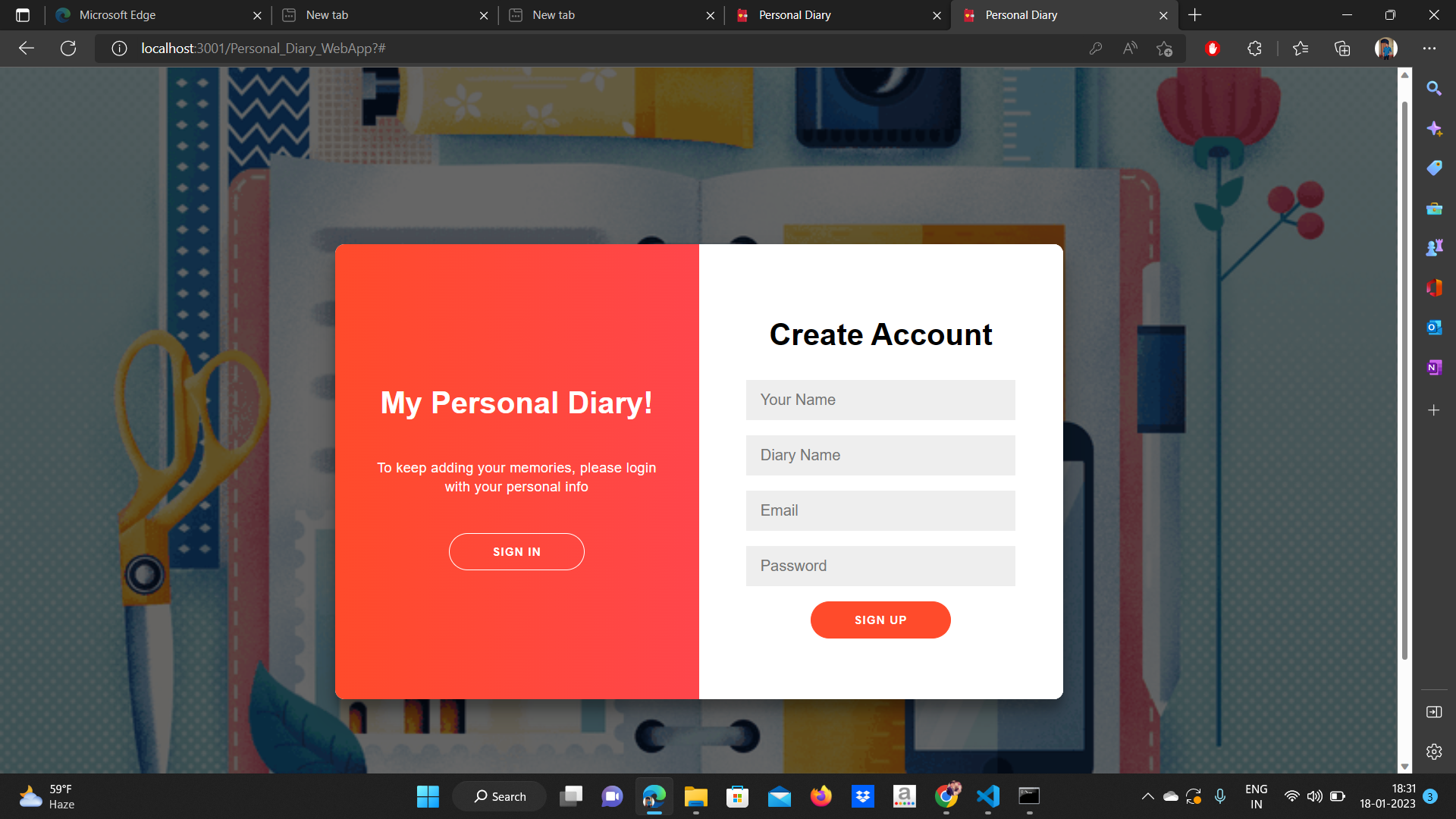

Want to make project using
- React.js
- Node.js
- Express.js framework
- MySQL/PostgreSQL
- Users can signUp and signIn
- Users can create diary entry
- Users can update diary entry
- Users can view all diary entry made by them.
- Users can change avatar, diary name and textcolor.
- Users can bookmark there favourite diary entry.
- Change Theme Option
- Animated opening of diary textarea These feature will come soon.
- Frontend
- Reactjs - A JavaScript library for building user interfaces.
- Backend
- Node.js - Node.js® is a JavaScript runtime built on Chrome's V8 JavaScript engine.
- Express.js framework - Fast, unopinionated, minimalist web framework for Node.js.
- Database
- PostgreSQL - PostgreSQL is a powerful, open source object-relational database system.
- Sublime Text - A sophisticated text editor for code, markup and prose.
- Tachyons - Quickly build and design new UI without writing CSS.
- React-icons - Include popular icons in your React projects easily with react-icons.
- Font-Awesome
Whole code of Backend present on this link.
| Verb | Enpoints | Action | Description |
|---|---|---|---|
| GET | / | - | - |
| POST | /signIn | log in user | Log in to the app |
| POST | /signUp | create user | Sign up to the app |
| PUT | /profile/:id | profile info of user | Information regarding diary name etc. |
| POST | /textContent | update a diary entry | Add or modify diary entry |
| POST | /showText | fetch specific entry | view specific diary entry |
| POST | /fav | fetch all entry of a month | show favourite diary entries of a month |
Contributions are what make the open source community such an amazing place to be learn, inspire, and create. Any contributions you make are greatly appreciated. Go ahead and fork the project.
There are three parts to start the project locally
- Fork this repo
- Clone the repo
https://github.com/prashant280920/Personal_Diary_WebApp.git. - Run
cd Personal_Diary_WebApp. - Install dependencies using npm - Run
npm install. - Run app using
npm start. This will run the app on localhost:3000
For storing data we have to use DataBase. I prefer to use MYSQL.
- Install Mysql in your machine MySQL installer. You can also folow any youtube link to install mysql and run mysql from cmd.
- Now open cmd and run
mysql -u root -p <password>. Try to use "" empty password. This will run the MYSQL monitor. - Now we have to cretae Database. Run
CREATE DATABASE diary_data - Now to use diary_data Database. Run
USE diary_data; - Now we have to create three table. Run the below three command to create 3 tables. Take care of spelling. Make sure use of lowecase and uppercase letter. As it may casue issue in server side. So you can just copy paste from here.
CREATE TABLE login (
   id serial PRIMARY KEY,
   hash VARCHAR(100) NOT NULL,
   email VARCHAR(100) UNIQUE NOT NULL
  );
CREATE TABLE profile(
id serial PRIMARY KEY,
name VARCHAR(100),
email VARCHAR(100) UNIQUE NOT NULL,
diaryName VARCHAR(100),
Avatar VARCHAR(20) NOT NULL DEFAULT 'Women',
textColor VARCHAR(25) NOT NULL DEFAULT 'rgb(0, 0, 0)',
joined TIMESTAMP NOT NULL
);CREATE TABLE userscontent (
id serial PRIMARY KEY,
email text NOT NULL,
textContent text NOT NULL,
dates DATE NOT NULL,
fav boolean
);- Fork Diary App Server
- Clone the repo
https://github.com/prashant280920/diaryApp_server.git - Navigate to directory using
cd diaryApp_server - Install dependencies using npm - Run
npm install. - Run app using
npm start. This will run the app on localhost:5000 - If you face issue like this.
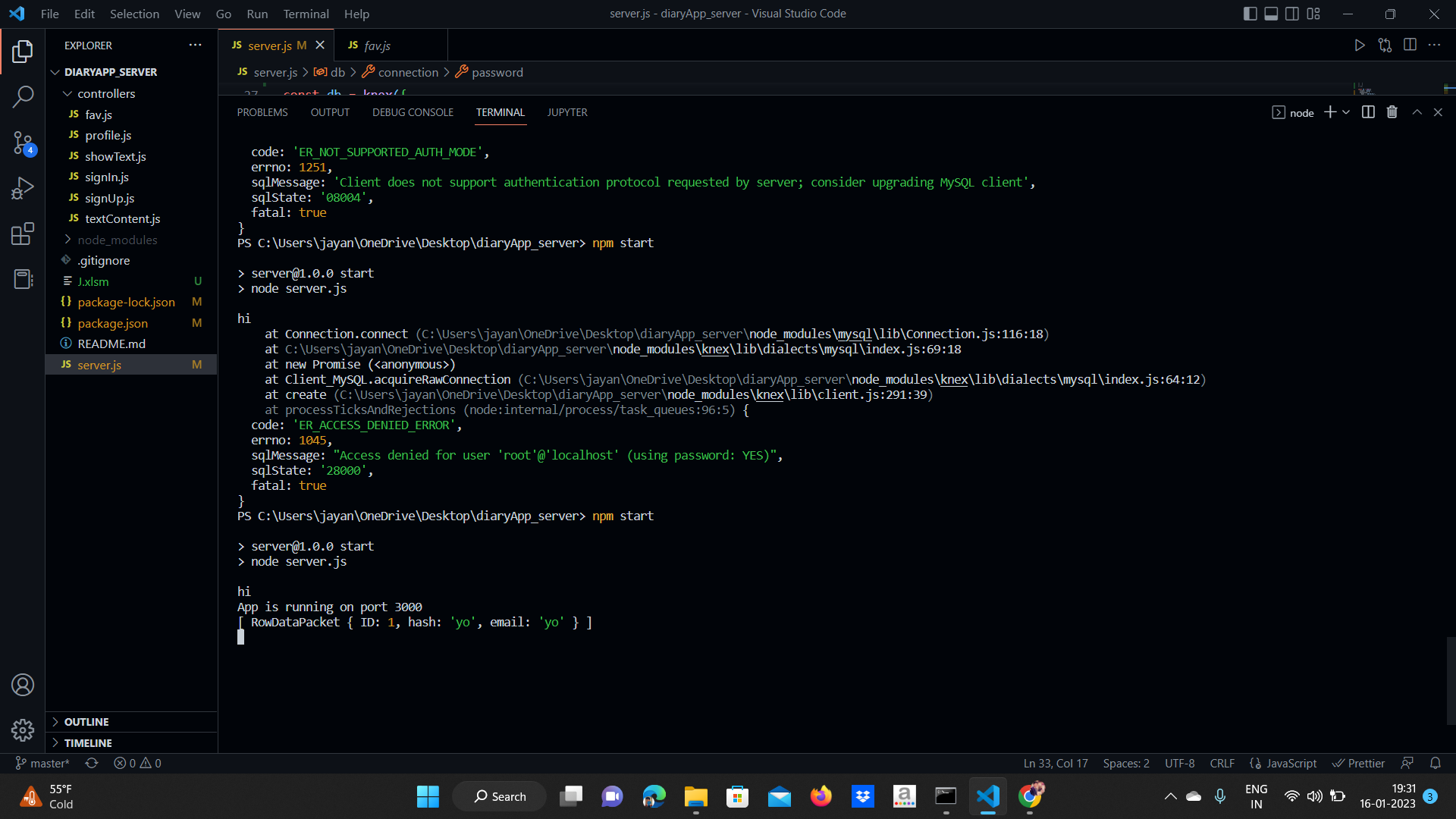
- Then go to mysql server and run command also shown in figure below.
ALTER USER 'root'@'localhost' IDENTIFIED WITH mysql_native_password BY '';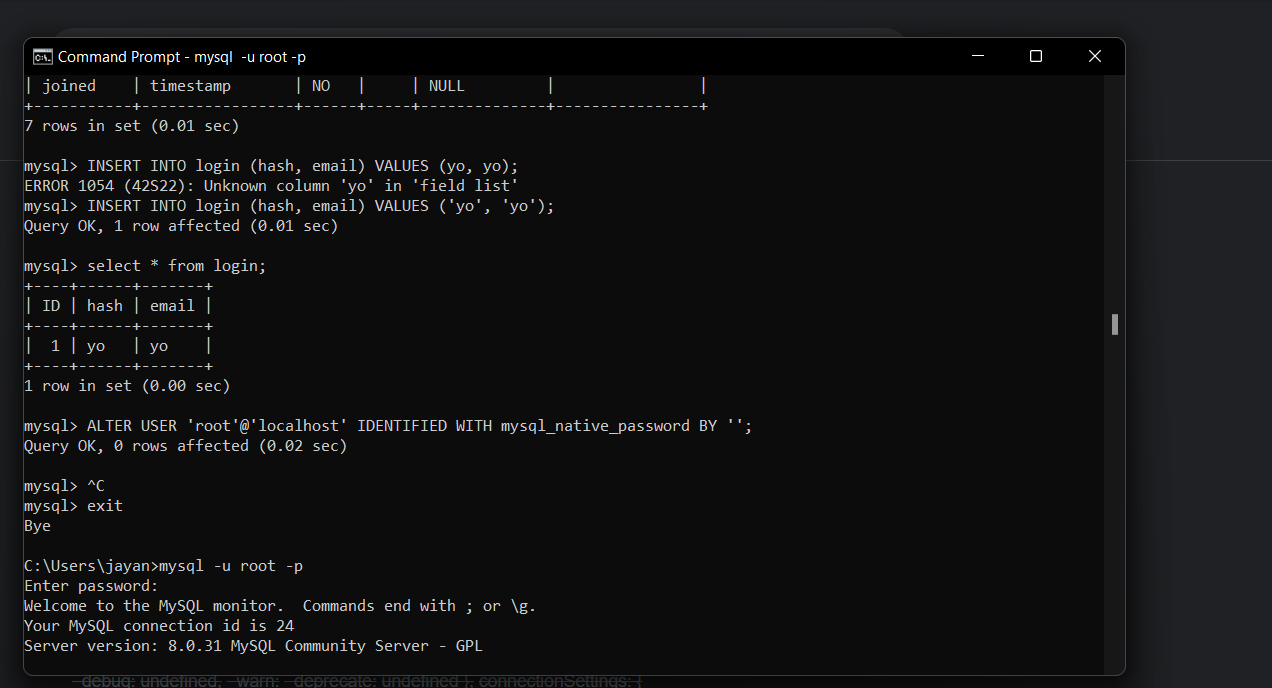
Check this list.