Due Date: Sunday, August 25, 2019 at 6:00 p.m.
Complete the following assignment on JavaScript 1 and push your file to GitHub for reviewing by the instructor.
For all the following exercises create one .js file. Separate the questions using comments.
- Write a console.log statement saying "Hello World!" for each language that you know.
For example:
Halo, dunia! // Indonesian
Ciao, mondo! // Italian
Hola, mundo! // Spanish
- Consider the following code:
console.log('I'm awesome');
Copy the code in your .js file and run it. You will see that you will get a SyntaxError. Find a solution for this error. Hint: read the error message carefully, it also gives an indication of where the problem is.
-
Declare a variable age and initialize it with an integer, using these exact steps:
-
First, declare your variable age (do not initialize it yet).
-
Add a console.log statement that explains in words what you think the value of age is
-
Add a console.log statement that logs the value of age.
-
Now initialize your variable age with an integer.
-
Next, add a console.log statement that explains what you think the value of age is.
-
Add a console.log statement that logs the value of age.
-
Example steps for question 3:
  // TODO -> here you declare your variable
  console.log('the value of age will be: whateverYouThinkItWillLog');
  // TODO -> log the actual value of age
  // TODO -> here you initialize your variable
  console.log('the value of age will be: whateverYouThinkItWillLog');
  // TODO -> log value of age again
-
Declare a variable name and assign a string to it.
-
Write a console.log statement in which you explain in words what you think the value of the string is.
-
Now console.log the variable name.
-
Now assign a new string to the variable name.
-
Just like what you did before write a console.log statement that explains in words what you think will be logged to the console.
-
Now console.log name again.
-
Example steps for question 4:
  // TODO -> here you declare AND assign your string
  console.log('the value of my string will be: whateverYouThinkItWillLog');
  // TODO -> log the actual value of the string to the console
  // TODO -> assign a new value to your variable name
  console.log('the value of my string will be: whateverYouThinkItWillLog');
  // TODO -> log the actual value of the string to the console
-
How do you round the number 7.25, to the nearest integer (i.e., whole number)?
-
Declare a variable number and assign the number 7.25 to it.
-
console.log number.
-
Declare another variable roundedNumber that has the value of number but rounded to the nearest integer.
-
console.log number.
-
So now we have number and roundedNumber find a way to compare the two values and store the highest of the two in a new variable.
-
console.log the highest value.
-
-
Arrays
-
Declare an empty array. Make sure that the name you choose indicates 'plurality', because an array is capable of containing more than one element.
-
Write a console.log statement that explains in words what you think the value of the array is.
-
console.log your array.
-
Create an array that has your favorite animals inside (see if you can find a good name that exactly describes what this variable will hold).
-
Log your array.
-
Add a statement that adds Syeda’s favorite animal ('kitten') to the existing array.
-
Log your new array
-
-
More strings: Let's consider the following string:
let myString = "this is a test".-
Add the string to your file and console.log it.
-
Find a way to get the length of myString.
-
console.log the length of myString.
-
-
If x equals 7, and the only other statement is x = x % 3, what would be the new value of x?
- Add at least 3 console.log statements in which you show that you understand what % does.
-
Write a program to answer the following questions:
-
Can you store multiple types in an array? Numbers and strings? Make an example that illustrates your answer.
-
Can you compare infinities? Does 6/0 === 10/0? How can you test this?
-
Add console.log statements to the above program in which you show that you understand the concepts (just like you've done in the above assignments).
-
-
I’ve declared a multidimensional array (an array inside an array) -- see below. How can I access the third item’s second element? i.e. [2, 1] is the third element, and I want to access 1. Add a console.log statement accessing this item.
const grid = [[0, 1], [1, 1], [2, 1], [3, 1]];
- If I have a variable counter, and I want to increment it by 2, what are three ways I can do this? Add three console.log statements with the three different ways.
let counter = 0;
console.log(‘first method’);
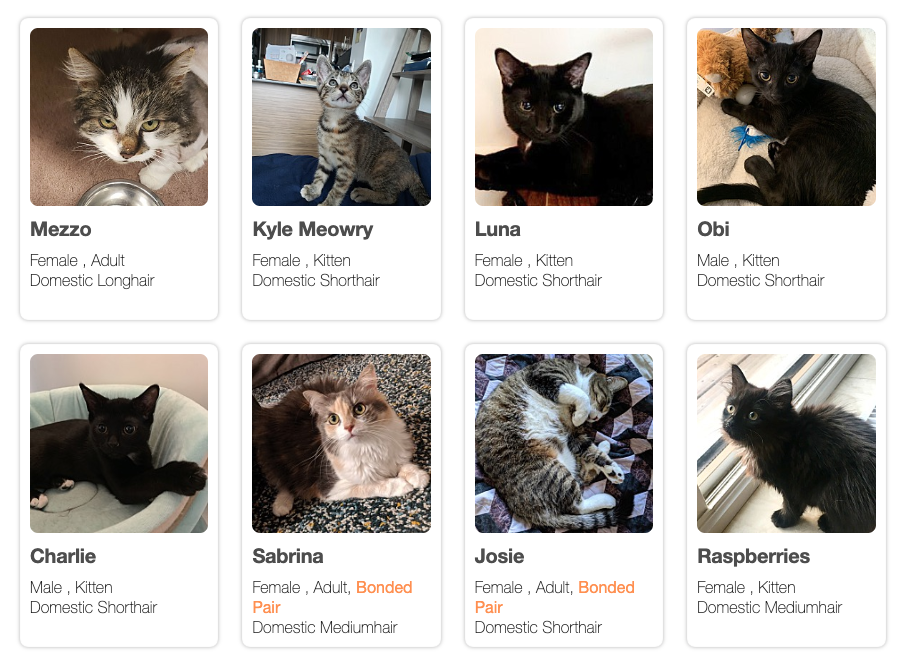
12. Here’s a profile about a cat for adoption. Create variables to hold information about this cat as shown on the profile. For example:
const name = ‘Prince’;
const bestFriend = ‘Thomas’;

13. Create two variables -- one to hold the names of the kittens and one to hold the names of the adult cats. Make sure to choose an appropriate data type to hold this information!