


This extension saves files with root privileges on Linux or macOS environments connected with Remote - SSH,
is an easy solution to FileSystemProvider: no way of handling permissions issues #48659.
Select Save as Root in the command palette (F1, Ctrl+Shift+P, or Cmd+Shift+P).
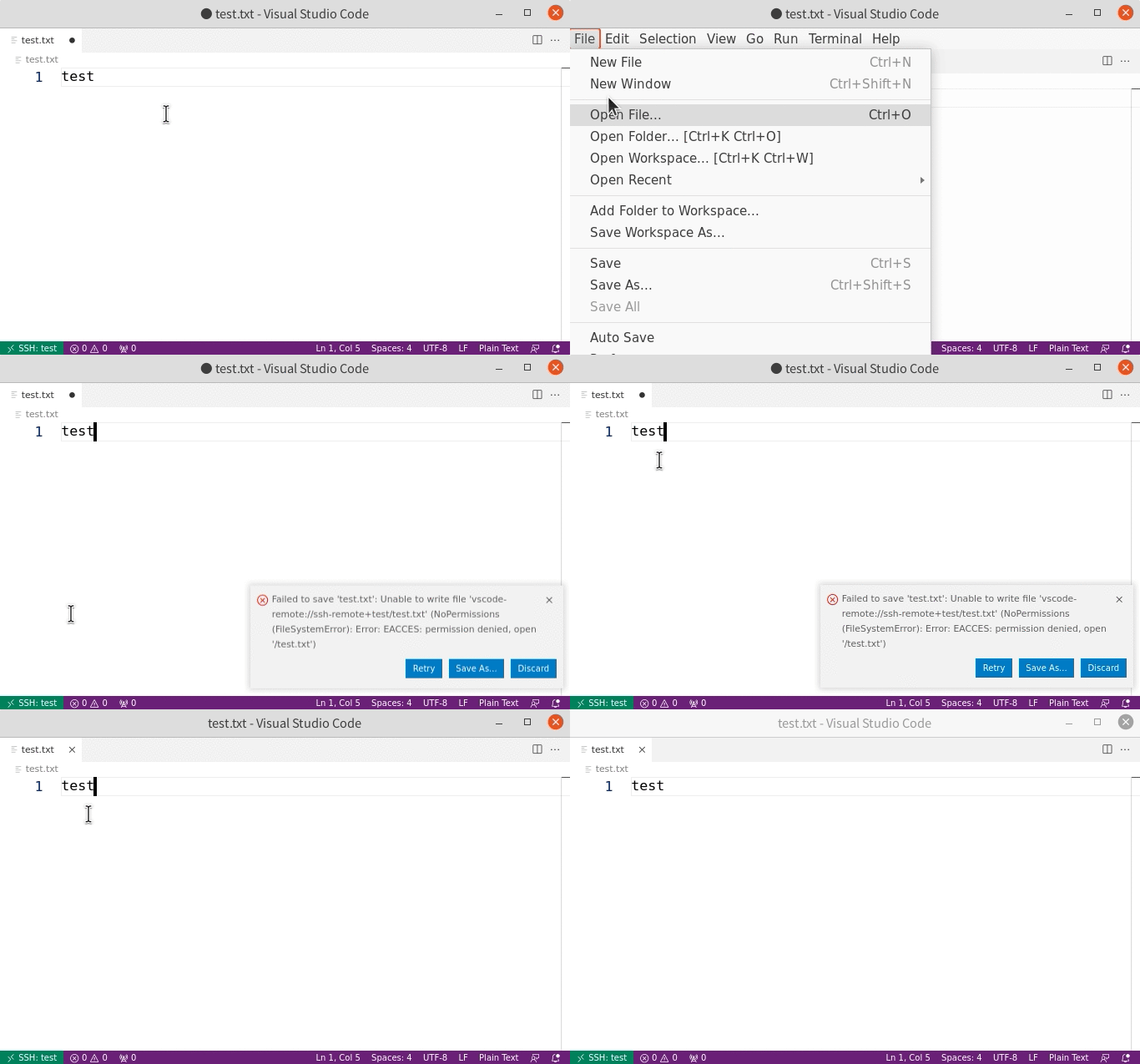
Alternatively, you can use Save as Specified User... command to save as a non-root user.
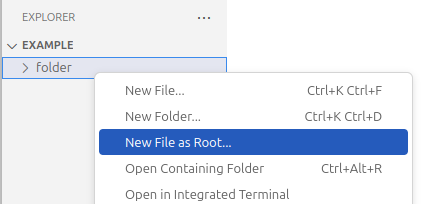
This extension also adds the New File as Root... option to the explorer's context menu when the window is connected to a remote folder.
If you find a bug or have a suggestion, feel free to open an issue or submit a pull request to the GitHub repository.
Saving a document using this extension does not trigger the standard VS Code save events (vscode.workspace.onDidSaveTextDocument and vscode.workspace.onWillSaveTextDocument).
To listen for save events from this extension:
-
Modify your extension's
activate()function to return an object with the following functions. (Returning an object fromactivateis the standard way to export an API from an extension. See https://code.visualstudio.com/api/references/vscode-api#extensions)function activate() { return { // This function is called just before saving the document. // document: the document that will be saved using this extension's command // reason: always `vscode.TextDocumentSaveReason.Manual` onWillSaveDocument(document: vscode.TextDocument, reason: vscode.TextDocumentSaveReason): Promise<void> { }, // This function is called after saving the document. // document: the document that was saved using this extension's command onDocumentSaved(document: vscode.TextDocument): Promise<void> { }, } }
-
Add your extension's ID to
"save-as-root.extensionsToNotifyOnSave"in the VS Code settings as shown below. You can open a GitHub issue requesting the inclusion of your extension's ID in the default value of"save-as-root.extensionsToNotifyOnSave".{ ... "save-as-root.extensionsToNotifyOnSave": [..., "<your extension's ID>"] }